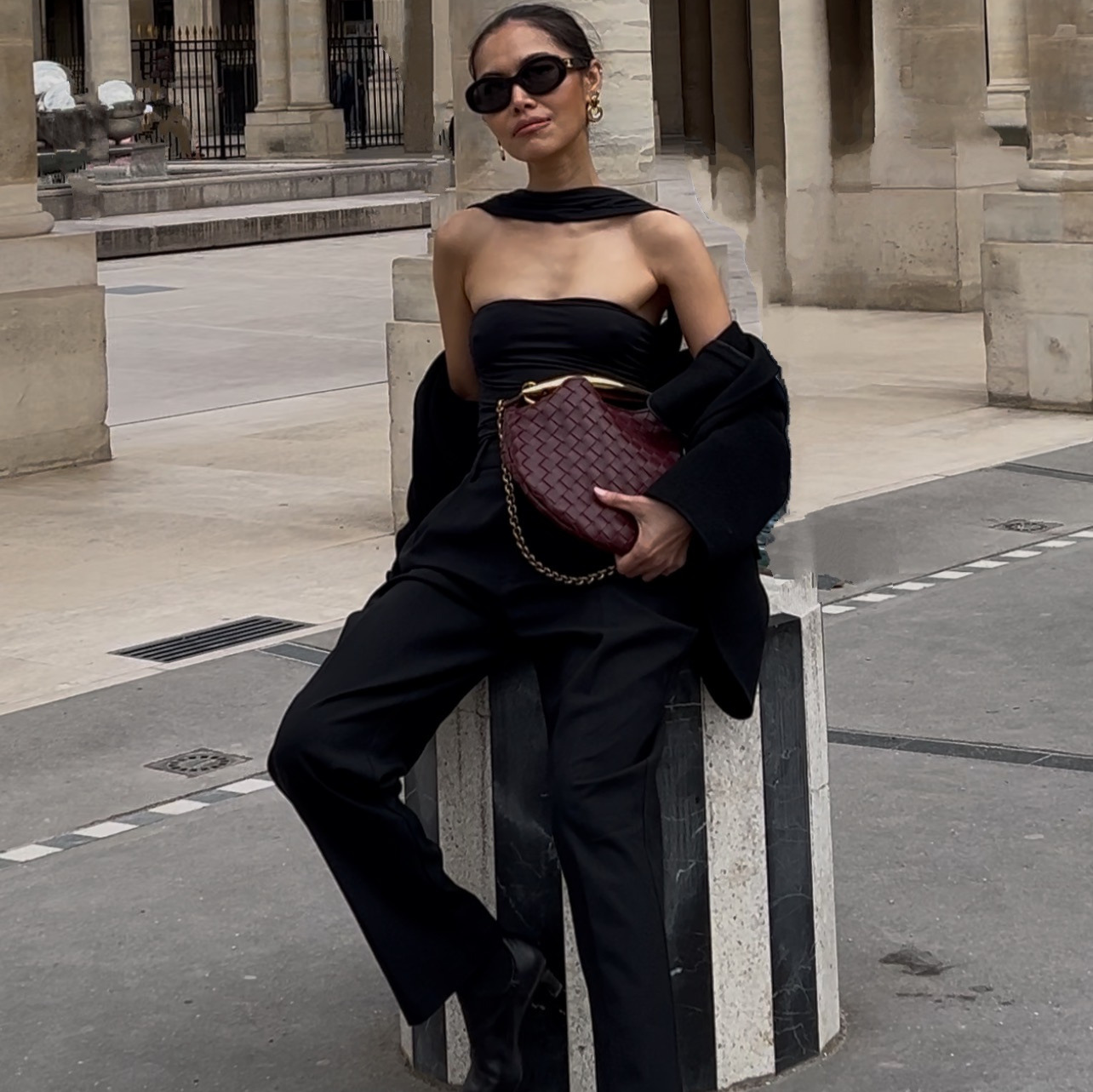
Your store can have the same model in every photo. I trained her once and she never changes.
This is the file behind that video. The five steps, then every prompt I use, written out so you can paste them straight in and swap what belongs to your brand.
What are the five steps?
- Open Claude.
- Connect the Higgsfield connector. Claude then drives the image and video models directly, so you are writing briefs rather than clicking through an interface.
- Upload 40 to 80 photos of the same person. Different angles, different light, same face in every frame.
- Tell Claude to train a Soul Character, and give her a name. Mine is called Anne-Model-01. Training runs in the background and takes about ten minutes.
- Generate with Soul 2.0 and call that model in every prompt from then on. The trained identity only works with Soul 2.0 and Soul Cinema. No other model will accept it.
Once training finishes you get back a soul_id. Save it somewhere you will find it again. That string is the asset. Everything else on this page is reproducible in an afternoon; that is not.
The casting prompt
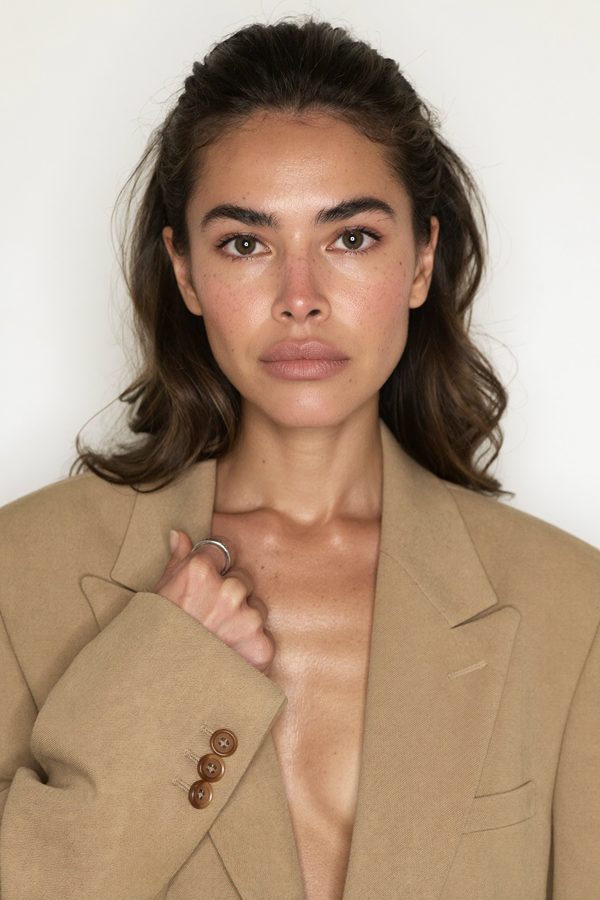
This is the one that decides who she is, so it is the one worth spending time on. Swap the age, coloring, hair and wardrobe for your customer. Leave the lighting, lens and skin-texture language alone, because that is what makes it read as photography rather than as a render.
Run it with four variations rather than one. You are casting, and casting means seeing options next to each other. Then pick one and be able to say why: skin texture, a face that is not perfectly symmetrical, and whether she looks like she has a job.
The wardrobe clause
Wardrobe is where most people lose control of the image, because these models fill in whatever they expect to see. An open blazer quietly acquires a shirt underneath. The fix is not a negative instruction, it is an exhaustive positive one.
Four synonyms closed off, then the empty space described twice. "No visible fabric inside the lapels" tells the model what those pixels should contain rather than what they should not. The same construction transfers to bare legs, empty backgrounds, hands without jewelry, and any other absence you are trying to specify.
How do you turn a look you like into a prompt?
I do not invent a look from nothing. I collect images on Pinterest whose styling I want, and for this model that was a very specific register: oversized taupe and camel tailoring, seamless pale studio backdrops, dewy skin, tousled undone hair, near-shadowless frontal light.
The step that matters is what you do with that image. Use it to produce words, then throw the image away. Upload it once, ask for a description of it, and you get back a paragraph in exactly the vocabulary these models respond to, usually with the palette as hex values. Paste that language into your own prompt.
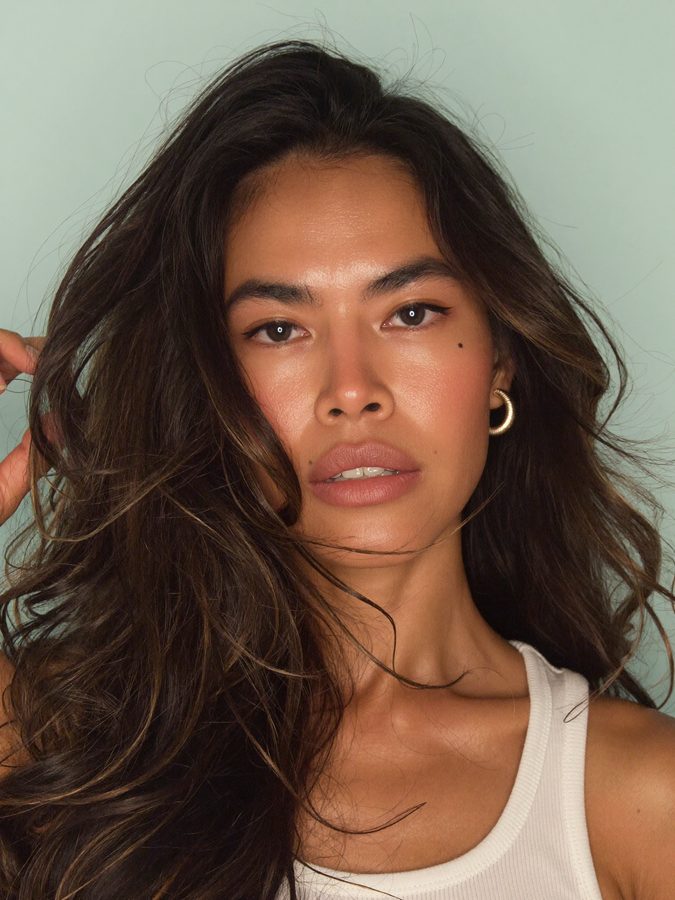
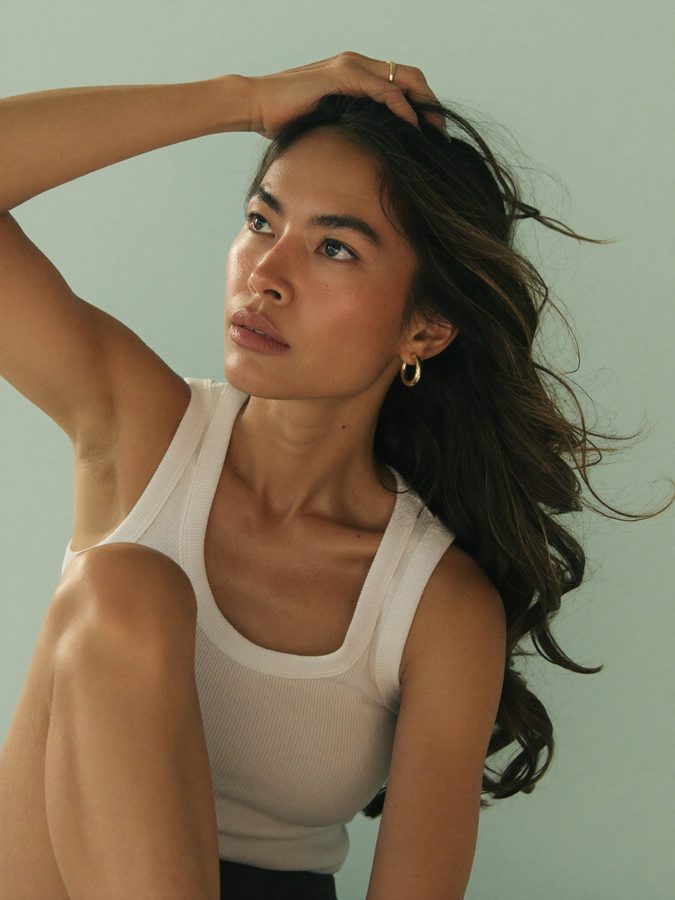
Here is what that looks like in practice. Same trained model, styling language lifted from the reference, nothing attached.
The five-angle set
One image is a picture. A set is an asset. To turn your chosen look into something you can actually use across a site, take the casting prompt and generate five versions of it, and the method is the whole trick: the identity, wardrobe, makeup, hair, lighting and lens language stay identical in all five, and exactly one clause changes.
Swap these five clauses into the opening of the casting prompt. Change nothing else.
| Version | The clause that changes | What it is for |
|---|---|---|
| Straight-on | "straight-on and symmetrical to camera with the chin slightly lifted, looking down the nose into the lens, direct unsmiling gaze" | The hero. Symmetry reads as authority, and it crops cleanly to square. |
| Three-quarter | "body and head turned in a three-quarter turn to camera right with her eyes coming back to the lens, chin level" | The workhorse. Most editorial and most product-adjacent shots live here. |
| Full profile | "in full profile, head turned ninety degrees to camera right, looking straight ahead off frame, clean jawline and nose silhouette against the backdrop" | Earrings, necklines, hair. |
| Wide waist-up | "wide waist-up framing with generous negative space above the head and to the sides, full torso and both arms visible ... the boxy oversized cut of the blazer clearly readable" | Garment silhouette, and the negative space you need for a headline on a banner. |
| Extreme close-up | "very tight crop running from the collarbone at the bottom edge to the hairline at the top edge, the face filling the frame ... visible pores and fine peach fuzz" | Skin, makeup, texture. This is the frame that decides whether a viewer believes she is real. |
Add one line to all five that is not in the original: "identical lighting setup." Two words, and they are the reason the set looks like one sitting rather than five sittings.
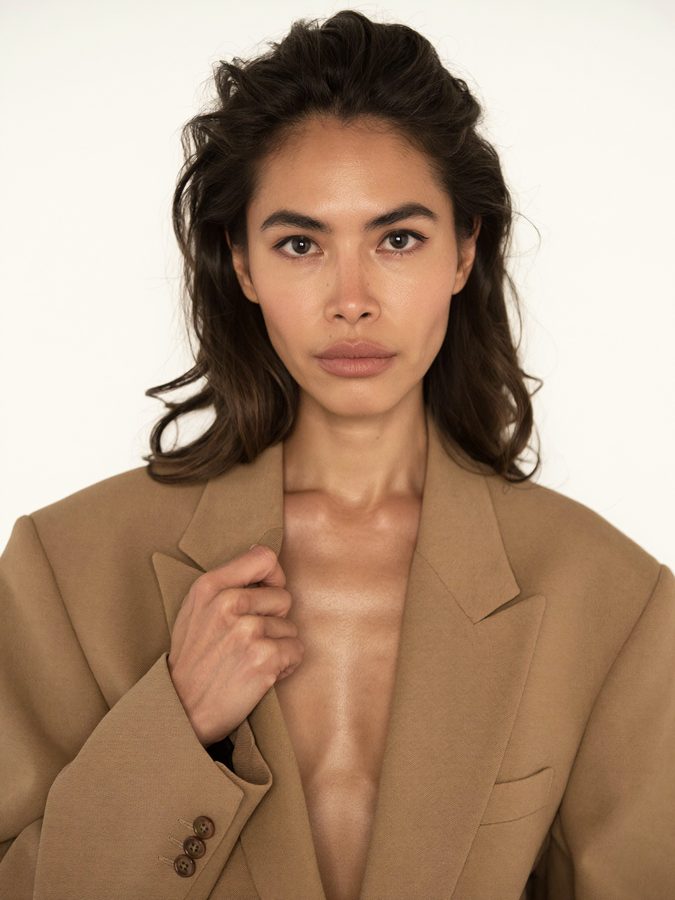
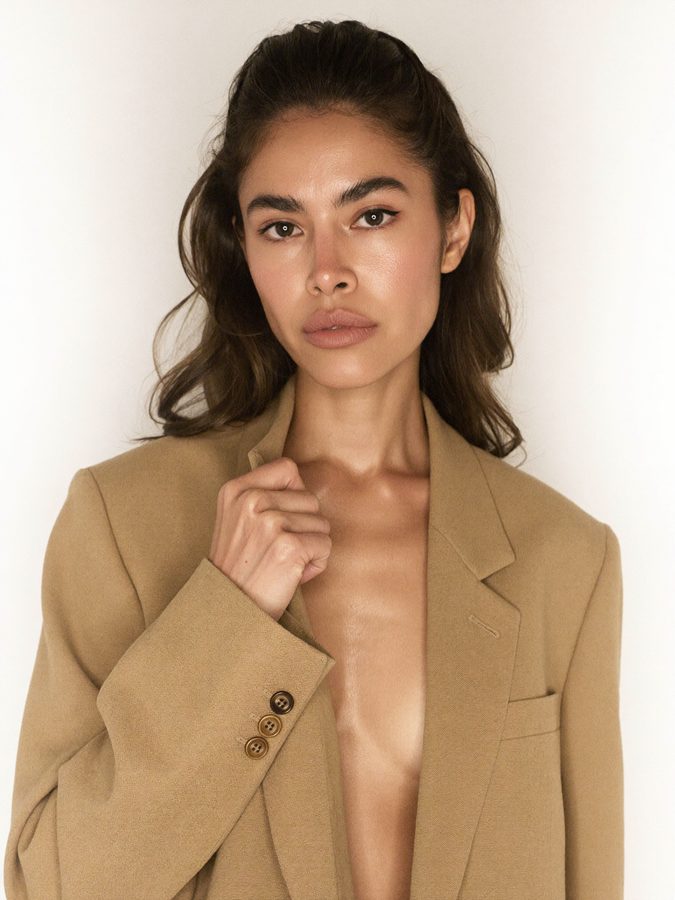
The prompt is not the skill. Knowing which version to keep is the skill.
Putting her in motion
Once you have a still you are happy with, that still becomes the opening frame of a video. Here is the prompt structure, using the fashion example I ran.
The settings are doing as much work as the words, so set them deliberately.
| Setting | Use this | Why |
|---|---|---|
| Opening frame | Your chosen still | This is what carries the identity. With no opening frame the model invents a different woman, and your trained face never appears. |
| Aspect ratio | 9:16, set in the settings | Writing "TikTok video size" into the prompt text does nothing. Aspect ratio is a setting, not a sentence. |
| Duration | 8 seconds | Enough for three outfit changes at roughly two seconds each. |
| Multi-shot | On, automatic | This is what produces the cuts between looks rather than one continuous take. |
| Prompt enhancement | Off | Same reason as the stills. Enhancement rewrites your brief. |
What separates this from an amateur AI model?
Not the prompt. Three things, and all three are taste calls rather than tool skills.
- Casting for texture instead of beauty. Every line about visible pores, peach fuzz, freckles and no beauty smoothing is doing deliberate work. Smoothing is the default these models reach for and you have to actively suppress it in every prompt. Poreless skin is the fastest way for a viewer to clock an image as generated.
- Changing one variable at a time. If you change the hair, the light and the wardrobe in the same round, you cannot tell which change caused what. It looks slower and it is much faster.
- Casting for your customer's aspiration, not your own taste. She has to look like the person your customer wants to be, and still belong in the world your product lives in. That is the judgment nobody can hand you in a prompt file, and it is why the same five steps produce a brand asset for one person and a stock photo for another.
The mechanism takes ten minutes. The casting takes as long as it takes. That ratio is the honest summary of this entire discipline.
How do you train an AI model for a brand?
Upload photos of one consistent person, train them into a named Soul Character, and then call that trained identity in every image prompt afterwards. Training runs in the background and takes about ten minutes. The trained identity works with Soul 2.0 and Soul Cinema only, so no other model will accept it.
Why does my AI model's face change between images?
Because something in the request is outranking the trained identity. Attaching a separate inspiration image as a reference, or leaving automatic prompt enhancement switched on, both pull the face toward that reference instead of toward your model. Describe the look in words in your own prompt and leave the reference field empty, and the face holds.
Can an AI video model read a product page link in my prompt?
No. A video model does not open URLs. A link pasted into a prompt is read as text, so the clothing you get back is the model's guess from the words in the address, not the garment on that page. To control the wardrobe, attach the product images themselves as references, or generate the styled stills first and use one as the opening frame.
Can I use a real person's photos to train an AI model?
Only with their explicit permission for this specific use, and not a stranger, a celebrity, or a stock set whose license does not cover AI training, which most do not. Generating the training set instead gives you an identity you own outright with nobody's likeness attached to your brand.