Give every image
a shared purpose.
Images can look polished individually and still feel disconnected together. Review them as a set against the same buyer, message, and visual rules. Consistency leaves room for different angles, settings, outfits, and formats. A shared creative idea can connect them without making every image look identical.
Bring the evidence.
- Real product photos showing the details AI must preserve.
- The campaign images you want to compare, labeled A, B, C, and so on.
- Your intended buyer, campaign message, and where each image will appear.
- Approved brand references and any visual rules you already use.
Decide what stays.
Choose the qualities that should connect this campaign. These might include the lighting character, color treatment, styling, or how prominently the product appears.
Then name what may change, such as angle, crop, setting, or outfit. An unexpected environment can add interest when it supports a deliberate concept and keeps the product recognizable. Different formats may need different compositions.
Start with your product references and write down the buyer, message, and visual rules in the worksheet below. Use those decisions to guide your first images, then return here to compare them.
Look at the set.
Check the details.
Check a box only after reviewing that point across your images. An unchecked box marks something to inspect, not an automatic failure.
0 of 6 checks reviewed. This is a review checklist, not a quality score.
Ask for evidence.
Then choose the fix.
Use an AI chat that accepts images. Attach your product references, campaign images, and brand references separately, with clear labels. Replace the bracketed fields below. Review its observations yourself before changing the creative.
Your campaign audit prompt
Help me review an e-commerce campaign for visual consistency. Use the attached images and my stated direction as evidence.

CONTEXT
Brand and product: [add details]
Intended buyer: [describe the customer and relevant need]
Campaign message: [one thing they should remember]
Creative concept: [the idea connecting the images, including any intentional contrast]
Product priority: [how prominently the product should appear and which details must be readable]
Visual rules to keep: [your approved lighting, color, styling, or composition rules]
What may vary: [permitted differences]
Placements: [where each image will appear; include dimensions if known]
Non-negotiable product details: [details that must remain accurate]

ATTACHMENTS
Product references: [file labels]
Approved brand references: [file labels, or say none]
Campaign images to audit: [A, B, C, etc.]

Before reviewing, identify missing information that prevents a reliable judgment and ask me for it. Do not invent brand rules or product facts. If references are missing or unclear, mark the relevant check “cannot verify.”

Compare the campaign images as a set and against the references. Check product accuracy, message, lighting and color, styling, composition for each placement, and purposeful variation. Different crops, angles, outfits, settings, or lighting treatments are not automatically inconsistencies. Judge whether each variation serves the stated concept. Do not reject an unexpected setting merely because it is outside the product’s usual environment.

For each image, identify the likely first visual focal point and explain the visible reasons. Assess whether the product is sufficiently prominent for its intended role. Distinguish a storytelling image from a product-led hero. Treat this as a creative judgment, not measured viewer behavior.

Return a concise table:
Image | Visible evidence | Relevant reference or rule | Keep / revise / cannot verify | Specific proposed fix

Separate factual mismatches from subjective creative suggestions. Explain each proposed change in plain English. Do not assume that consistency predicts sales or that an attractive image is accurate.

Finish with:
- The strongest qualities to preserve.
- Up to three priority fixes, ordered by importance. Put confirmed product inaccuracies ahead of aesthetic preferences.
- For each fix, a plain-language revision note naming what should change and what should remain unchanged.
- Anything I need to check manually.

Do not generate new images. Wait for me to choose the revisions.
AI can miss small details or mistake an intentional choice for a problem. Compare every proposed fix with your real product and approved direction. If it cannot point to visible evidence or a stated rule, treat the suggestion as optional.
High fashion.
An unexpected court.
I took the Le Teckel bag into a tennis setting and styled the AI avatar in high-fashion outfits. The intention is a couture-inspired editorial with a playful contrast: an unexpected world that creates curiosity around the bag.
Independent AI-generated teaching concept. Not an official Alaïa campaign. The observations below are creative review notes, not measured audience responses or a claim that every product detail is approved.
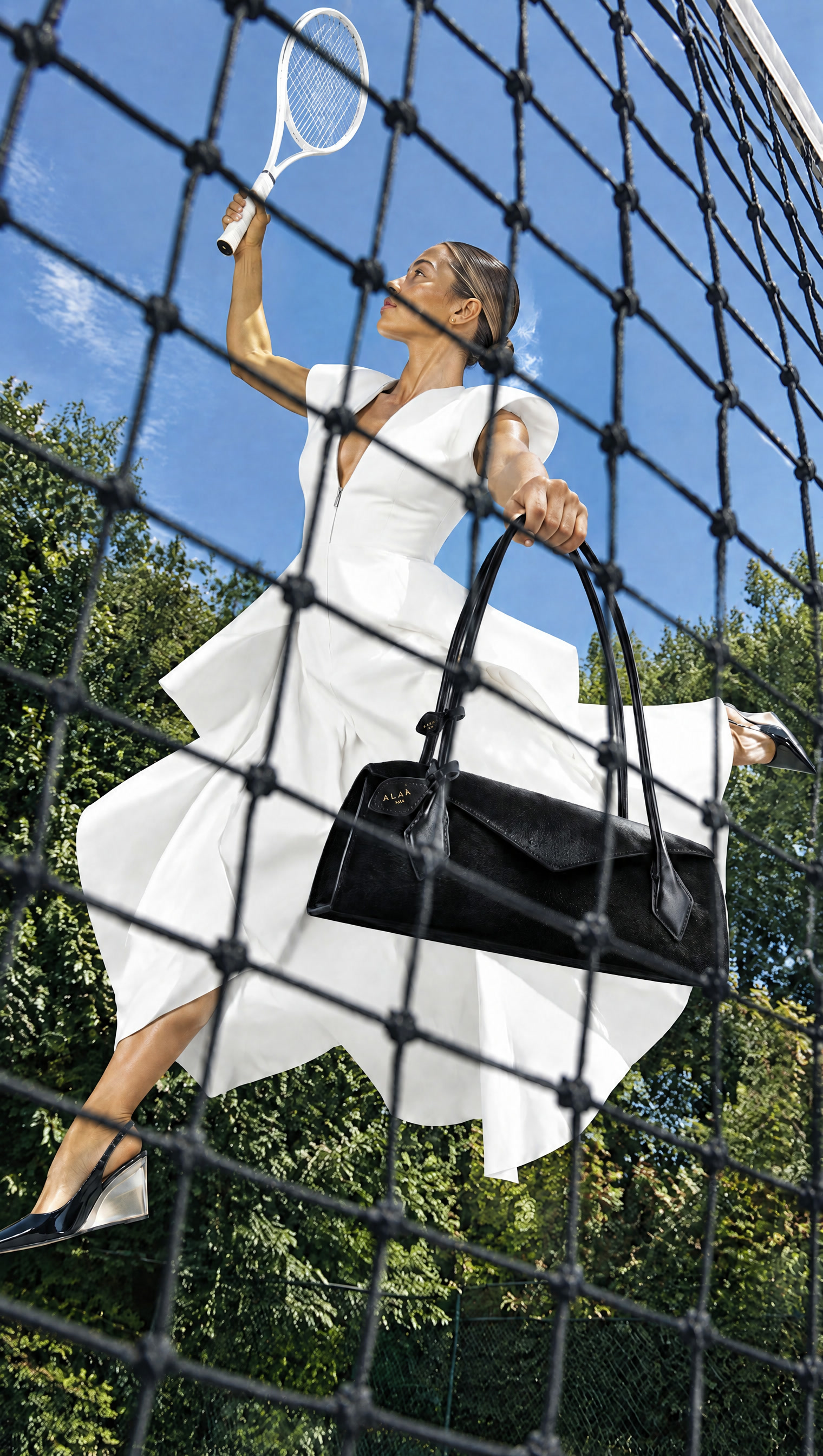
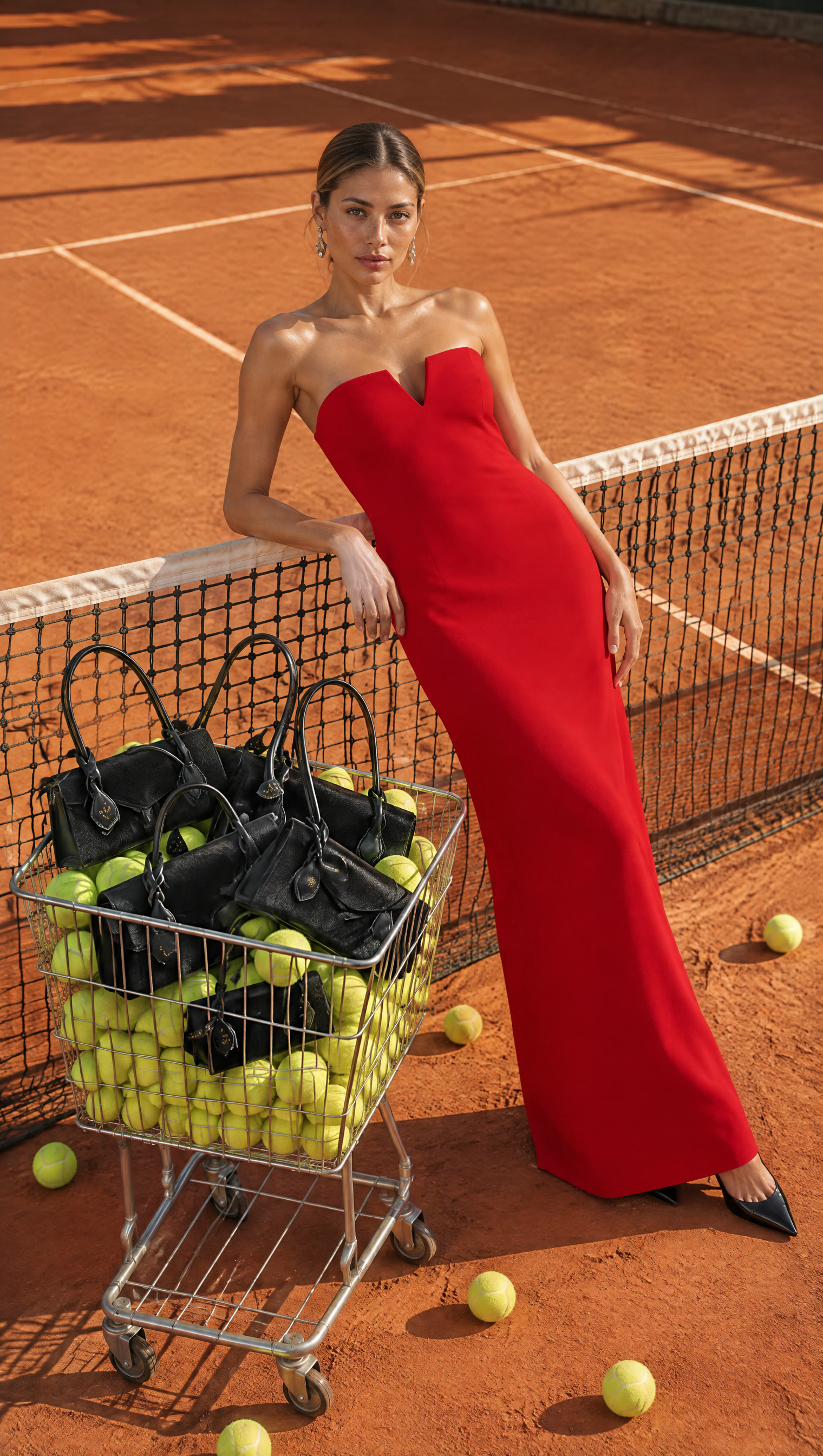
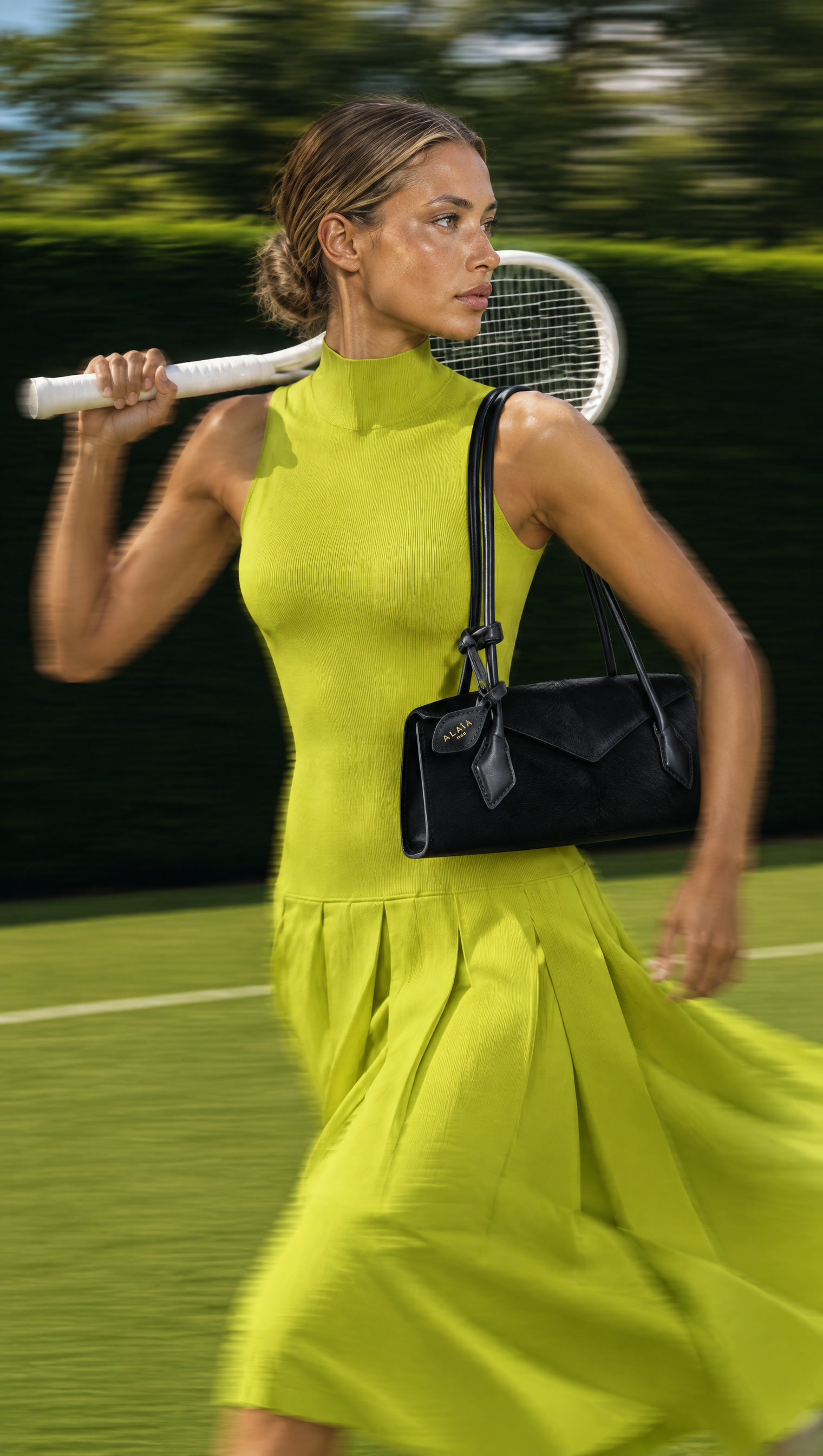
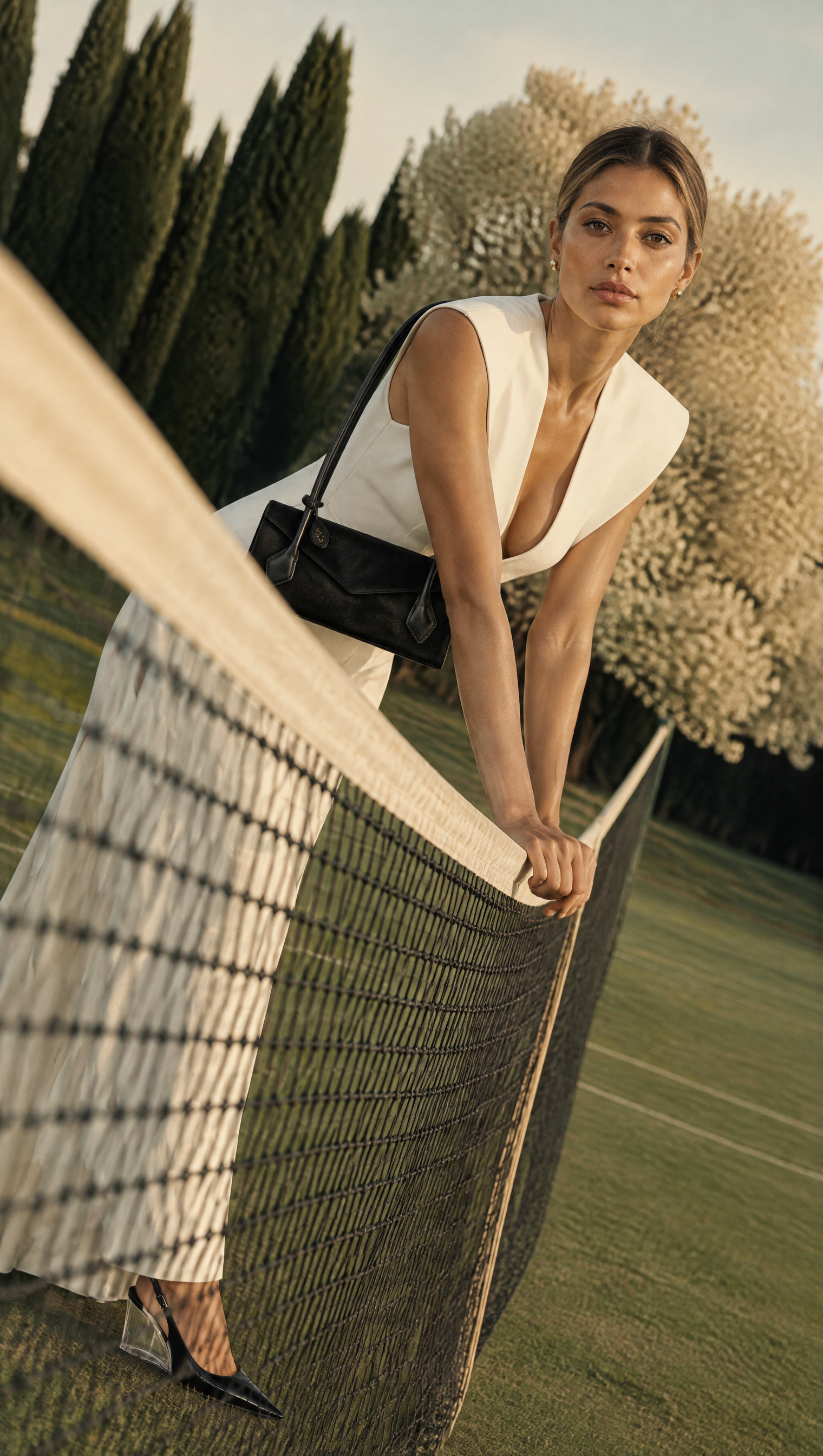
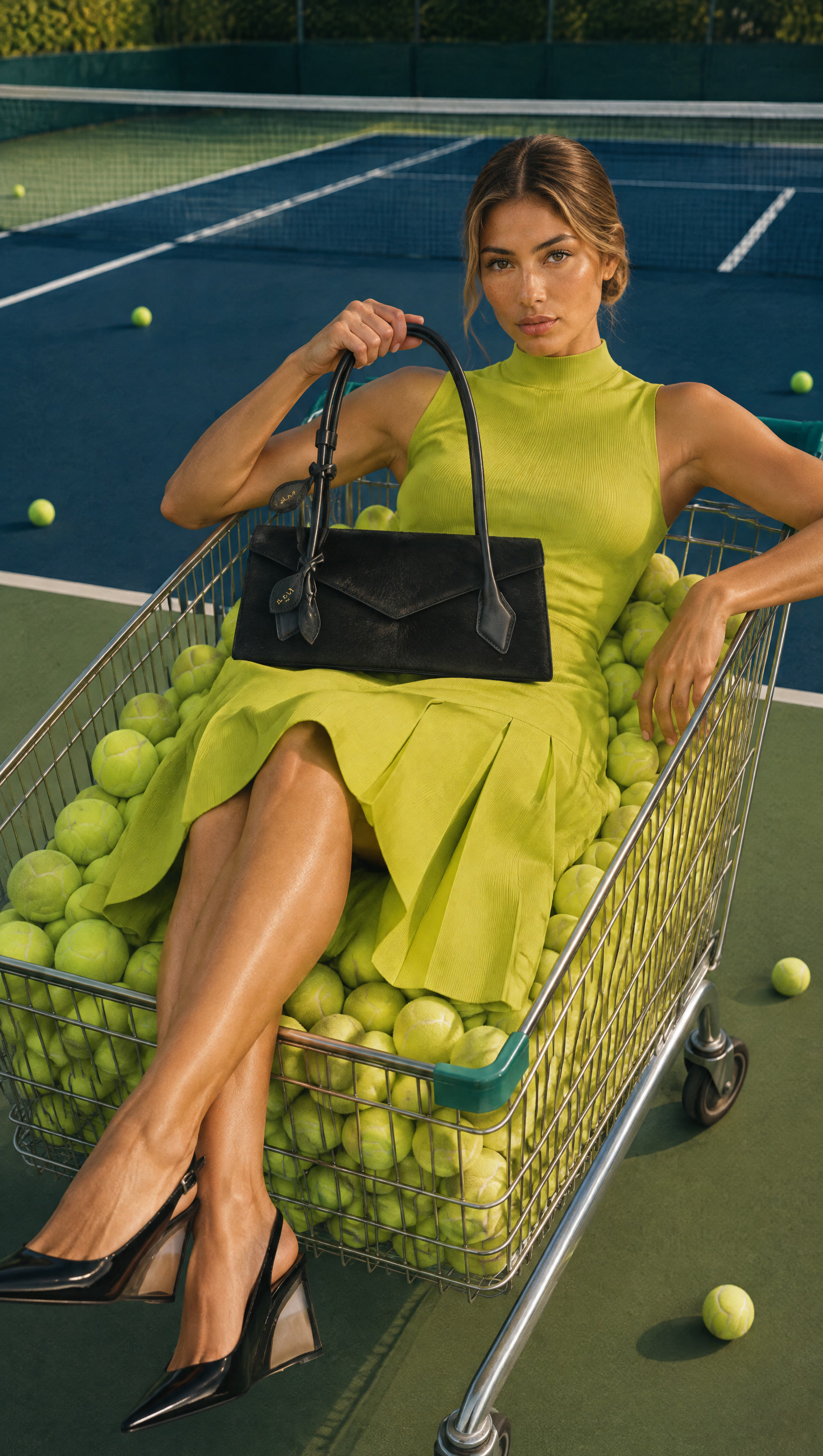
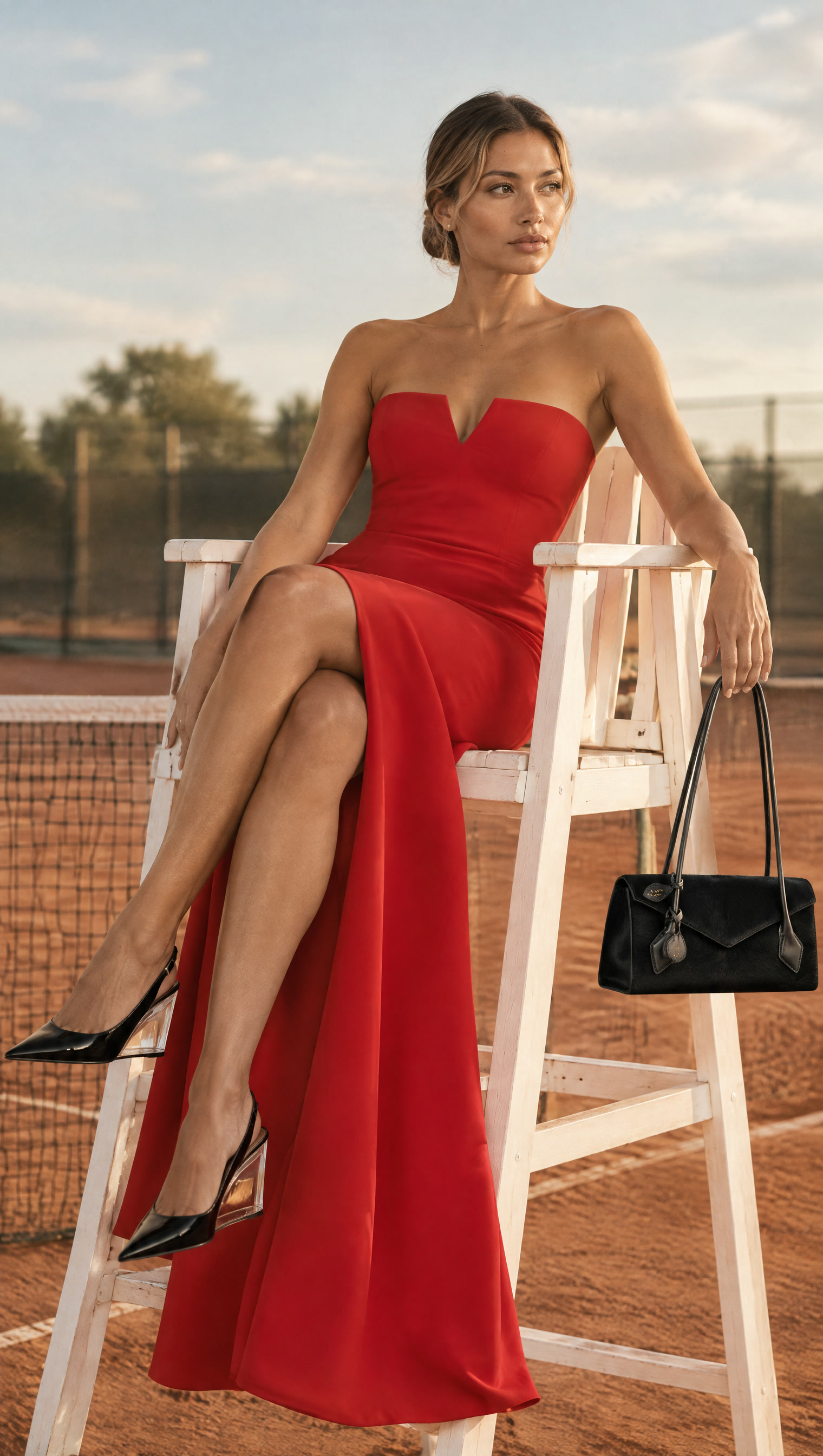
Choose a concept your customer can understand. Give the product an intentional role within that world. Vary the styling and scenes, then review whether the idea still connects the set and whether the product gets the attention it needs.
Day 1: the lesson script
What makes your store’s AI images feel like one campaign? A shared idea, even when the outfits and settings change.
This is day one of my 90-Day AI Creative Direction challenge.
For this Alaïa Le Teckel concept, I brought high fashion onto the tennis court.
The couture-inspired outfits and playful tennis scenes create an unexpected contrast. My intention is to spark curiosity while keeping the bag at the center.
Here’s what you can apply to your own campaign.
Choose one idea. Mine is high fashion meets tennis.
Decide what stays consistent: the bag, the avatar, and the editorial styling.
Then vary the poses, outfits, and camera angles within that idea.
Finally, check what draws your eye. If the dress or prop overwhelms the product, revise the framing.
Comment MATCH and get my Campaign Consistency Check, with the AI audit prompt and checklist.
Keep the direction.
Choose what changes.
Record your decisions here, then copy them into your campaign notes. These fields stay in this page only until it is closed or reloaded. Copy your notes before leaving.
Put the new image back beside the set. Check the original issue, confirm product accuracy, and look for unintended changes. Keep or revise it based on the same direction.
Build your creative judgment.
Use this check whenever a campaign starts to drift. Keep your approved references and decisions together so the next round starts from what already works.
Explore the 90-Day AI Creative Direction curriculum ↗