The campaign film is the line item most e-commerce brands never get to. It needs a location, a crew, a permit, something physically built, and a post house afterward, and by the time you have priced it you have decided to run product photos again.
So the brands with a film look like brands, and the brands without one look like stores.
This is that film, from a photo already sitting on your phone, in about half an hour. You are not going to learn a video tool. You paste three prompts into Claude, describe the film you want, and paste your product link. Claude picks the models and runs it.
The finished filmSeven seconds. One product photo in, one campaign film out.
The whole thing on one page
| Step | What you do | How long |
|---|---|---|
| 1 | Decide the one idea. Where your product goes, at what scale, and what carries it | 10 min |
| 2 | Ask Claude for the opening frame. Pick one of four | 5 min |
| 3 | Ask for one change, if it needs one | 5 min |
| 4 | Ask Claude to move it | 5 min of waiting |
What you need before you start
- Claude, with the Higgsfield connector turned on. That is the whole software stack. You will not open a video tool or an editor.
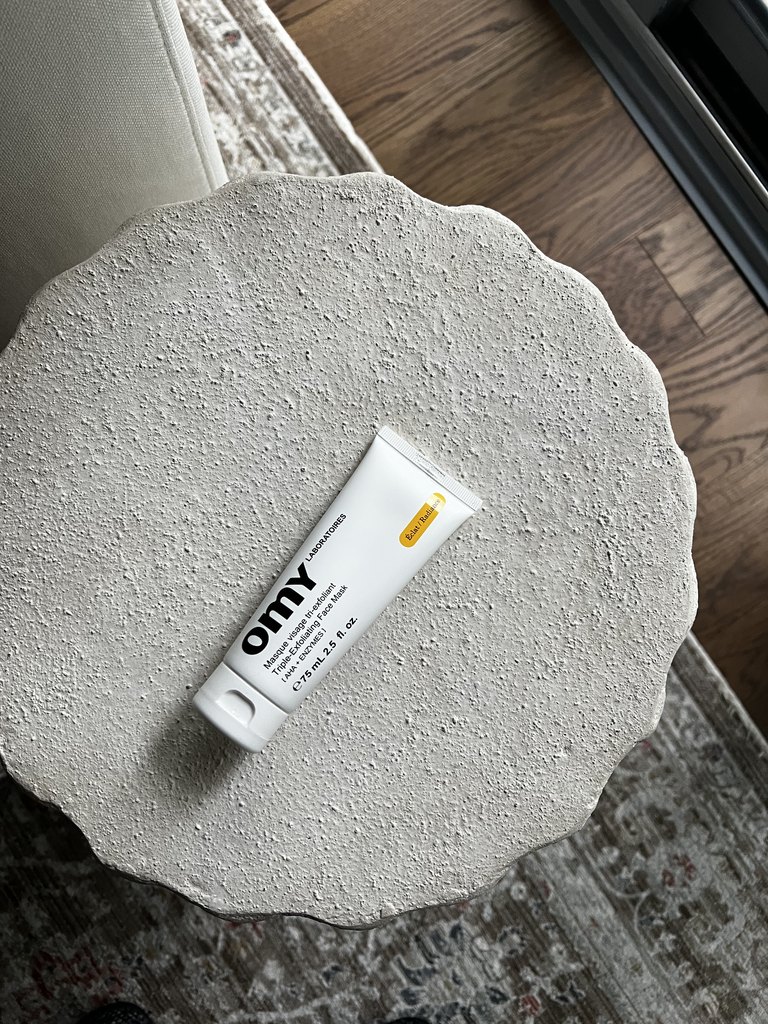
- Your product page link. Just the URL. Claude reads the page and pulls the real product photos off it, which is the single thing standing between a film of your product and a film of something that resembles it.
- One reference you already like. A film, an ad, a photograph, anything whose mood you want. You are going to describe what is in it. That description is your creative direction.
Step 1. Decide the one idea
A campaign film is one idea, executed once, held for seven seconds. Not a montage and not a story. One image that would stop someone.
The three questions that produce it:
- Where does your product go? A real place, described physically. A cobblestone street with stone facades and iron balconies. A salt flat at dusk. A tiled Lisbon staircase. Not "somewhere beautiful."
- At what scale? This is the whole trick. Your product at its actual size is a product photo. Your product at six storeys is a campaign. Scale is free here and it is what makes people stop.
- What carries it or holds it? A vehicle, a plinth, a hand, water, a crane. Something that gives the film somewhere to move.
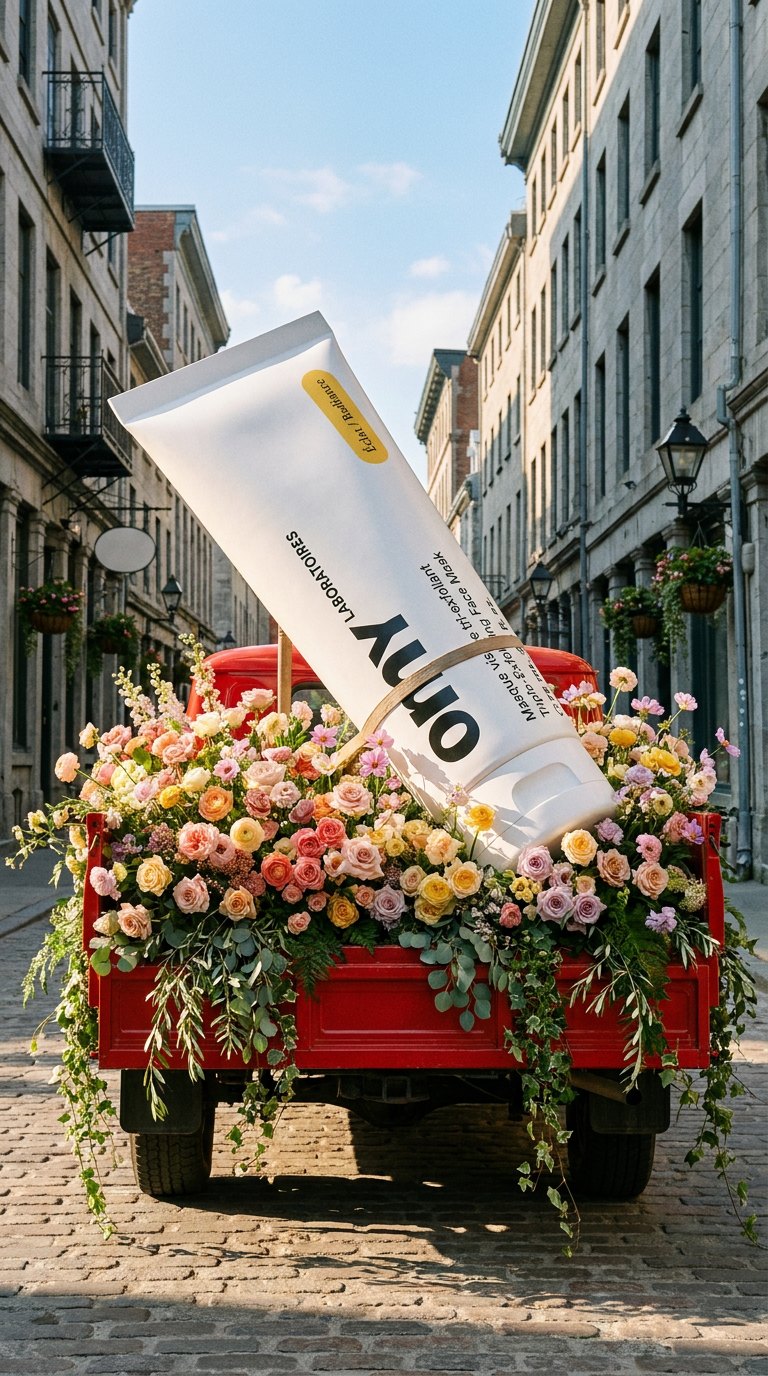
The example running through this page is a face mask tube blown up to several storeys, strapped to the back of a red flower-covered truck, driving through Old Montreal. Read the prompts as shapes to fill in, not as scripts to copy. A candle wants a different place from a running shoe.
Step 2. Ask for the opening frame
Do not ask for the film first. Ask for one still, look at it, then have it moved.
Stills cost a fraction of what a film costs. This is where you find out the light is flat, or the scale is not reading, or your product has been quietly redesigned, and it is far cheaper to find out here than after the film has run.
The line doing the most work is "do not redesign it." Left alone, a generation treats your product as a suggestion. It keeps the silhouette, invents the lettering, and hands back something that reads as yours in a thumbnail and is wrong the moment anyone looks. That one sentence, plus the product link, is what keeps the label yours.
Step 3. Ask for one change
Almost every first frame needs one thing. Usually it is color.
A product shot on stone, in a stone street, under a gray sky is three shades of the same gray, and it reads as somber rather than premium. The fix is not in an editor afterward. It goes in the frame: flowers, foliage, a painted vehicle, a market awning, a blue sky.
"Regenerate the still only, not the film" is the line that protects your budget. Without it, a note about color can be read as an instruction to rerun everything, and you have paid film prices to fix an image.
Step 4. Ask Claude to move it
One move, held for the whole seven seconds. A film that tries two things in seven seconds does neither.
Separate what moves from what does not. A prompt that only says "the truck drives forward" gives the generation permission to move everything, and the label starts crawling. Naming the product as the thing that stays fixed is what keeps it legible for seven seconds.
Optional. The poster from the same frame Optional
The still you approved in step 2 is already a finished asset. It costs nothing more to use it as a feed post, an email header or an out-of-home mockup, and it gives the film something to sit next to in the grid.
The prompt chain, in order
| # | Prompt | What you get |
|---|---|---|
| 1 | The opening frame | Four stills. You pick one |
| 2 | The one change | The same frame, fixed |
| 3 | The campaign film | 7 seconds, vertical, silent |
| 4 | The poster | Two more assets from the frame you already paid for |
Five things that make the difference
Still first, film second. Approve the product, the scale and the light on a cheap image. The film is the most expensive thing in the session and the worst place to discover the label is wrong.
Write "do not redesign my product." Paste the product link and say it in the same breath. This is the difference between your product and something that looks like it.
Put the color in the frame, not in the edit. Flowers, foliage, a painted vehicle, a blue sky. Color you generate is lit correctly. Color you add afterward is a filter and it looks like one.
Name what must not move. Separating what moves from what stays fixed is what stops the label crawling and the scene redecorating between second two and second six.
Ask for the cost before the film runs. Put "tell me the credit cost before you run it" in the prompt and Claude stops and checks with you. That one line is the difference between four films this month and one.
The checklist
- One idea decided before you opened Claude: the place, the scale, the thing carrying it
- Product page link pasted, so the real product is used
- "Do not redesign my product" written into the prompt
- Four stills generated, one picked
- Color checked on the still, and added to the frame if it was flat
- Overlay or full screen said out loud in the prompt
- Credit cost checked before the film ran
- Finished film watched all the way through, checking the label stays sharp and still
Can you make a campaign film without a shoot?
Yes. You describe the film in plain English, paste your product page link, and Claude builds it. There is no location to book, no crew to hire, no permit and nothing to physically build. The only part that stays yours is the idea: where your product goes, at what scale, and what carries it.
How do you stop AI redesigning your product?
Paste your product page link and write the line do not redesign my product into the prompt. Claude pulls the real product photos from the page and uses them as the reference, so the proportions, the closure and the label come out as yours instead of a generated approximation. Without that link you get something that looks like your product from a distance and is wrong up close.
How long should a campaign film be?
Seven seconds is enough for one idea and one camera move, and it is the length that loops cleanly behind text in a social post. Longer only helps when there is a second thing to look at. Cost rises in a straight line with the seconds, so a film twice as long costs twice as much and rarely earns it.
Does the film need to be full screen quality?
Only if it fills the frame. Say in the prompt whether the film is a small overlay sitting behind text or a full screen post, because the lighter version costs meaningfully less and looks identical at overlay size. Ask for the lighter one by default and step up only when the film is the post.
What do you do if the first version comes out wrong?
Fix it on the still, not on the film. Ask for one change, name what stays identical, and say regenerate the still only. A still costs a fraction of a film, so every problem you catch and fix before anything moves is the cheapest fix available to you.