The Four Things You Pay an Agency For, Built From One Photo Each
A paid ad, a UGC video, a pre-launch set and a product page, each from a single photo the brand already had.
By Anne Reyes · · 8 min read
Four builds, twelve steps, and every prompt written so you can paste it and fill in your own brand.
If you have this
You can run this
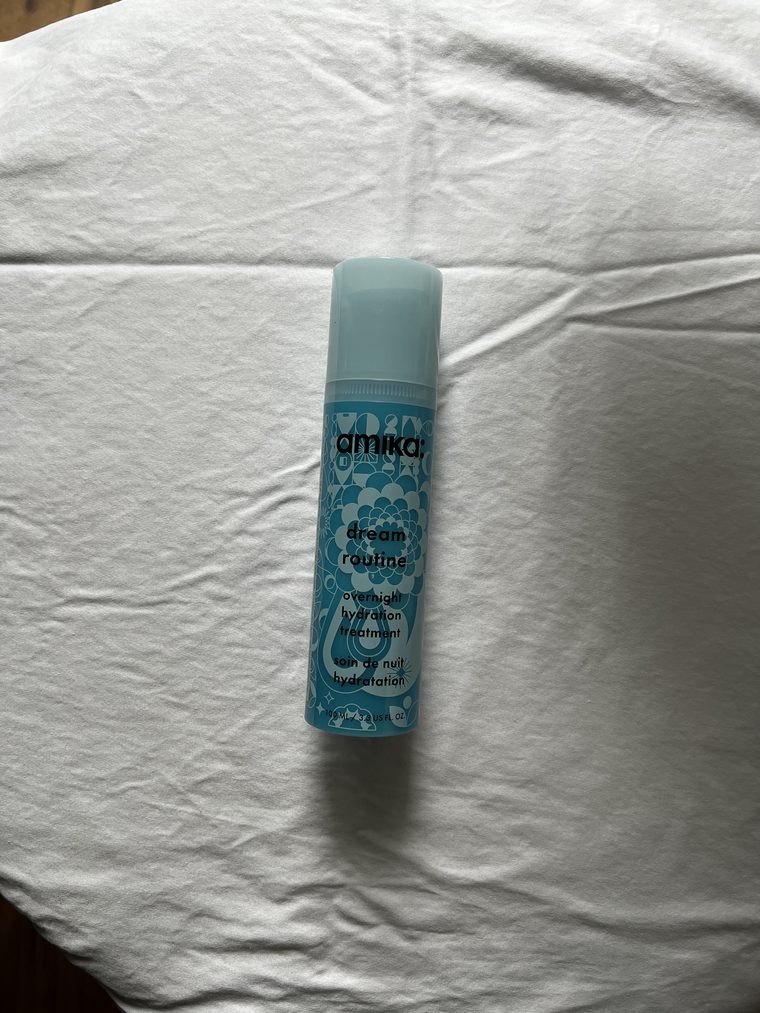
Build oneA phone shot on a bedsheet, and the paid ad it becomes.
If you have this
You can build this
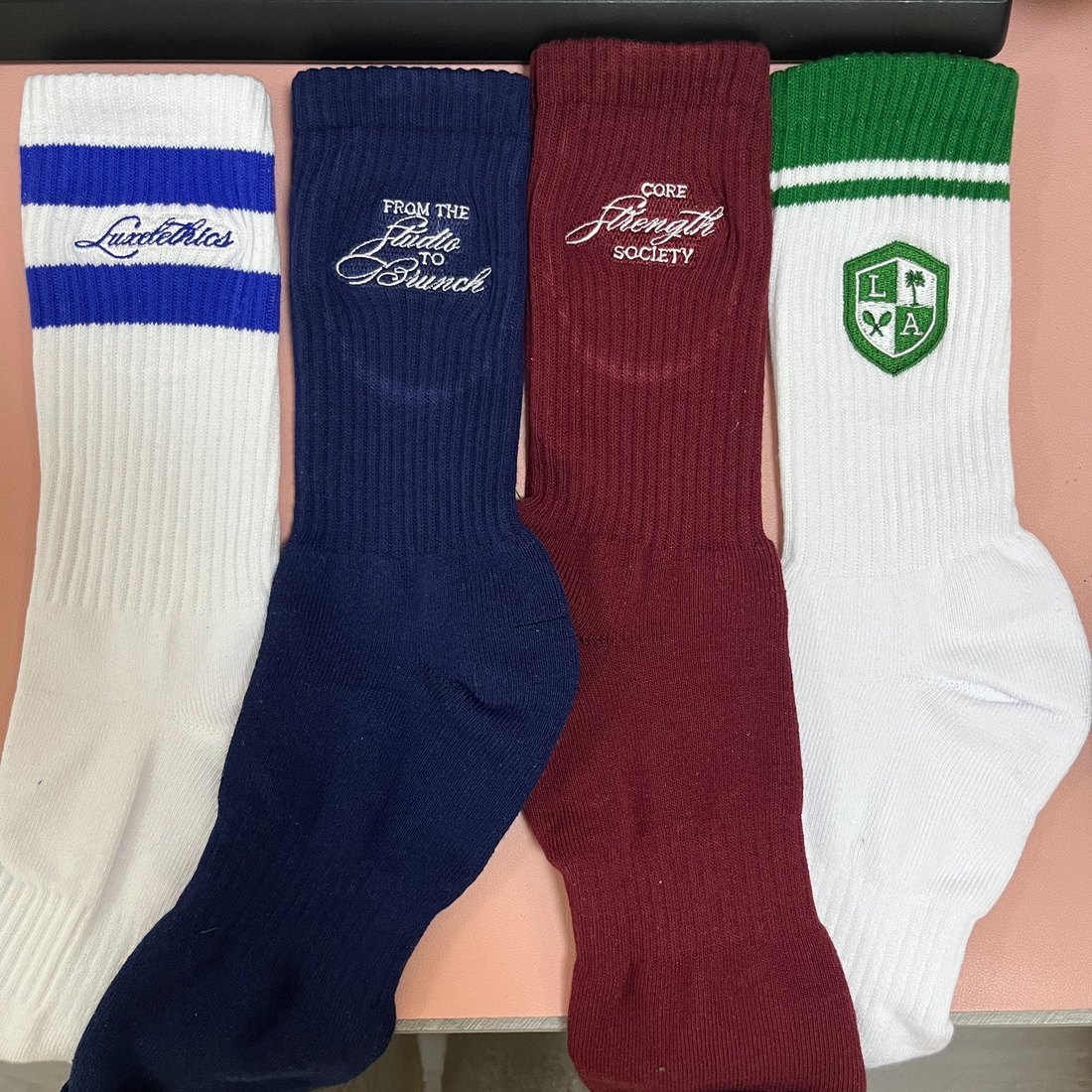
Build threeThe photo the factory emailed, and the launch page it becomes.
What do you need before you start?
Claude, with an image generator connected to it. You write briefs in plain English. The image model runs underneath. Keeping those two jobs separate is most of why this works.
One photo of the product you actually sell. A phone shot, a packshot, the frame the factory emailed. It has to be legible, not beautiful.
Your headlines, written by you. Every build below sets your copy into the asset. None of them let the model write it.
How do I turn one product photo into a paid ad?
Lock the product first, then name the ad format instead of describing a mood. Three steps.
Build one · step 1Write the product lock
Left alone, an image model treats your packaging as a suggestion and rebuilds it in a style it likes better. Your brand name comes back slightly wrong, and it is the kind of wrong nobody can name but everybody notices.
Prompt 1 · the product lock
Rules for this image:
Reproduce the product exactly as it appears in my photo. The label artwork, the typography, the colors and the proportions do not change.
Never cover the brand name or the product name with anything.
Add no text, logo or watermark other than what I have asked for above.
Photorealistic commercial photography.
Written once, pasted at the end of every image prompt on this page. Costs nothing extra. It is the difference between an image you can publish and one you cannot.
Build one · step 2Ask for the format, not for a nice photo
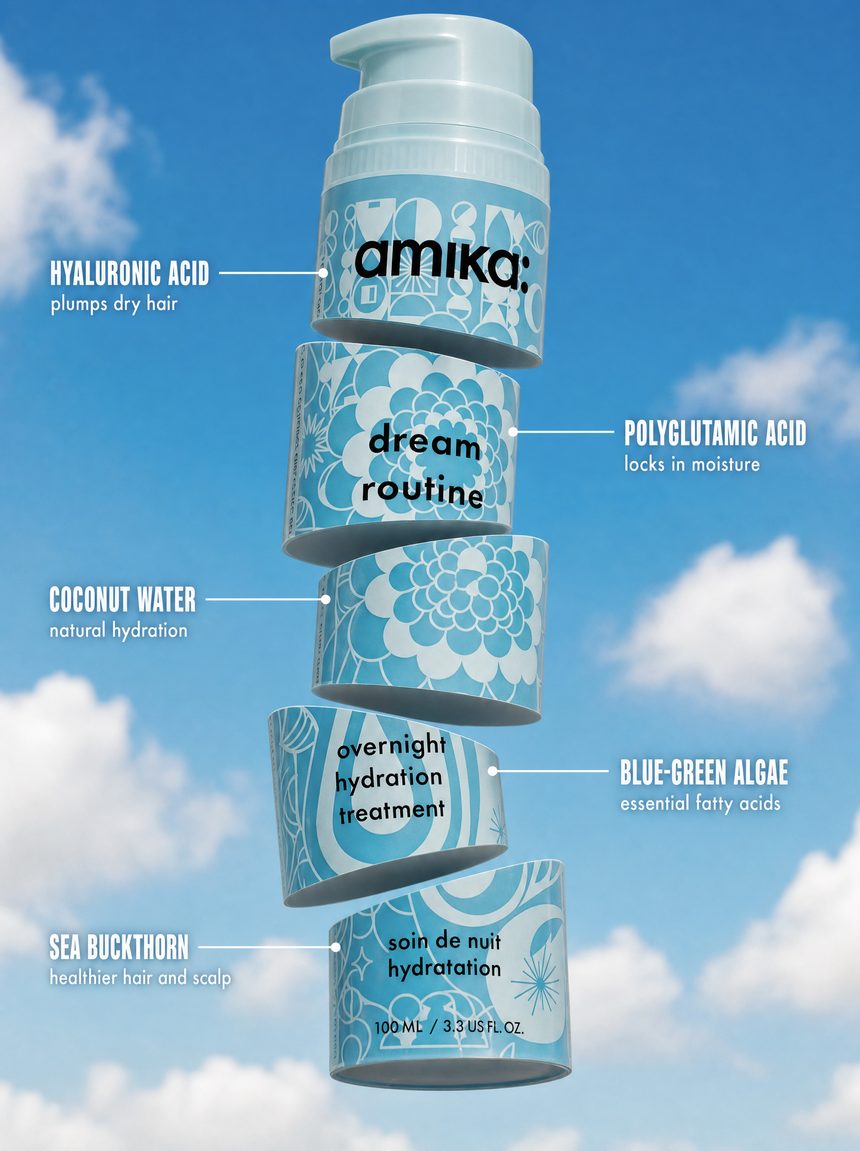
Sliced product with labeled callouts is one of the highest performing static formats in beauty and supplements, and it is the one founders assume needs a 3D artist.
Prompt 2 · the ad
Build me a vertical paid social ad from the attached photo of my product.
Layout: my product cut cleanly into five horizontal slices, floating and stacked down the center of the frame with even gaps between them. Tilt each slice at a clearly different angle so the stack has movement rather than sitting in a straight line.
Background: [name it, for example a bright blue sky with soft white clouds]. Keep the background clearly different in tone from the product itself, and use shadow and edge contrast so the product still separates from it.
Callouts: five thin white lines, each starting with a small dot on a slice and running out to a label, alternating left and right side. Top to bottom the labels read:
[INGREDIENT OR FEATURE] / [three or four word benefit]
[INGREDIENT OR FEATURE] / [three or four word benefit]
[INGREDIENT OR FEATURE] / [three or four word benefit]
[INGREDIENT OR FEATURE] / [three or four word benefit]
[INGREDIENT OR FEATURE] / [three or four word benefit]
Set the name in bold capitals and the benefit smaller underneath.
[Paste the product lock from prompt 1 here.]
Returns the full ad with all five callouts set. About 3 minutes. Read every word back at full size before it goes anywhere near a campaign.
Build one · step 3Match a look you have already found
Show it the reference rather than describing the reference, and name the one thing you want from it.
Prompt 3 · the styling reference
I have attached two images. The first is my product. The second is a styling reference.
Use the second image only for [the one thing you want, for example its background color and its lighting]. Do not copy its subject, its layout or its text.
Everything else follows my instructions above.
Adds nothing to the time. Left vague, it copies the whole picture, including the other brand's product.
What breaks this build: callouts longer than four words. Image models hold short text and garble long text, and the failure rate climbs with every word. An ingredient name plus three or four words holds. Five full sentences comes back misspelled, and a typo in a product claim is worse than running no ad at all.
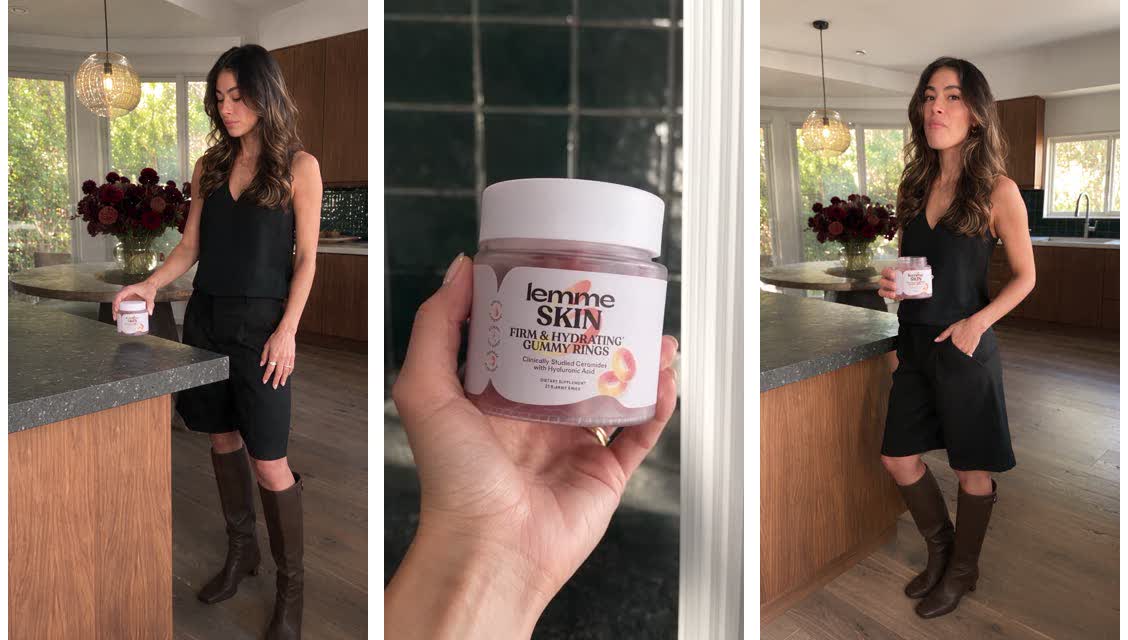
How do I get a UGC video without booking a creator?
Nothing renders until you have read the plan. The script comes off your own product page, the shot list comes back as text, and only then does anything become video.
Build twoOne product photo, one product link, eight seconds, sound on.
Build two · step 4Get the script out of your own product page
Prompt 4 · the script
Here is my product photo: [attach it]. Here is the product page: [paste your product link]. Here is who buys it: [one line on your customer].
Write me a one-line UGC script, six to eight seconds spoken, that names the product and its real claim from the page, and ends on how often to use it. Show me the line before we do anything else.
Returns one line of script, nothing rendered. Under a minute. A claim pulled off your own listing survives a compliance read. An invented one does not.
Build two · step 5Cast the creator and get the shot list back as text
Prompt 5 · the creator, the setting, the shot list
Use my AI model [name her, or describe her once: general look, age range, energy]. Setting: [describe the room, or attach a reference photo and describe what is in it: surfaces, light, one background detail]. She is speaking this line to camera: "[your script from prompt 4]".
Build me the full shot list for an eight-second video: hard cuts between close-ups and wider shots, the product's real label facing camera and fully readable in at least one shot. Show me the complete shot list before you generate anything.
Returns a shot-by-shot plan, still nothing rendered. Reading it costs you a minute. Approving a video you have not checked costs you a full render, every time it comes back wrong.
What comes backEvery beat of the ad, approved before any of it became video.
Build two · step 6Check the body before it moves
Prompt 6 · the anatomy check
Before you turn this into a video, check every shot in the list for extra or missing fingers, arms, or legs, and for any warped or distorted face. She needs to look like a real photographed person in every single shot. Confirm she holds still on the final frame, then show me the confirmed list.
Returns a confirmation, or a corrected shot list. Under a minute, still before anything is spent.
Build two · step 7Render it
Prompt 7 · the finished video
Turn the approved shot list into an eight-second video. She speaks the line herself, natural room sound under it, no captions or text burned into the frame. Show me the finished clip.
Returns one vertical video with sound. About ten minutes of rendering. Watch the hands and the final frame in the actual clip, not just in the plan.
What breaks this build: fixing the outfit and the product in the same message. Say plainly, in every round, that the product's packaging and label are not to be touched. And fix a garment with a real link to the exact piece you want rather than a description, because the retailer's own photos carry the drape and the fit that "something flowier" never will.
How do I launch a product I cannot photograph yet?
You cannot photograph a product you do not have. That is a timing problem, not a budget problem, so money does not fix it and the launch slips. One flat supplier photo is enough to build the whole pre-launch set.
Build three · step 8Lock the product against the factory photo
This is the clause standing between your launch page and a product that does not match what ships.
Prompt 8 · the product lock, factory version
The [product] is exactly the [product] in the reference image. [Describe it plainly: material, color, construction, where the logo sits and its exact wording]. [List what it does not have: no stripes, no contrast panels, no second logo, no props]. Do not redesign it.
FIT: [where it sits on the body or in the hand, in plain measurements].
SCALE: [the proportion of a standard version of this product].
No text, no lettering, no signage, no watermark anywhere in the image except the [logo] on the product itself.
Goes into all four shot prompts, word for word. Your inspiration images will show a different version of the product. Match the photography in them, never the product in them.
Build three · step 9Ask for four photographs with no text in them
Run this once per placement, and say what the empty space is for. A photograph with the subject centered is a photograph your headline has nowhere to live.
Prompt 9 · the shot, run once per placement
[Placement and shape: campaign banner 16:9, or waitlist page hero 4:5, or teaser post 4:5, or teaser email hero 4:5.]
[One sentence describing the subject and the pose]. [What they are wearing or holding, other than my product]. [The surface and backdrop, named]. [The light: its direction and its softness, and one shadow].
The subject sits in [the right third, or the right half] of the frame. [The left two thirds, or the left half] is empty backdrop with nothing in it at all. That empty space is where my headline and button go.
[Three words for the mood, no more.]
[Paste the product lock from prompt 8 here.]
Returns one photograph with no text in it. Run the first one, check the product at full resolution, then reference that result for the other three so the product stays consistent across the set.
Build three · step 10Build the type in HTML, not in the image
Prompt 10 · the type layer
Here are my four photographs. Build each one into its finished asset as an HTML page, then screenshot it at 2x:
1. Campaign banner, 2560x1440. Wordmark, headline, launch date, button.
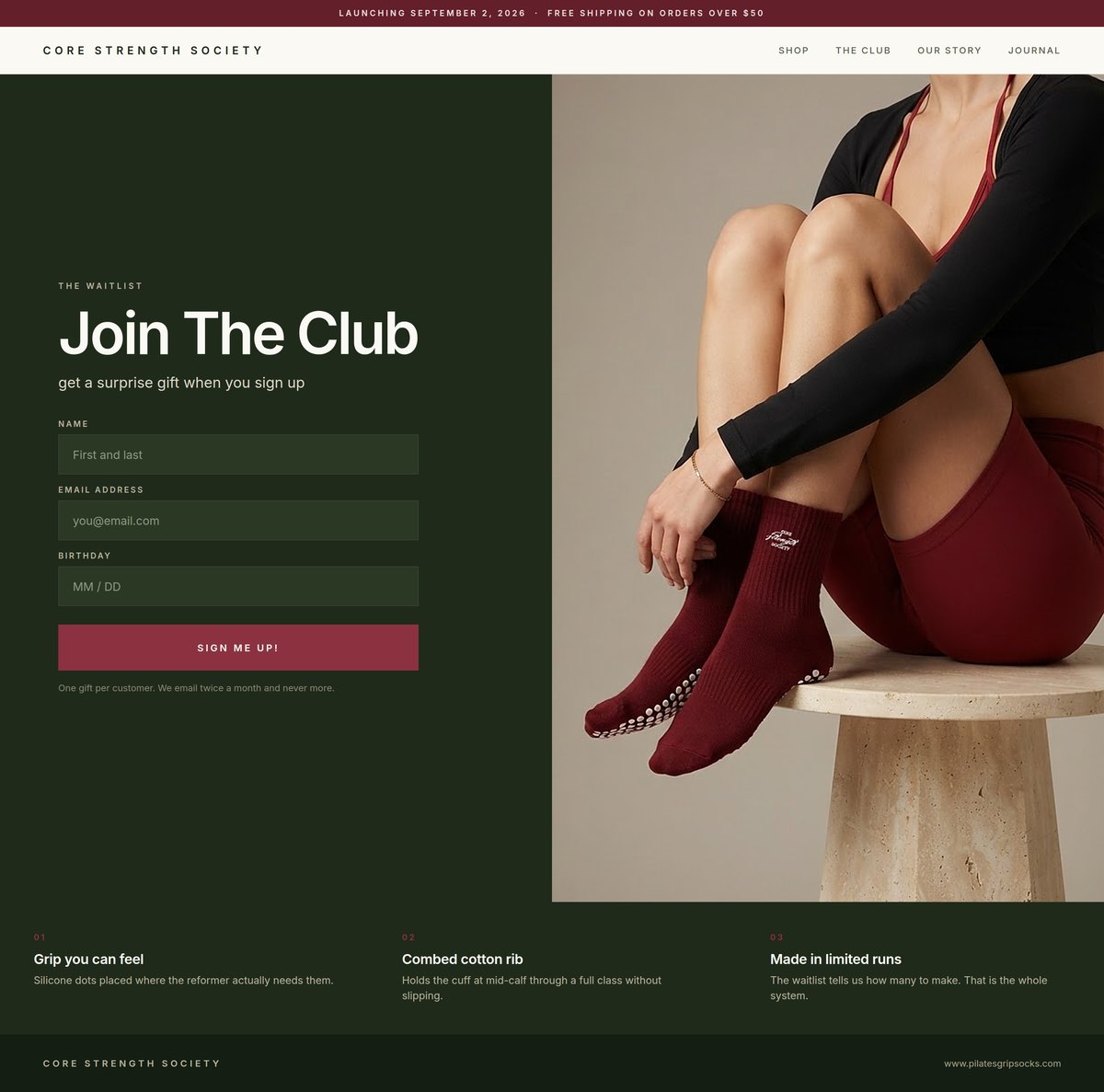
2. Waitlist page, 1440 wide, full page. Headline, paragraph, email capture, launch date.
3. Teaser post, 1080x1350. Overline, one short line, date stamp.
4. Teaser email, 600 wide. Subject line, header, body, button.
My fonts: [name them]. My colors: [exact hex values]. My copy, written by me: [paste every headline and button label].
Set the type into the empty space in each photograph. Do not regenerate or alter the photographs themselves.
Returns four finished assets at zero image credits. Every revision after this is a text edit rather than another generation.
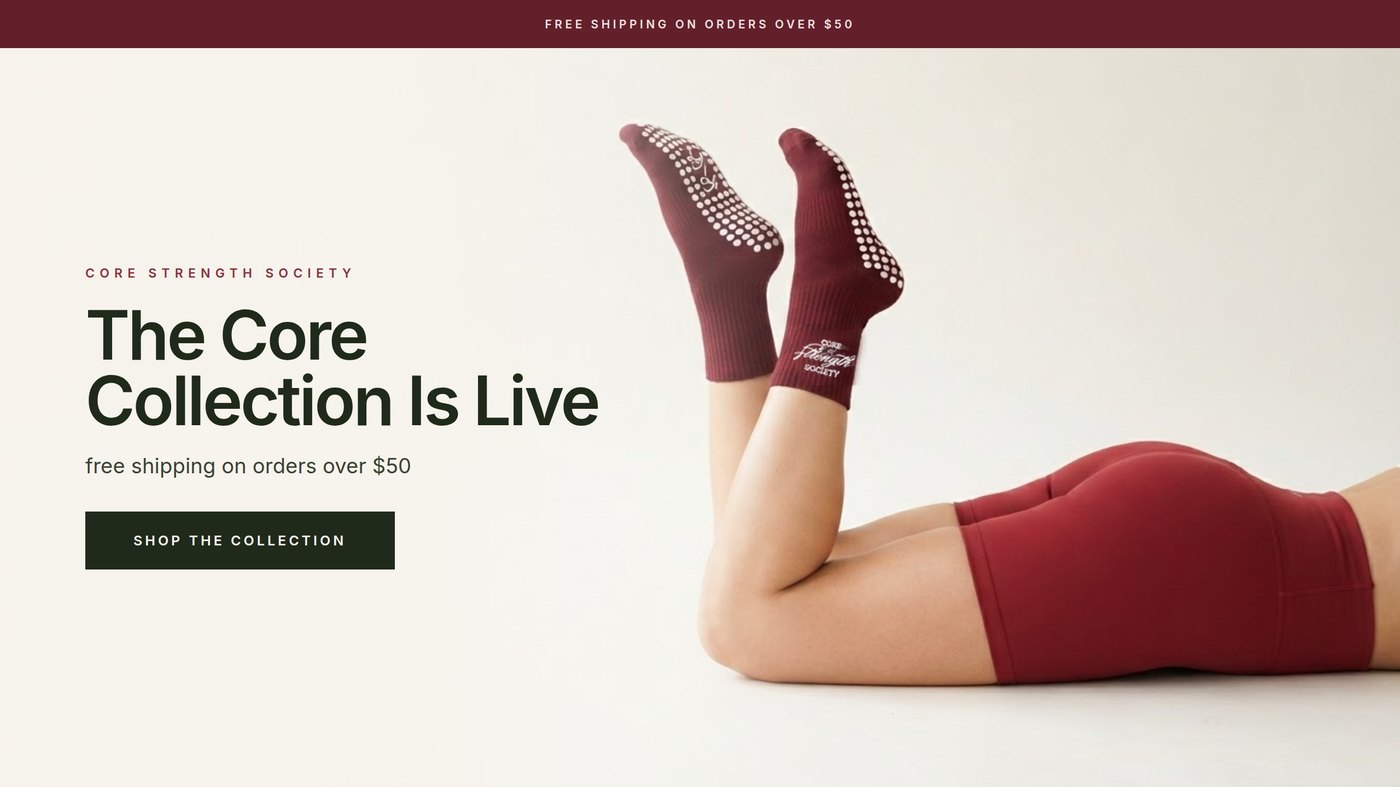
The bannerPhotograph generated, headline set in HTML.
The waitlist pageLive before the sample landed.
What breaks this build: letting the image model set your type. Short wordmarks render cleanly and full sentences come back as a smear of shapes. Building the type in HTML gets you real fonts, exact hex values, correct copy, and a revision that costs nothing.
How do I rewrite a product page so it sounds like my customers?
Your buyers already wrote the page. It is sitting in your reviews, in their words, with the objection you have been dodging named out loud.
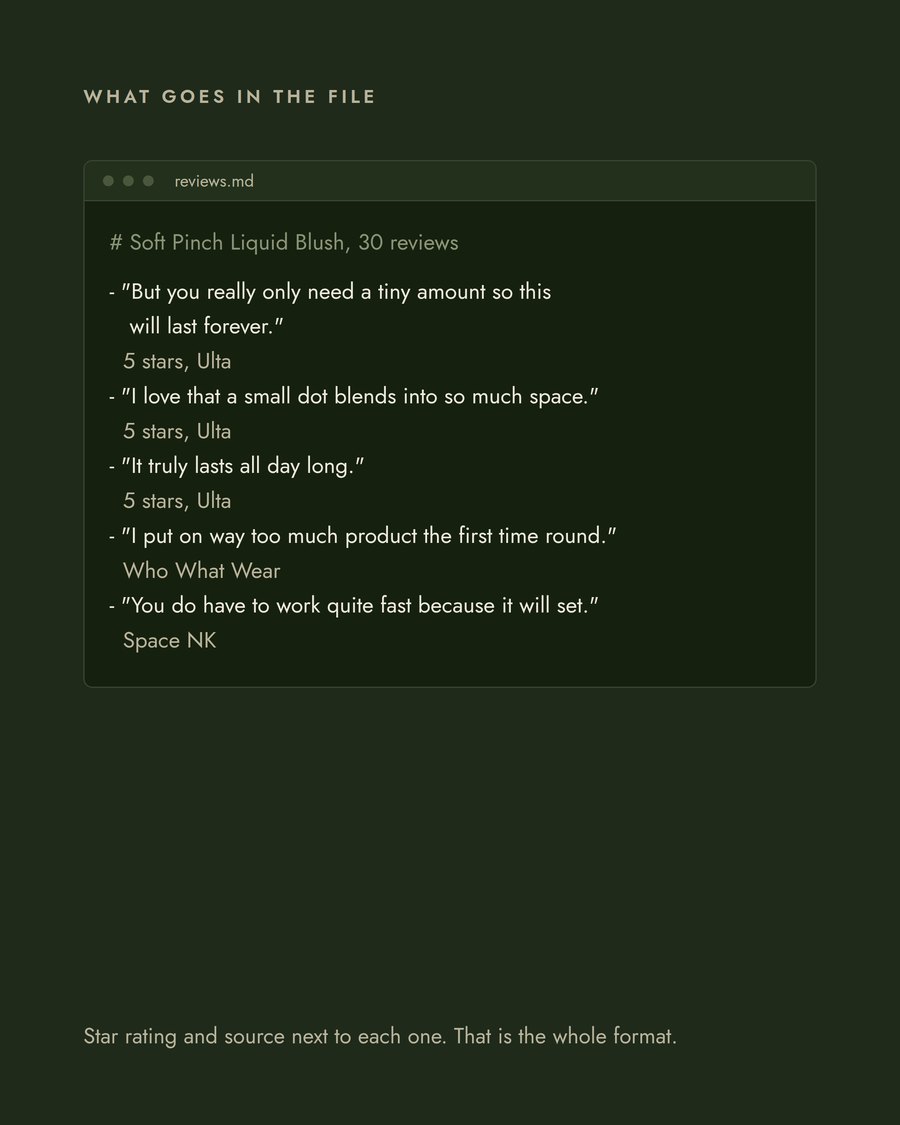
Build four · step 11Build the reviews file
Thirty reviews for one product, newest first, every star rating and not just the fives. The threes and fours are where the objection lives.
Prompt 11 · the file shape
# [Product name], 30 reviews
- "review text exactly as written"
5 stars, [where it was posted], verified buyer
- "review text exactly as written"
3 stars, [where it was posted], verified buyer
Save it as reviews.md. Do not clean them up. The typos, the caps and the run-on sentences are the data. Judge.me, Okendo, Yotpo and Loox all export CSV, and Amazon Seller Central has a Voice of the Customer report. Copying them off your own page works too.
The inputThirty reviews, uncleaned, one per line.
Build four · step 12Mine it, then rewrite the page
Prompt 12 · read the reviews, then rewrite the page
Read all 30 reviews in reviews.md. Do not use anything you know about this product from outside the file.
Give me four things.
1. THE PHRASES THAT REPEAT
Exact wording, not a paraphrase. For each phrase, tell me how many of the 30 reviews use it or a close variant, and quote two of them. Rank by frequency. Ignore anything that appears only once.
2. THE OBJECTION
The hesitation or complaint that comes up most. Quote three reviews that raise it. Tell me whether my current page addresses it at all.
3. WHAT SURPRISED THEM
Anything a reviewer says they did not expect. These are the lines that convert, because no brand thinks to write them.
4. THE WORDS I USE THAT THEY NEVER USE
Compare my current page copy, pasted below, against the reviews. List the marketing words that appear on my page and in zero reviews.
Then rewrite my product page.
Rules for the rewrite:
- Use the phrases from section 1, in the customers' wording
- Answer the objection from section 2 inside the copy, do not dodge it
- Lead with the thing from section 3
- Cut every word from section 4
- Quote nothing you cannot find in reviews.md
- No adjectives a customer did not use first
Give me: one product title, one description of 40 words or fewer, three bullets, and one line for the buy button area.
MY CURRENT PAGE COPY:
[paste it here]
Returns the four sections and a rewritten page. A few minutes. Keep your old copy and run both for two weeks before you decide.
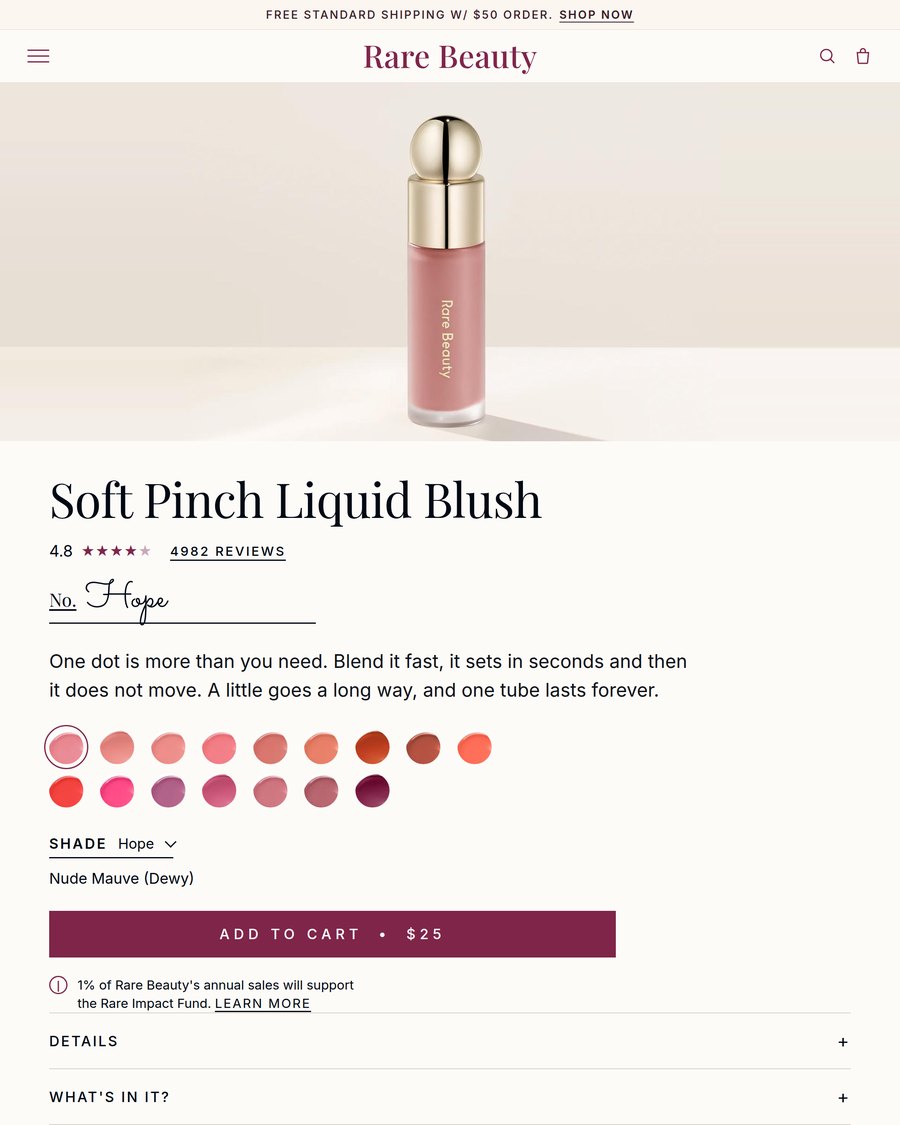
Build fourEvery phrase on the page traceable to a review in the file.
What breaks this build: a phrase you cannot find in the file. Search every quoted line back in reviews.md before it ships, and read the description out loud. If it sounds like a brand rather than a buyer, it failed.
The four builds on this page are unpaid concept work, made with real brands' products as worked examples so the prompts read against something real rather than something invented. I am not affiliated with any of them, and every prompt above is written to be filled in with your own product and your own brand.
About the strategist
Anne Reyes
Brand & AI strategist · Founder, Brandworks Studios
17 years building brands, and I scaled my marketing agency to 7 figures within 2 years, with clients including Amazon, Pier 1, and Dressbarn. I now build AI marketing systems for e-commerce brands through BAIBE, the Brandworks AI Brand Engine. AI does the production. Taste directs it.
Keep going
Want the next build?
The Chic Strategist breaks down a new AI marketing system every week. Or bring your brand to a strategy call and we'll build it together.