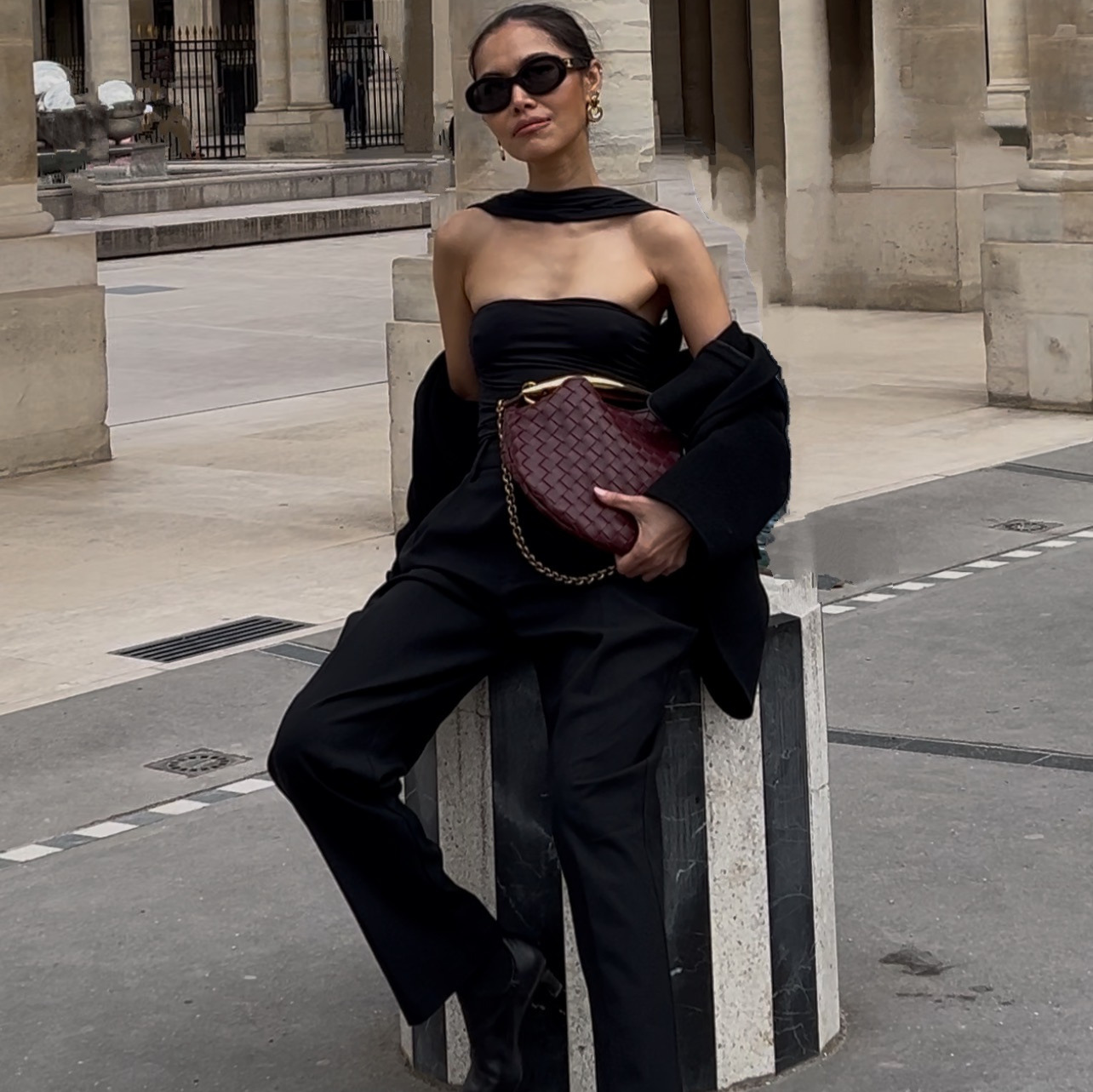
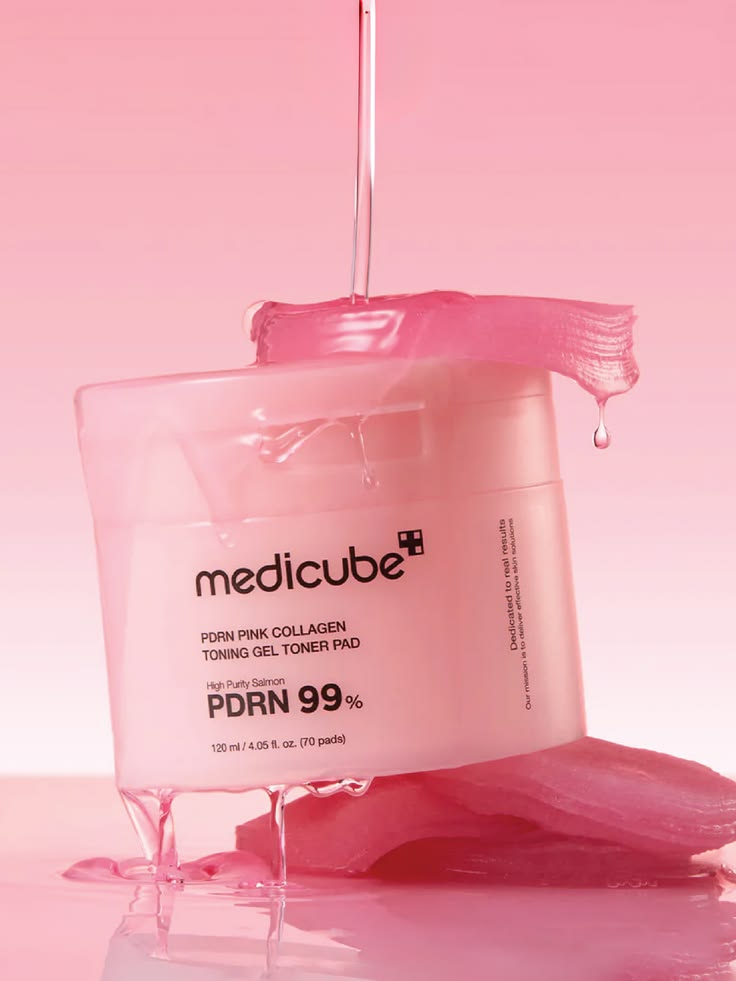
One iPhone photo of your product is enough. It does not need to be styled, lit, or shot against anything special.
You are not opening Canva, a stock library, or a separate design tool. You describe the pin in plain English, Claude runs it, and you review the result. The same core prompt works no matter which style you are going for.
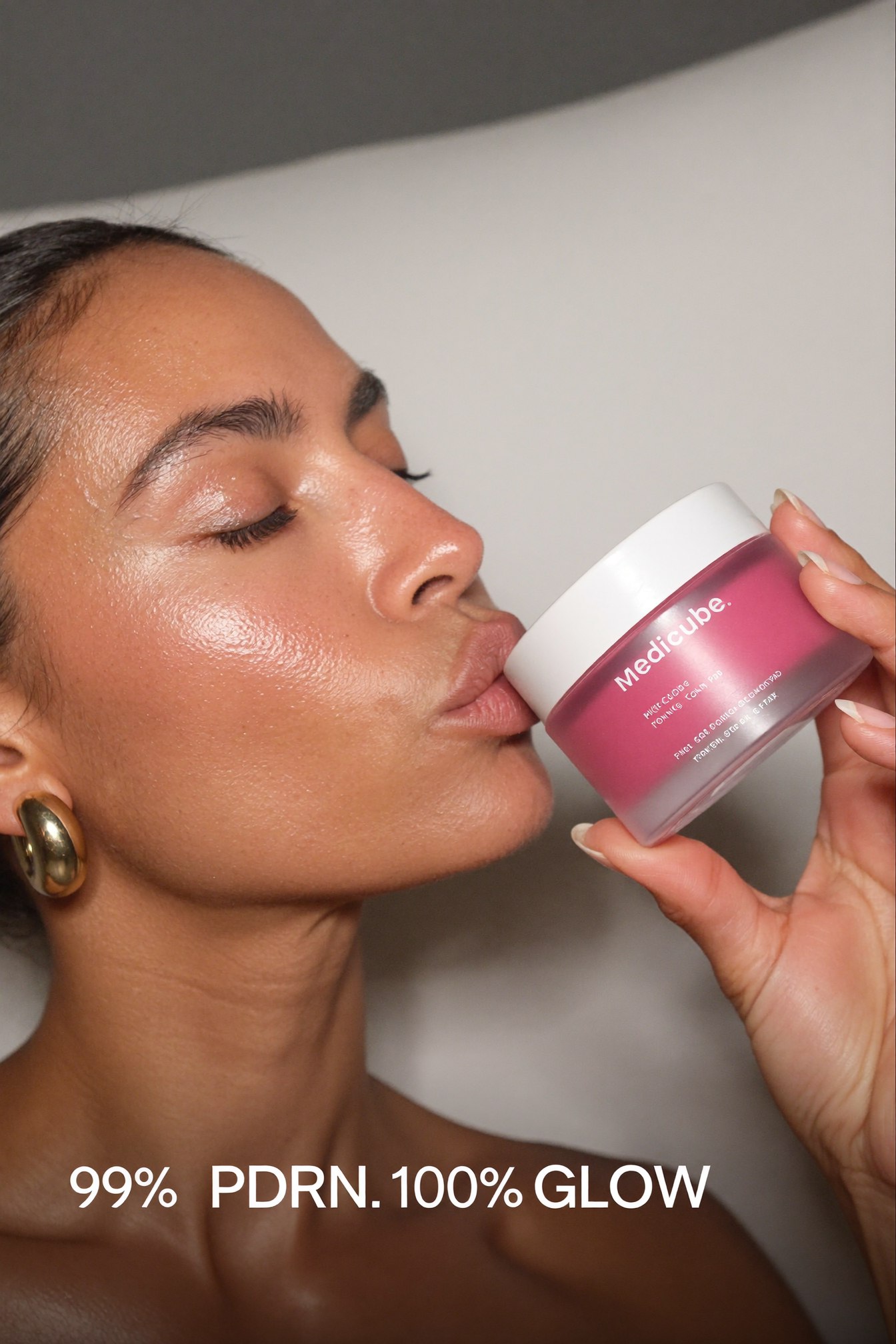
One result from this methodBuilt from a single product photo and a plain-English description of the shot.
The whole thing on one page
| Step | What you do | How long |
|---|---|---|
| 1 | Attach your product photo | 2 min |
| 2 | Describe the pin style you want, in plain English or by attaching a pin you like | 2 min |
| 3 | For any pin with a person in it, describe yourself or name your trained AI model | 2 min |
| 4 | Claude builds it in Higgsfield and shows you the pin | a few min |
| 5 | Ask for any fix in plain English: size, pose, the text overlay | a few min |
| 6 | Save your finished pins | 1 min |
What do you need before you start?
- One clean product photo. A phone photo is enough. It does not need to be styled.
- Claude, with the Higgsfield connector turned on. That is the whole stack. Claude writes the direction, Higgsfield renders the pin.
- Optional, a reference pin. Attach one whose layout you like and Claude builds your product into that composition instead of starting from a blank page.
- Optional, your own trained AI model. Only needed if you want your face on the pins. If you don't have one, describe yourself in plain English instead. If you don't know how to create an AI model, watch this.
How do you write the core prompt?
Attach your product photo. If you have a pin whose composition you like, attach that too, Claude will build your product into that same layout. If you do not, just describe the scene in plain English, a moodboard collage, a tray reveal, a flatlay, a candid street shot, or anything else that fits your brand.
Attach an actual reference pin when you can, not just a description. Claude matches the real layout, the angles, the feel, far better than it can guess from a single word like "moodboard" or "editorial."
Say the product's scale relative to the scene. "Sized so it sits naturally on the tray" is what stops a small jar from rendering the size of a serving bowl.
How do you add yourself or your AI model to a pin?
If you already have an AI model trained, name her. If not, describe her once in plain English: a general look, an age range, an energy. Claude keeps her consistent across every pin after that. If you don't know how to create an AI model, watch this.
Ask for a natural hand in the same prompt, not after. Naming it upfront catches most of what a fix round exists to catch.
How do you fix a pin that came back wrong?
Point at exactly what is off and describe the correction. This is a full re-render, not a small patch, so check the result before you post it.
The more specific the correction, the closer the first fix lands. "Smaller" is vaguer than "about two-thirds the size it is now."
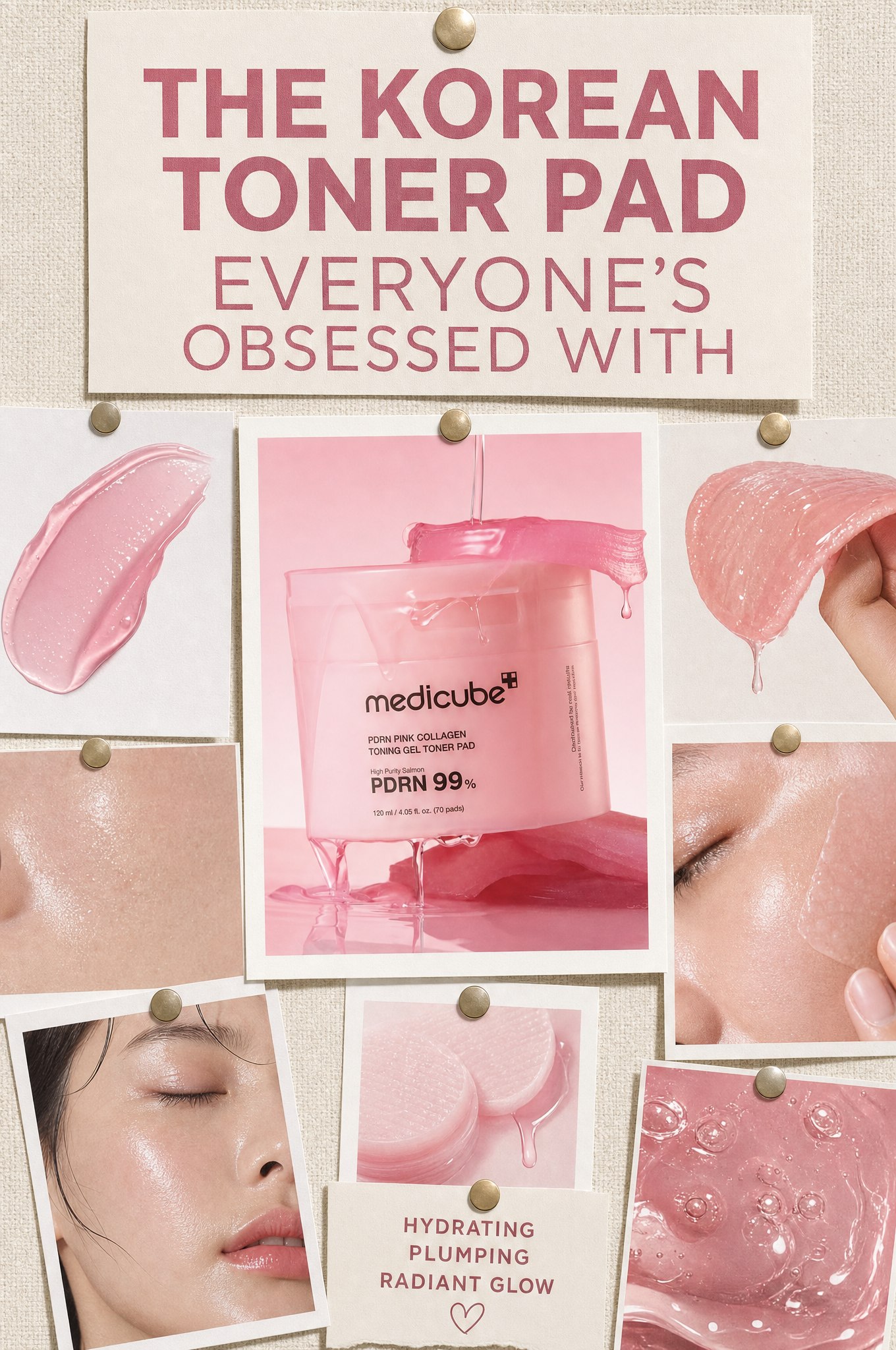
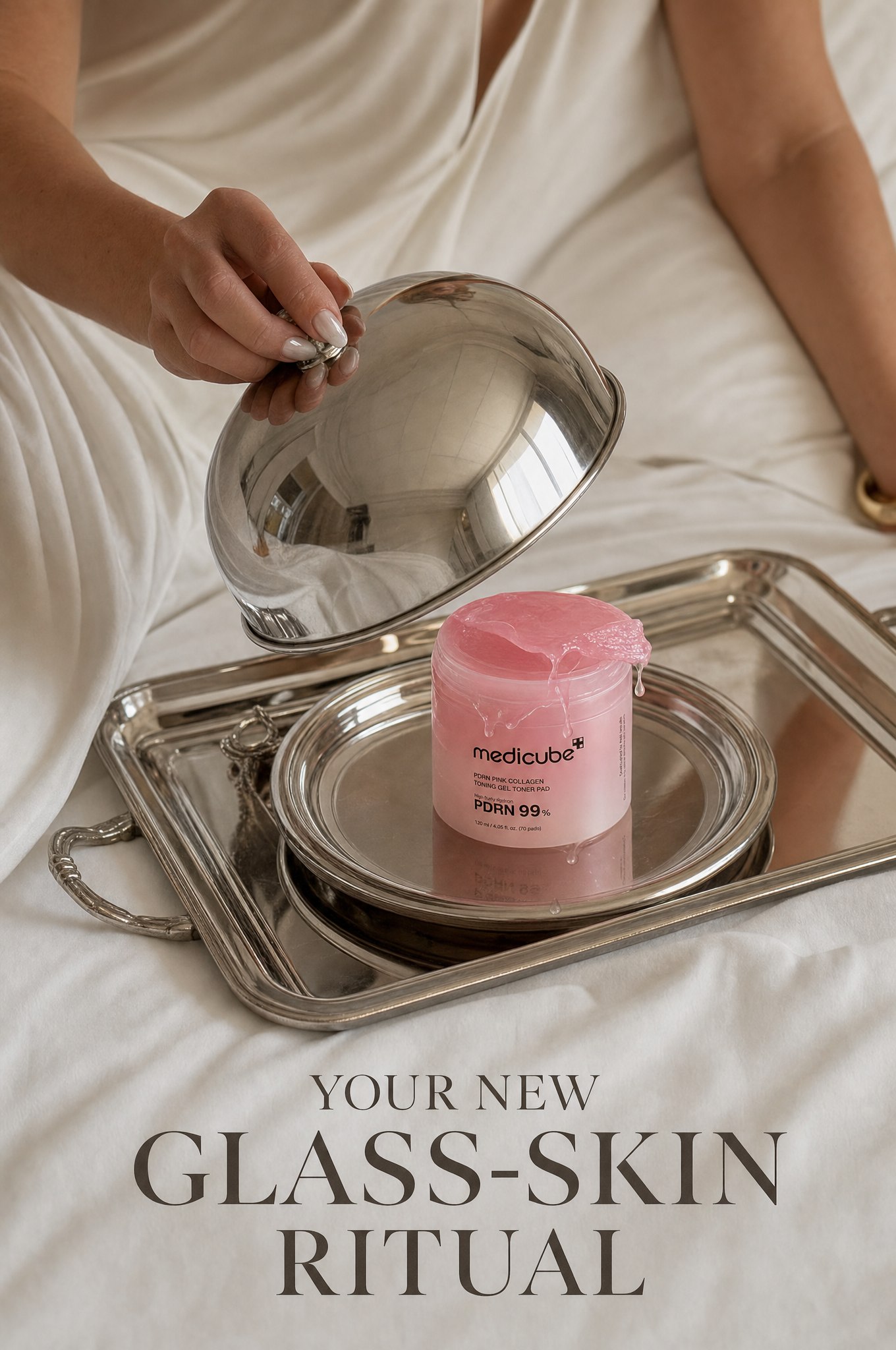
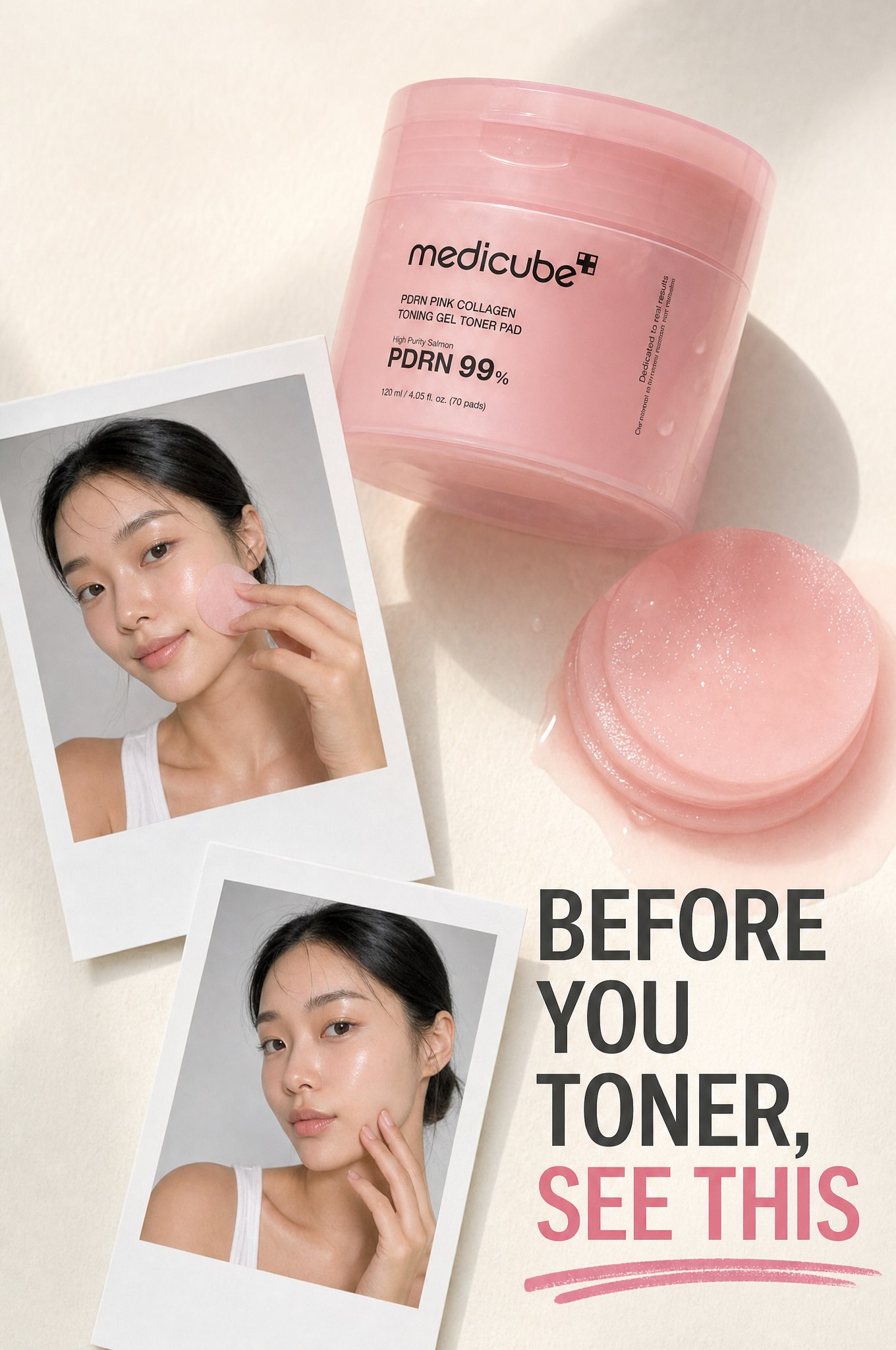
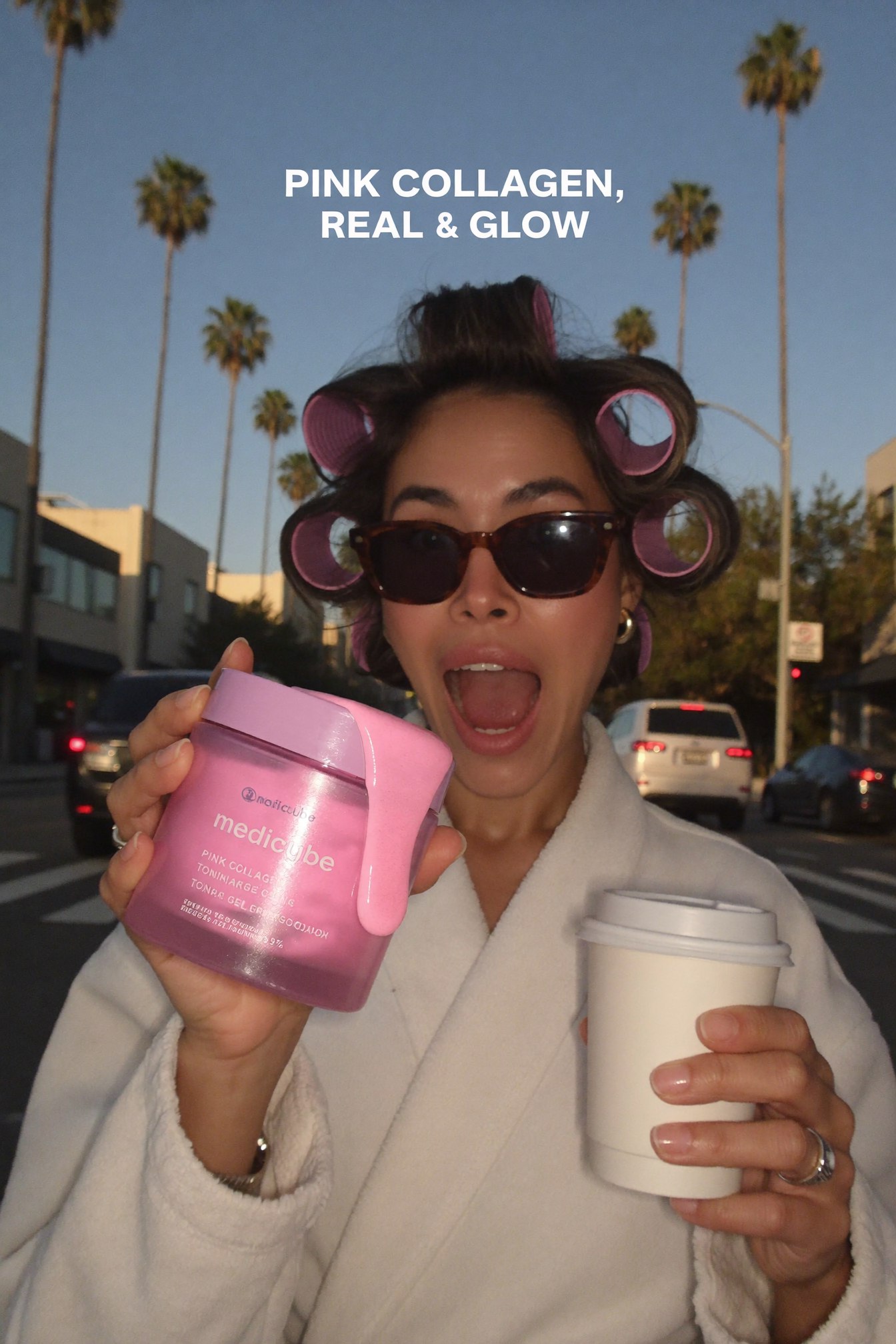
One method, five resultsThe same product photo and the same core prompt built every style above. Only the description changed.
The prompt chain, in order
| # | Prompt | What you get |
|---|---|---|
| 1 | The core prompt | A finished pin in the style you described |
| 2 | The model add-in | Yourself or your AI model added to the scene |
| 3 | The fix | A corrected pin, same style, one detail changed |
Five things that make the difference
Give Claude a reference pin, not just a vibe. Attaching an actual pin whose composition works locks the layout instead of a vague description doing the guessing.
Say the exact hook line you want, in quotes. Quoted text renders as the words on the pin. A paraphrased description gets you a paraphrased overlay.
Ask for a natural hand before you ask for anything else. A warped finger is the one flaw that reads as fake AI content on a slow scroll.
Keep the product photo identical across every pin in a set. One consistent product reference is what makes several different pins read as one campaign, not a pile of random pieces.
Review each pin before moving to the next. A fix costs a re-render. A finished pin you didn't check costs a repost.
Do I need a graphic designer or Canva to make these?
No. Claude builds each pin directly in Higgsfield from your product photo and a plain English description of the style you want. Nothing to open, design, or template.
Do I need my own trained AI model for the pins with a person in them?
No. Describe yourself once in plain English, a general look, an age range, an energy, and Claude keeps you consistent across every pin. If you already have one trained, just name her instead.
What size should the pins be?
Tall, 2:3. That is Pinterest's own preferred ratio and the one every pin here was built at, roughly 1000 by 1500 pixels or larger.
Can I use my own reference pin as the style guide?
Yes. Attach any pin you like the look of alongside your product photo and ask Claude to build your product into that same composition.
What if a hand or finger looks warped?
Point at it and ask for a fix, specifying that the hand should look natural with five fingers. It is a full re-render, not a small patch, so check the result before you post it.