Turning Phone Shots, Factory Photos and Competitor Ads Into Elite Marketing Assets
Three inputs you already have, and the prompts that turn each one into a finished set of assets.
By Anne Reyes · · 9 min read
Three builds, four steps each, and every prompt written so you can paste it and fill in your own brand.
Build oneTwo phone photos taken on a counter, and the catalog set they become.
If you have this
You can make this
Build twoThe photo the factory emailed, and the launch banner it becomes.
Build threeA competitor ad that is already working, rebuilt so the same layout carries your product.
What do you need before you start?
Claude, with an image generator connected to it. You write briefs in plain English. The image model runs underneath. Keeping those two jobs separate is most of why this works.
Photos of the product you actually sell. Whatever you have. A phone flat lay, a supplier shot, a listing image. The result is only ever as good as the real product photo you feed it.
Your brand rules written down once. Palette, logo placement, textures, mood, and a list of what is banned. You will paste this into every prompt in all three builds.
How do I turn a phone photo into a studio set?
Photograph the product twice on a counter, then generate one image per marketing job rather than one image per idea.
Build one · step 1Write your lineup and your banned list
This is the block that stops the model inventing packaging. A reference photo on its own is a suggestion. The model only treats it as fact once the words agree with it.
Prompt 1 · your brand block
Lineup, in the order they should appear:
1. [Product name, form factor, finish, cap color]
2. [Product name, form factor, finish, cap color]
3. [Repeat for every item you want in frame]
Palette: [your two or three colors, named plainly]
Logo: [wordmark, typeface style, and where it sits on each item]
Textures: [the surfaces your brand lives on, such as plaster, linen, oak, marble]
Mood: [three or four words, no more]
Banned: [the finishes, metals and props that are not yours]
Banned: any text, lettering or watermarks beyond the product labeling itself
Written once, pasted into every prompt below. Be specific about the boring part: the cap, the finish, the shape.
The banned list is the line most people skip. Image models add warm metallic accents and invented lettering without being asked, because those features are everywhere in what they learned from. Naming them as exclusions is the only thing that keeps them out. Leaving the list off is not neutral, it is a vote for the default.
Build one · step 2Send the setup message with two photos
One overhead flat lay on a plain textured surface in natural window light. One wider frame of the same items rearranged. That is the entire shoot.
Prompt 2 · setup
Two photos of my [product or product set] attached. Use these as the product references for everything that follows, and attach them to every image you generate for the rest of this thread.
[Paste your brand block from prompt 1 here.]
Do not generate anything yet. Confirm you have both references, then wait for my next message.
Returns a confirmation, not an image. Checking the references landed costs one message. Discovering they did not costs a whole set.
Build one · step 3Ask for one image per marketing job
Not "a nice photo of my product." Name the job the image is doing, and the model has a brief instead of an average.
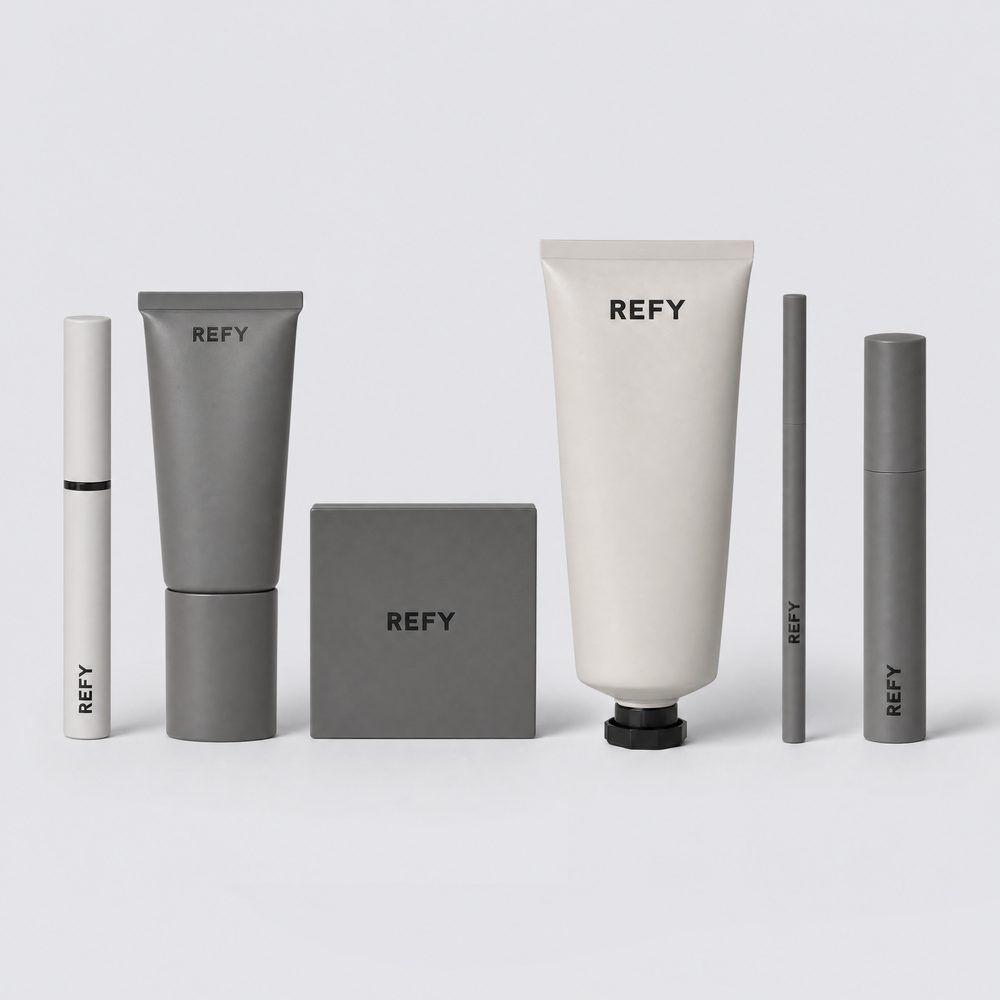
Prompt 3 · the catalog lineup
Clean e-commerce catalog product lineup photograph of [number] [brand] products arranged in a single row on a seamless pale [color] studio background. Left to right: (1) [product one, form, finish, cap]; (2) [product two]; (3) [product three]. Every item carries the [brand] wordmark in [typeface description], crisply legible, correctly oriented and correctly placed on each item exactly as in the reference photographs. Products evenly spaced, upright, front-facing, in sharp focus, consistent scale relationships true to the references. Soft directional studio light from the upper left producing one soft diffused shadow falling to the right of each item. Strictly [palette] only. [Mood in three words]. No [banned finish], no [banned metal], no colored props, no additional objects, no text or graphics other than the product labeling itself. Square image for a product detail page.
Returns the product detail page shot. The left to right numbering is a layout instruction, not a shopping list. Without it you get the right products in the wrong order.
Prompt 4 · the lifestyle scene
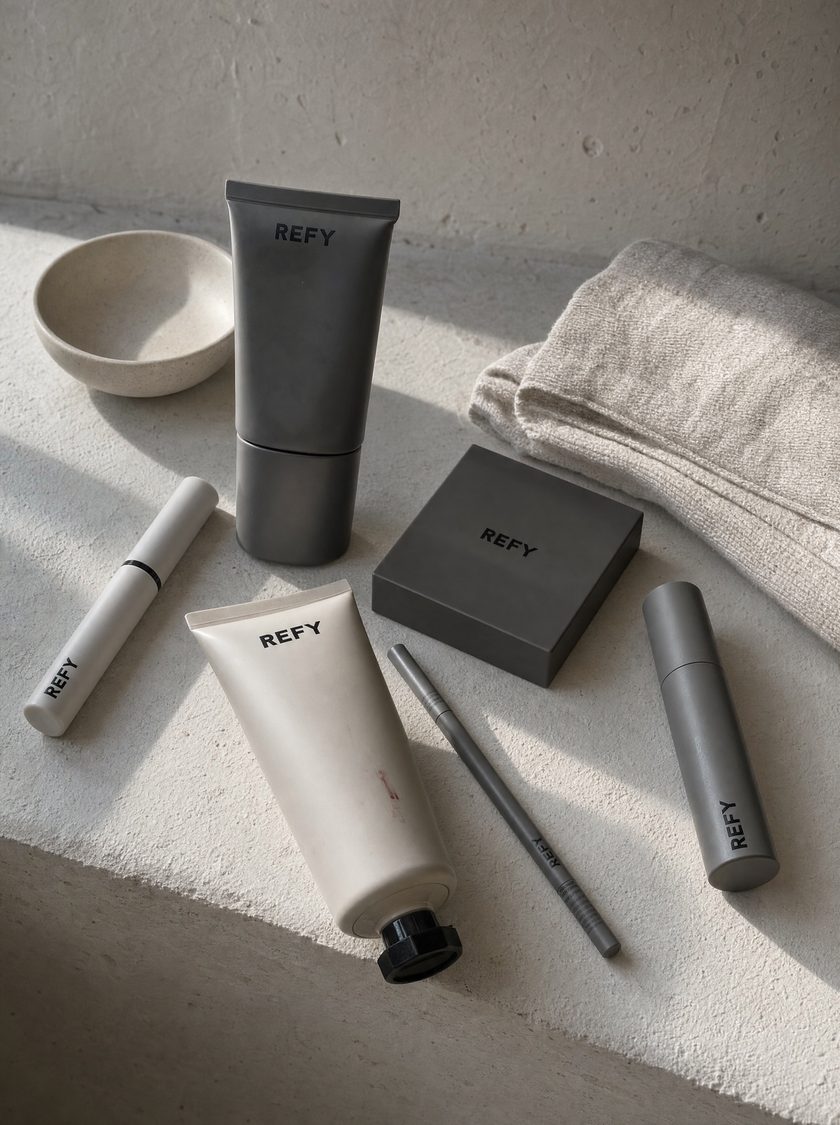
Lifestyle photograph of [number] [brand] products resting on [a surface that belongs to your brand: a raw plaster ledge, an oak counter, a linen bedspread], unstyled and lived in. The products, matching the reference photographs exactly: [your lineup]. Each item carries the [brand] wordmark, legible and correctly placed as in the references. Arranged naturally rather than perfectly aligned, some standing, some lying down, as if left there after use. Beside them [one or two props that belong to your world, named specifically]. Late morning window light rakes across the surface from one side, casting a soft directional shadow and picking up the texture. Strictly [palette]. [Mood]. No [banned list], no colored props, no extra objects, no text or graphics beyond the product labeling. Vertical image for social and editorial.
Returns the feed and editorial shot. "Arranged naturally rather than perfectly aligned" and "as if left there after use" are the two clauses doing all the work.
Prompt 4Same products, same references. Nothing standing in a row.
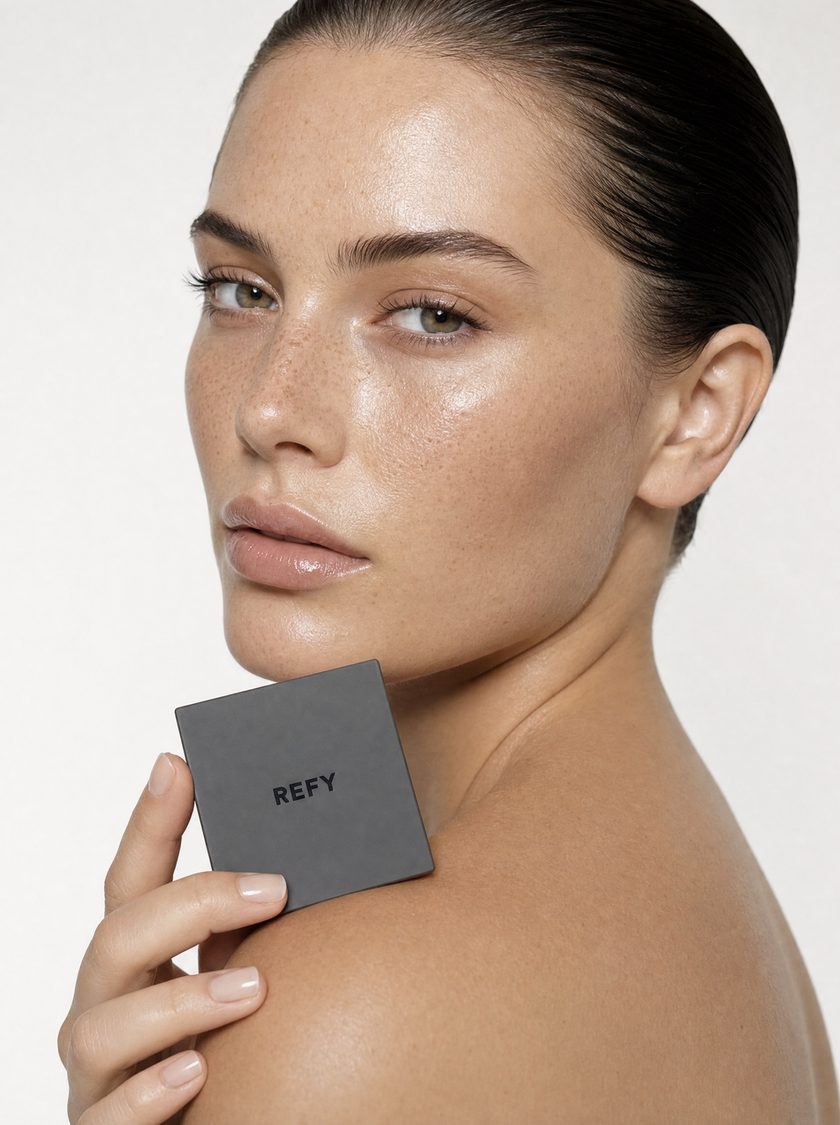
Prompt 5One product, held. The skin texture is the whole trick.
Prompt 5 · one product, one person
Close-crop portrait on a seamless [neutral] background. A [age and description of the person your customer wants to be] turned three-quarters toward camera, [hair], dewy luminous skin with visible texture and freckles, minimal makeup, calm direct gaze. They hold the [your hero product, form and finish] lightly against [a natural placement: the shoulder, the jaw, the collarbone], fingers relaxed, bare natural manicure. The [product] carries the [brand] wordmark, legible, correctly placed and true to the reference photographs. Soft frontal light, gentle shadow, skin glow and texture retained. [Palette]. No [banned list], no jewelry, no text or graphics beyond the product labeling. Editorial restraint.
Returns the campaign shot. "Skin glow and texture retained" is doing real work. Poreless skin is the fastest way for a viewer to clock an image as generated.
Build one · step 4Reuse the shot you already approved
Pass a finished image back in as the reference for the next one. This is what makes a set look like one shoot instead of six unrelated images.
Prompt 6 · the website hero banner
Use the portrait you just made as a reference alongside my original product photos.
Wide cinematic banner, extreme tight crop on [the subject from that image] filling the frame edge to edge. [Repeat the description of the subject in detail: skin, hair, expression, what they are holding and where]. The [product] keeps its true [palette] colorway with the [brand] wordmark legible, correctly placed and true to the reference photographs. Rich saturated warm color grade, bright and glowing, soft frontal light with gentle falloff, shallow depth of field. Stylized, intimate, high-impact editorial campaign imagery for a website hero banner. No [banned list], no text, no lettering, no watermarks or graphics beyond the product labeling itself.
Returns the hero banner. Briefed from scratch it produces a different person in a different room. Briefed with the approved portrait attached, it reads as a recrop.
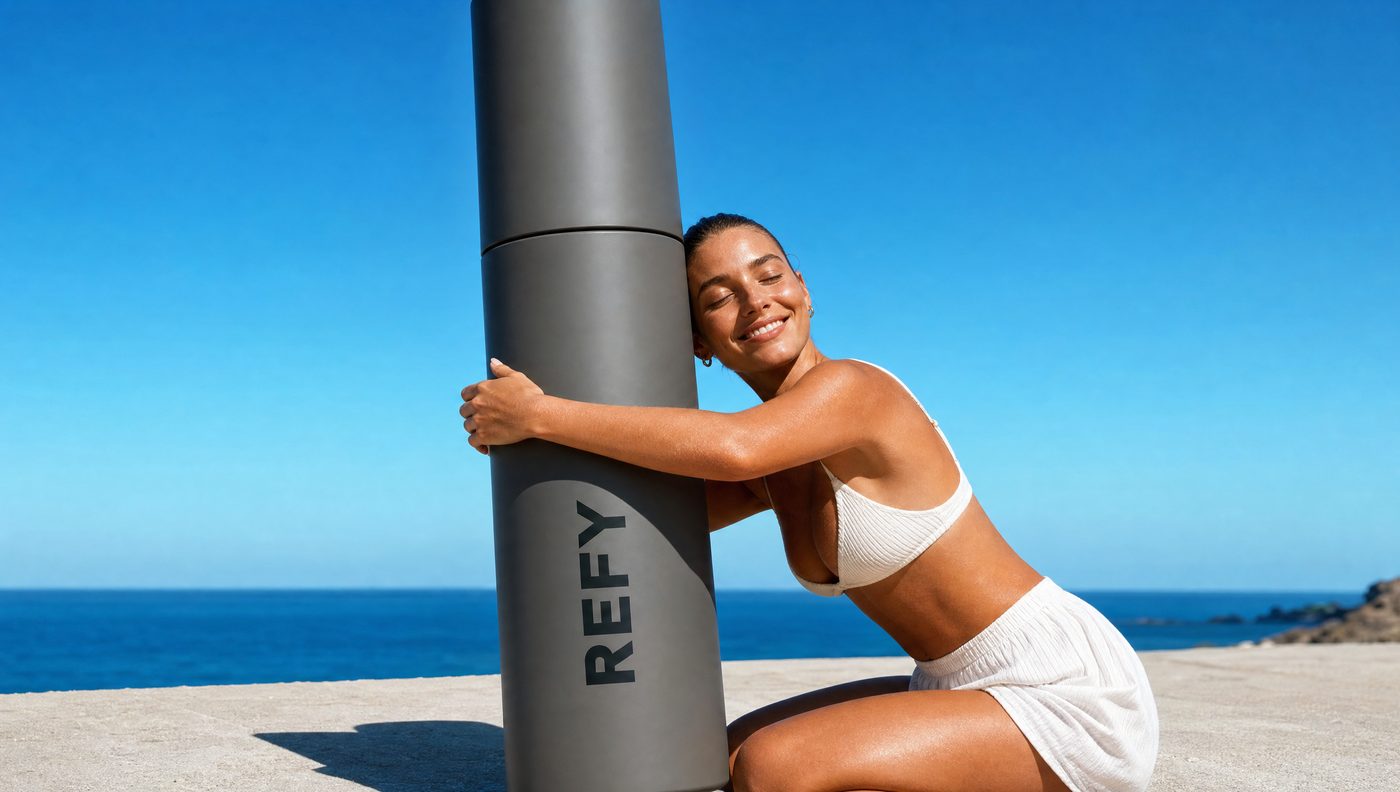
The second way to do a bannerOne product, scaled up until it is absurd, and a real place behind it.
What breaks this build: leaving the banned list off. Everything else is recoverable in one message. A set generated without it comes back with brass, gold and invented lettering all the way through, and there is nothing to fix, only to redo.
How do I build launch assets before the product arrives?
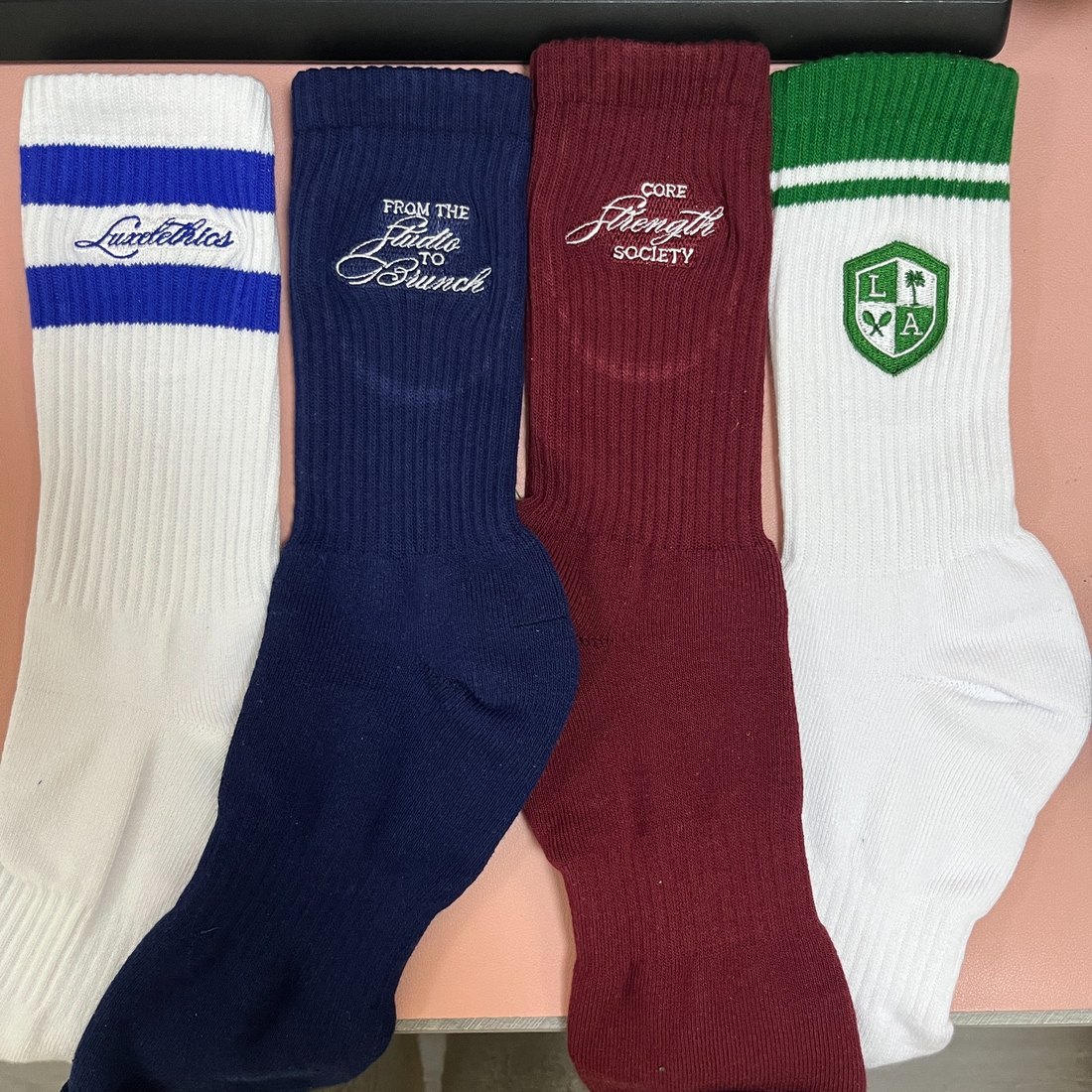
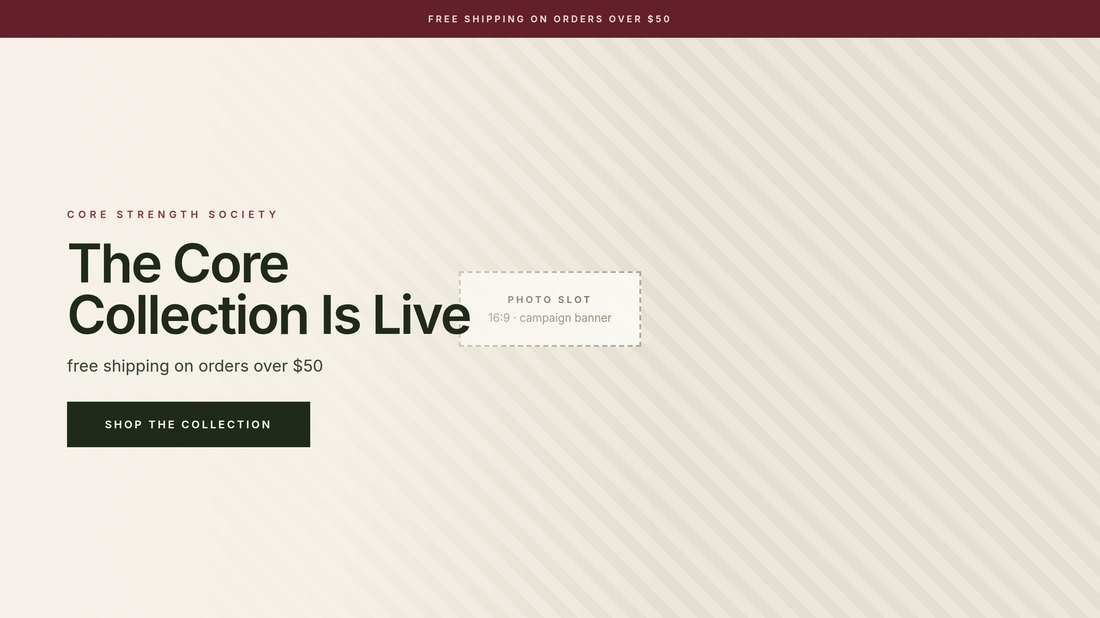
Use the photo the factory already emailed you, plus one phone photo of the side that photo never showed. From those two images you get a campaign banner, a waitlist page, a teaser post and a teaser email before the pallet clears customs.
Photo one, from the factoryFlat, top down, unflattering. It does not need to be good.
Photo two, from your phoneThe surface the factory shot never showed.
That second photograph is the one everybody skips, and it is the one that decides whether the result is usable. Whatever your product is known for, if it is not in a reference image it will be invented. A candle's label, a bag's lining, the inside of a lid, the texture of a knit. Photograph it before you start.
Build two · step 1Hand over both product photos
Prompt 7 · the two references
Here is the factory photo of my [product] and a phone shot of the [hidden detail]. These two images are the only source of truth for what the product looks like. Attach both to every image you generate from here on.
Returns a confirmation. Both references go on every call, not just the first one.
Build two · step 2Hand over four inspiration images, one per asset
Screenshot the brands whose photography you already admire, named so it is obvious which is which. Banner, waitlist, post, email. You are not copying their product, you are copying their light, their crop and how much empty space they leave.
Prompt 8 · your art direction
These four images are my art direction, one per asset. Match the photography, never the product. The product stays exactly as it is in my reference photos.
Returns a confirmation. Without the last sentence the model blends the two and you get a competitor's colorway on your silhouette.
Build two · step 3Approve the copy and the layout before any image exists
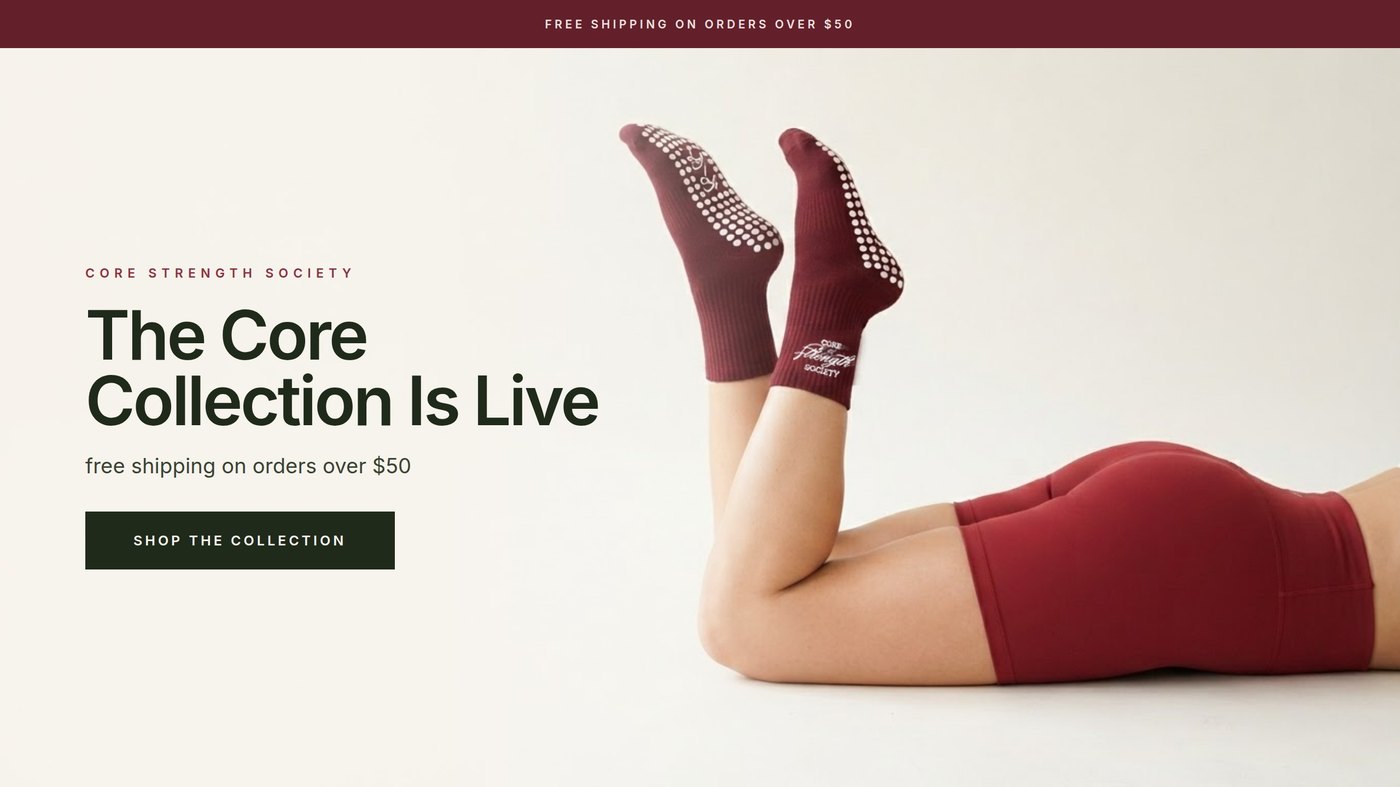
This is the step that saves the most money, and it is the one people skip. Every layout is built in code first, with an empty slot where the photograph will eventually sit. You approve the structure while changing it still costs nothing.
Prompt 9 · copy and layout
Write the copy for all four assets. Headline, one supporting line and one call to action each. My launch date is [date] and my offer is [offer].
Then build all four layouts with that copy in place and leave the photo slot empty. Show me before we generate anything.
Returns four layouts with real type and no photography. Costs nothing. A change at this stage is a text edit.
Layout stageCopy set as real type. Photograph still to come.
Build two · step 4Have the prompt written, read it, then run it
Do not write these yourself. Ask for the pose to be described one limb at a time, which is what keeps the anatomy intact, and read the prompt before it runs. A prompt is far cheaper to fix than a generation.
Prompt 10 · the image brief, fill in the brackets
Editorial studio photograph for a [category] brand. [Vertical / wide] format. [Three words for the mood]. Real photography, not illustration, not 3D render.
FRAMING AND CROP
[Where the subject sits in the frame]. [Which part of the frame stays empty, and roughly what fraction], reserved for headline text.
THE SET
[The surface or furniture the subject is on]. Behind, a smooth seamless backdrop in [color]. No props, no furniture, nothing else in the room.
THE POSE, one limb at a time
[Body position in one sentence].
[LIMB 1]: [where it enters the frame, how it bends, where it ends].
[LIMB 2]: [same again, traced separately].
[Which one is in front, and where the two touch].
[Where the hands are and what they rest on].
ANATOMY
Exactly [number] in the entire image, all belonging to the same person. Count them: there are [number], no more. No extra limb, no floating or detached part, no merged joints, no impossible bend, no limb passing through another limb.
WARDROBE
[Every garment in frame, named]. [Any jewelry].
THE PRODUCT, taken from the reference images
[Material, color, construction, length. Read it off your own photo.]
[HERO DETAIL]. [Describe it exactly as it appears in your close-up reference]. It appears ONLY on [the one surface it belongs on]. Never on [surface], never on [surface], never on [surface]. Because [which side faces away], that side shows none of it at all.
[SECOND DETAIL, for example a logo]. It appears on [which one] ONLY, on [which face], centered and [where on that face]. [The other one] carries none, because [the physical reason it would not be visible].
LIGHTING
A single large soft source from [direction]. [Where the one shadow falls]. No hard edges, no second light, no rim light, no color cast.
CAMERA
Full frame camera, [focal length], at [height and angle]. Natural perspective, no wide-angle distortion. Everything sharp. Fine grain, true skin tones, no beauty retouching.
COLOR
[Three or four colors, and nothing else]. Muted and consistent.
No text, no lettering, no signage and no watermark anywhere in the image.
Returns one photograph per asset. Roughly one image credit each, around five for the clean path. The layouts and the copy add nothing, because they are built in code.
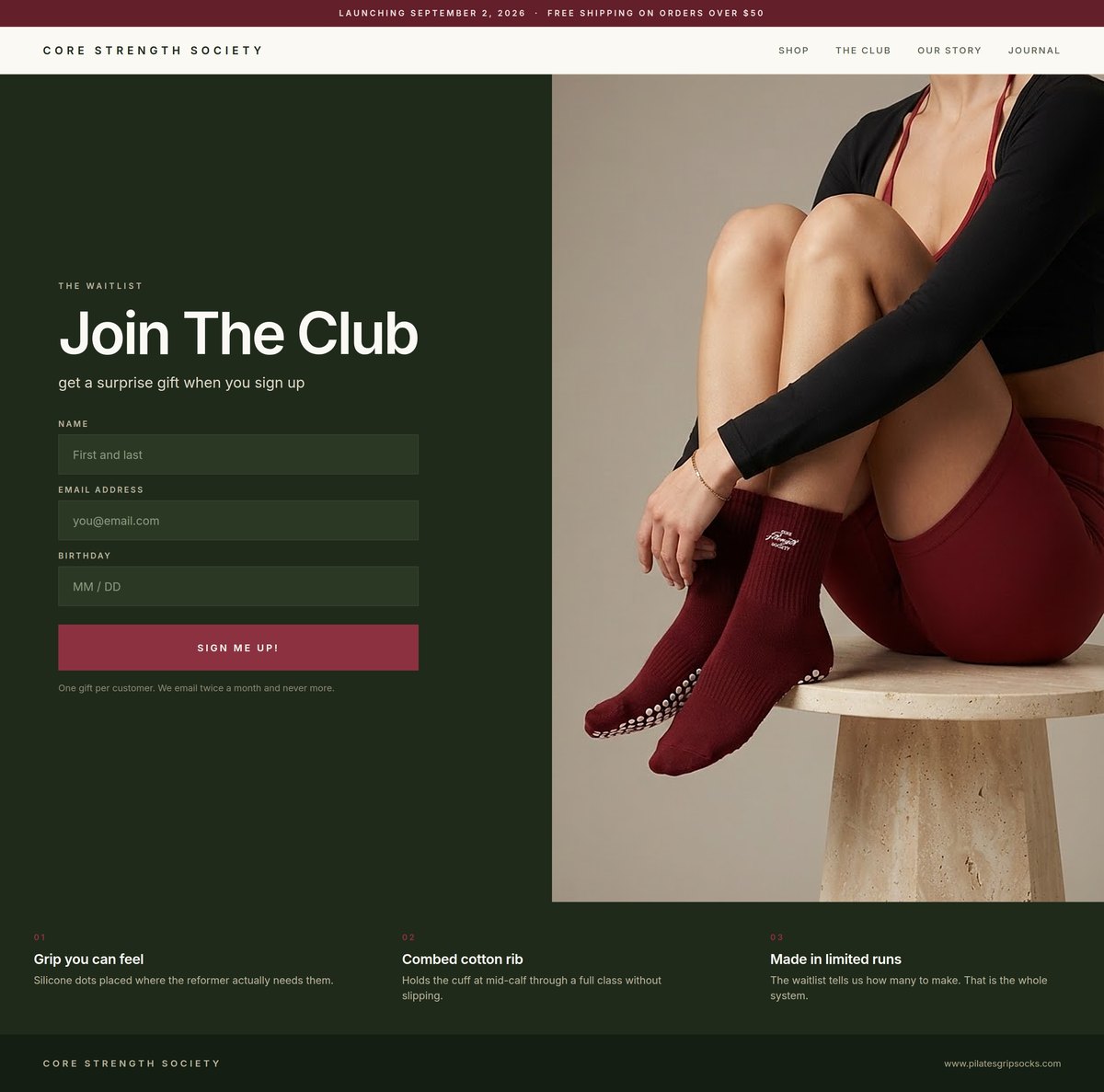
Waitlist pageSign up fields set as real type, not drawn.
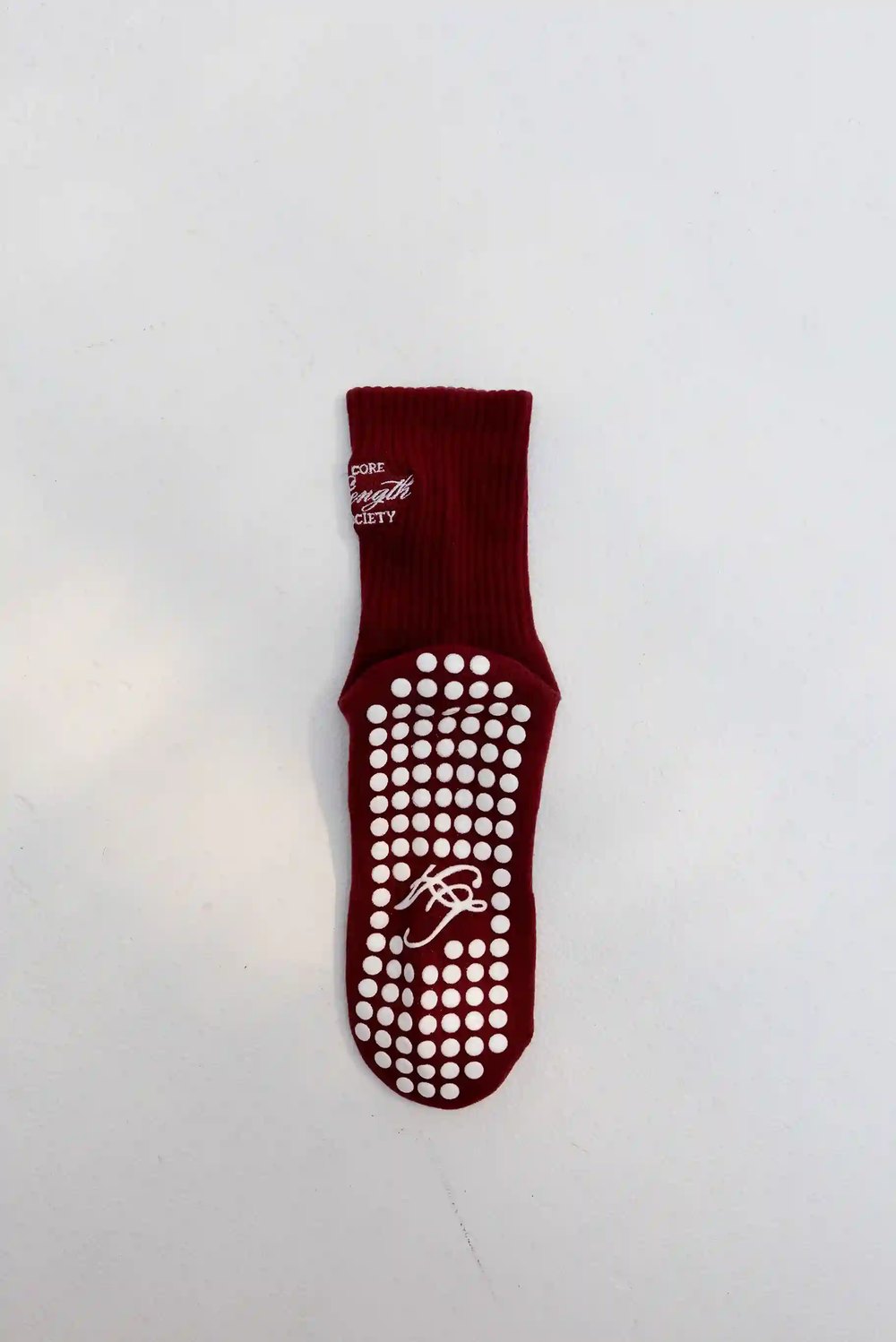
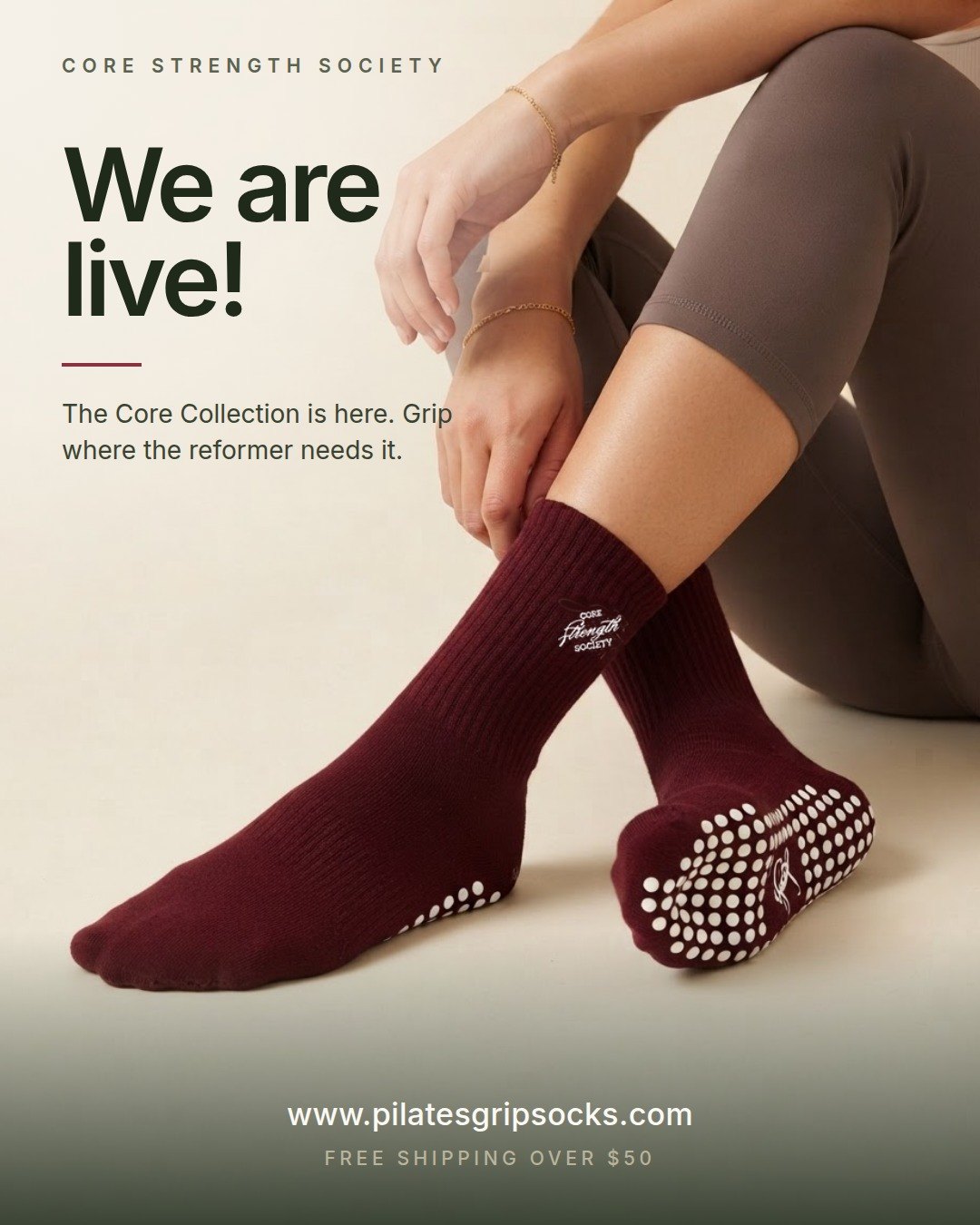
Teaser postOne sole to camera, one outer side. Never both on one foot.
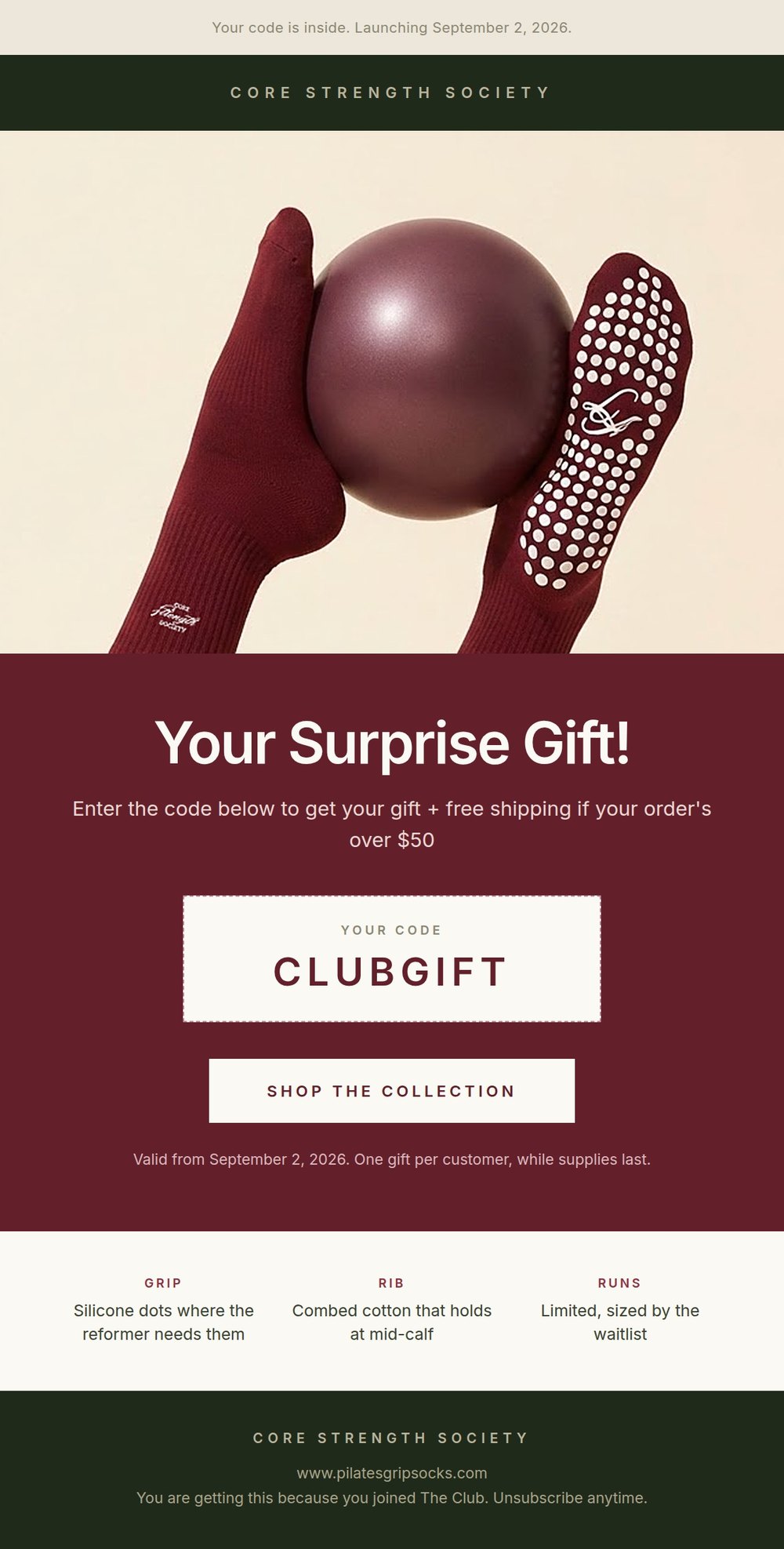
Teaser emailThe discount code is real type, so it is readable and free to change.
What breaks this build: asking an image model for lettering. No headlines, no logos, no woven labels, no embroidery, no printed care tags. Generate the surface clean and place your real mark on top in code, where it is correct by construction and free to change.
How do I rebuild a competitor's best ad with my own product?
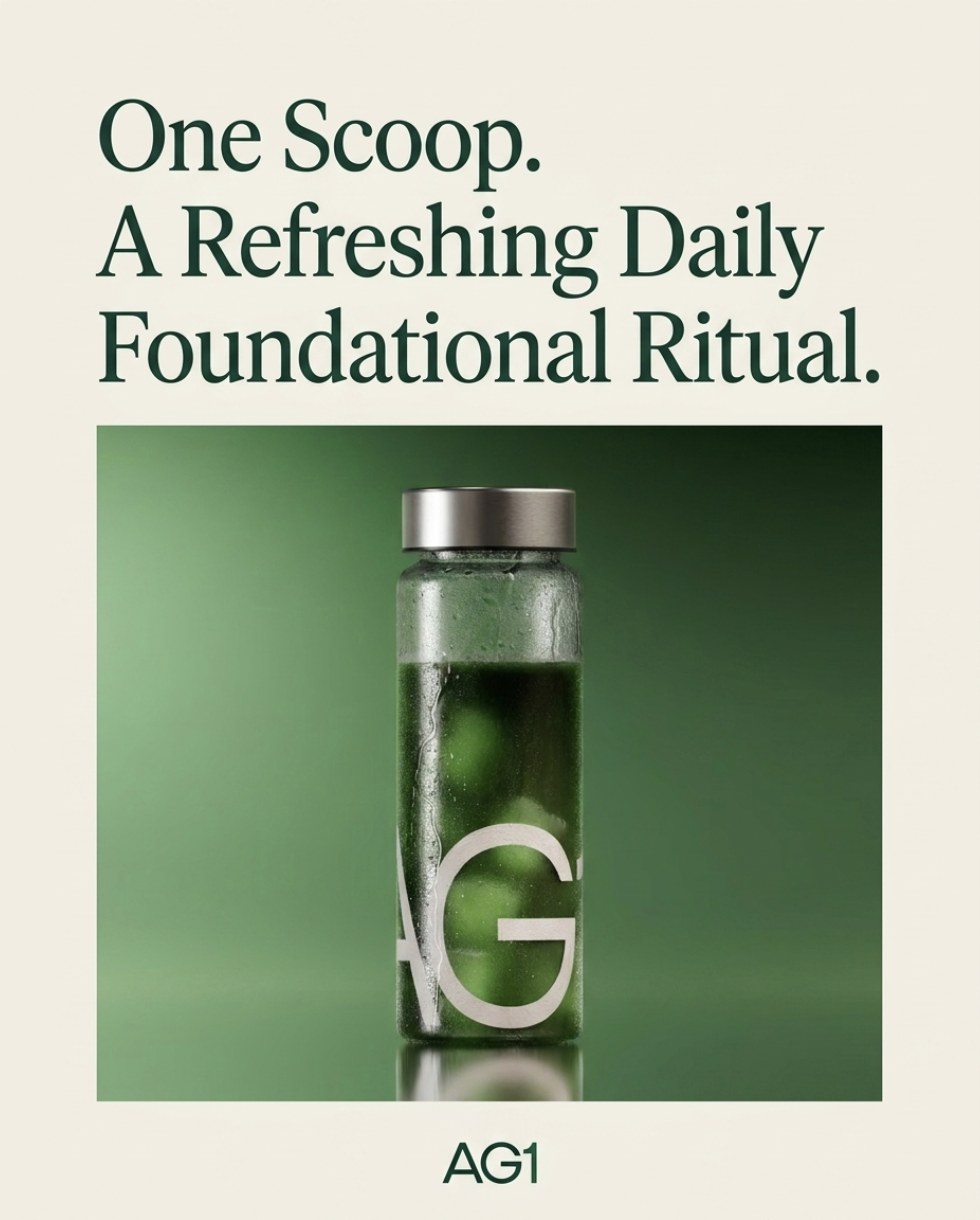
Find the ad that already has real spend behind it, then rebuild the layout and message structure from scratch with your product, your copy and your branding.
Build three · step 1Find the ads with real money behind them
Prompt 11 · find the proven ads
Open the Meta Ads Library for [competitor name]. Set the country to [your market], ad type to all ads, and sort by impressions, high to low. Find their verified page and show me their 5 highest-impression active ads. For each one, tell me what it is selling and take a full screenshot of the ad card.
Returns 5 ranked ad screenshots with a one-line summary of each. Costs nothing, this is a research step.
Sort by impressions, not by recency or by active. A large ad account runs dozens of ads at once. Impressions tell you which ones the algorithm and the audience have already rewarded with real spend.
Build three · step 2Say your direction in one sentence
Not "make it look like that ad." The actual angle: is this a product-in-use shot, a before and after, an ingredient story, a social-proof layout. Write that sentence down. It becomes the brief in step four.
Build three · step 3Put the ad and your product photos in one place
Save the competitor screenshot next to your own product photos. If you have a past ad or a packaging shot that carries your real colors and fonts, save that too. It is what locks one consistent brand system across every recreation instead of guessing at your colors from a description.
Build three · step 4Lock the brief before you generate
This is the step that saves you money. Do not ask for the image right away. Ask for the exact image prompt and any ad copy first, so you can catch a wrong product, a missing brand color or an invented claim before anything renders.
Prompt 12 · lock the brief
I want to recreate this ad [attach the competitor screenshot from step 1] using my own product. My product is [describe your product in one sentence]. The creative direction I want is [your one-sentence direction from step 2]. Use this exact branding across the recreation: background color [your color], headline font style [your font], accent color [your color], and my product photo at [attach your product photo].
Before you generate anything, write out the exact image prompt you would use and any ad copy, and show it to me first. Do not generate the image yet.
Returns the prompt and copy in writing, before any image exists. Read it and check three things: is it your real product, is every brand color and font named exactly, and is there any claim or number in the copy that is not true of your product.
Rebuilding several at once? Lock the brand system, the exact background color, font and accent color, in the first prompt, then reuse that same language in every prompt after it. That is what keeps five recreations looking like one campaign instead of five experiments.
What breaks this build: borrowing a competitor's proof point. Never let a number or claim into your ad copy that you cannot point to on your own packaging or product page. That is not a shortcut, it is a liability.
How do I fix one thing without losing the image?
You will get a frame you love with one flaw in it. Do not rewrite the original prompt and regenerate, you will lose everything that was working. This works in all three builds.
Prompt 13 · the targeted revision
Edit the supplied image. Keep everything about it exactly as it is: [enumerate what must stay, in detail: the same subject, the same expression, the same crop, the same skin tone and texture, the same hand position, the same product with its wordmark unchanged and legible]. Change only [the one thing]. Replace it with [the specific replacement, described fully]. Retain the existing soft natural shadows, keeping their same shape, direction and softness so the lighting still reads as real. Do not alter the subject, the color grade, the crop or the composition in any other way. No text, no lettering, no watermarks or graphics beyond the product labeling itself.
Returns one revised image. Pass in the finished image as the only reference, not the original product photos.
These edits are not pixel-locked. Open the source and the revision side by side at full size before you use the new one. An edit that improved the background and quietly changed the face is worse than the flaw you set out to fix.
The three builds on this page are unpaid concept work, made with real brands' products as worked examples so the prompts are readable against something real rather than something invented. I am not affiliated with any of them, and every prompt above is written to be filled in with your own product and your own brand.
About the strategist
Anne Reyes
Brand & AI strategist · Founder, Brandworks Studios
17 years building brands, and I scaled my marketing agency to 7 figures within 2 years, with clients including Amazon, Pier 1, and Dressbarn. I now build AI marketing systems for e-commerce brands through BAIBE, the Brandworks AI Brand Engine. AI does the production. Taste directs it.
Keep going
Want the next build?
The Chic Strategist breaks down a new AI marketing system every week. Or bring your brand to a strategy call and we'll build it together.