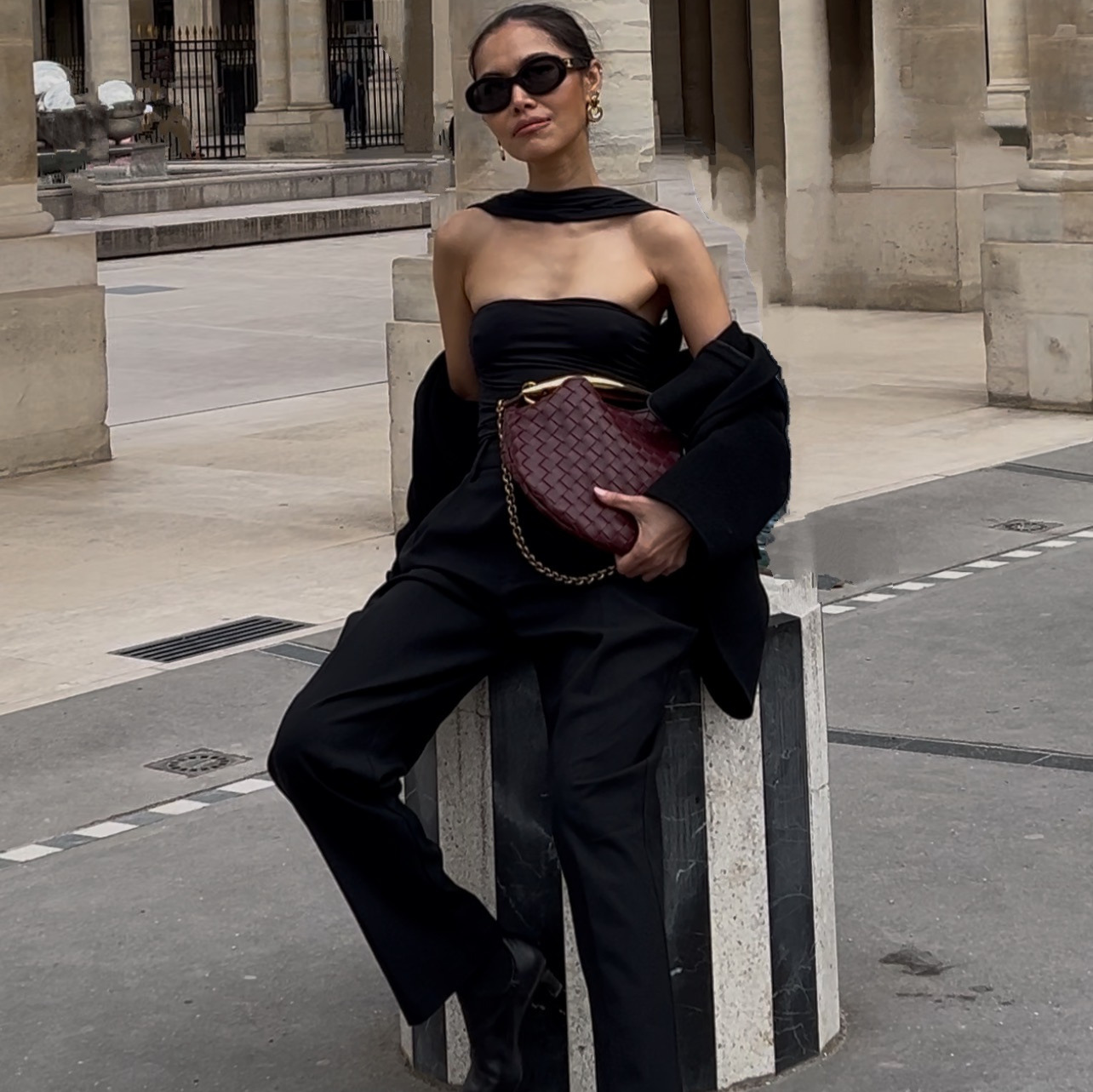
A shopper on a marketplace never holds your product. They swipe. Every question they would have asked in a store, how big is it, what is it made of, what does it look like on, has to be answered by an image or it does not get answered at all.
Most sellers fill two slots properly and let the rest sit empty or repeat the same angle. That is not a photography budget problem. It is a decision about what each slot is for, and nobody makes it.
Below is the set I would build, and the five prompts that build it. One product photo goes in. Six images come out, each one answering a different question. No studio, no model, no second shoot when you add a colorway.
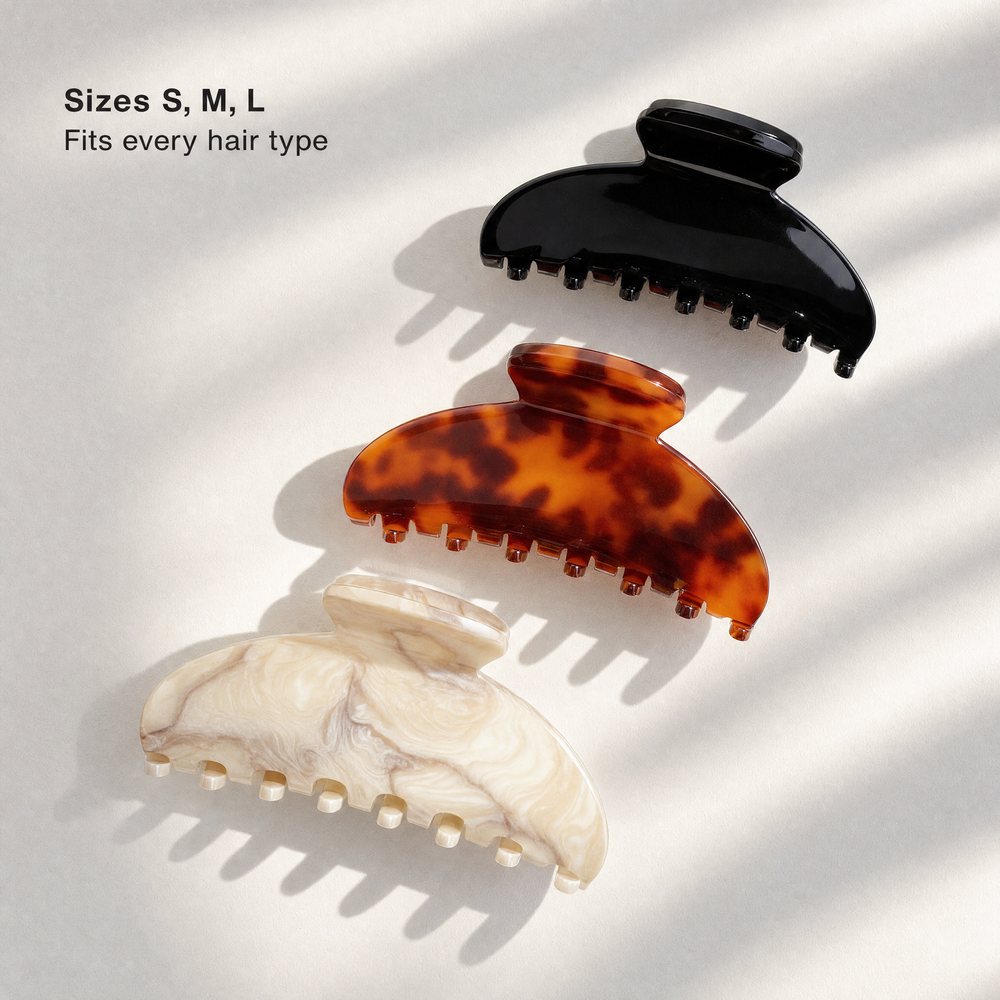
The colorway lineupBuilt from a single photo of one clip. The other two colors were never photographed.
The whole thing on one page
| Slot | The question it answers | How long |
|---|---|---|
| One, main | What am I buying | you already have this |
| Two, scale | How big is it, really | 3 minutes |
| Three, detail | How is it made | 3 minutes |
| Four, lineup | What are my options | 3 minutes |
| Five, lifestyle | What does it look like on someone | 3 minutes |
| Six, infographic | Everything I did not read in the description | 4 minutes |
What do you need before you start?
- One clear photo of the product on its own. Sharp, evenly lit, nothing else in the frame. This is the reference for all five images, so any softness in it repeats five times.
- Your product's real material and color, written down. You will paste this into every prompt. Cellulose acetate, brushed brass, 100 percent merino, whatever it actually is.
- A reference image for the look you want. Optional but it changes the output more than any adjective will. A photo whose lighting and mood you like, from anywhere.
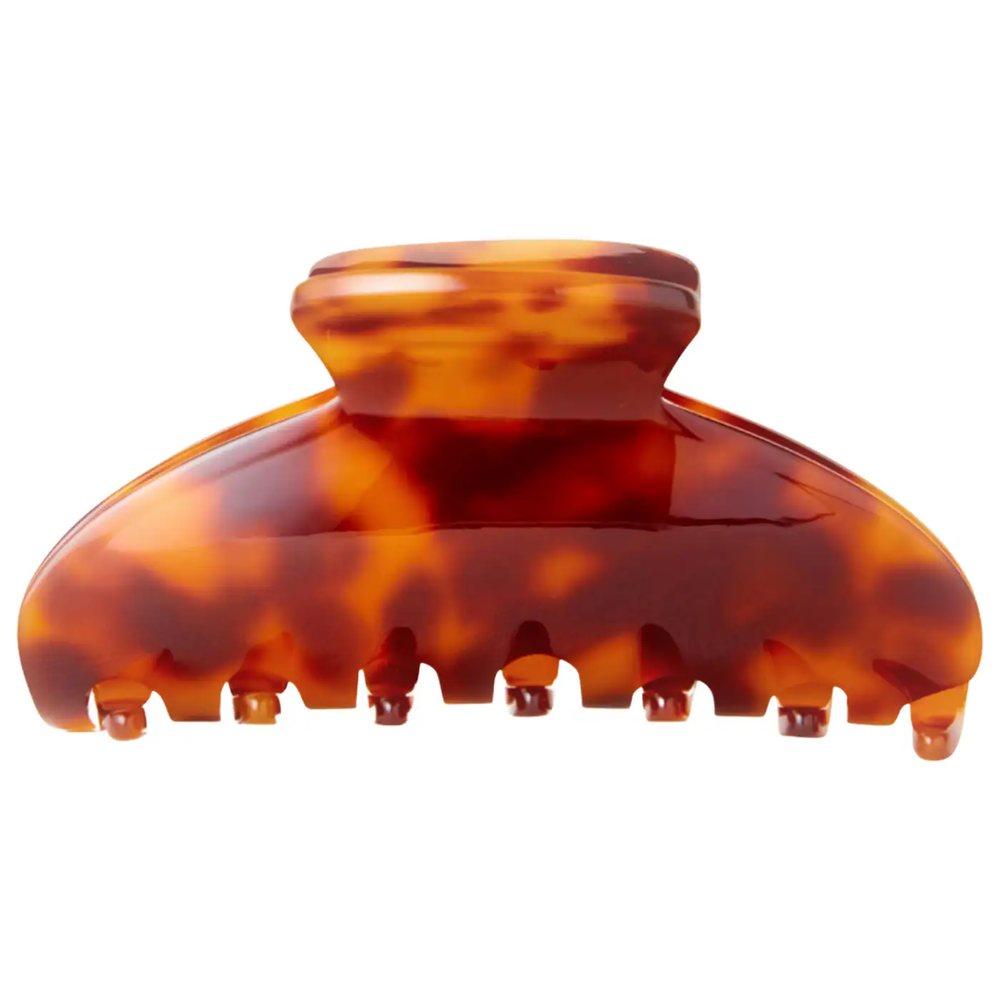
The one photo everything came fromProduct on white, straight on, nothing else in frame.
How do I show how big it is?
Put it in use. Size is the single most common reason a marketplace product gets returned, and no dimension in millimeters fixes it the way one photo of the thing being used does.
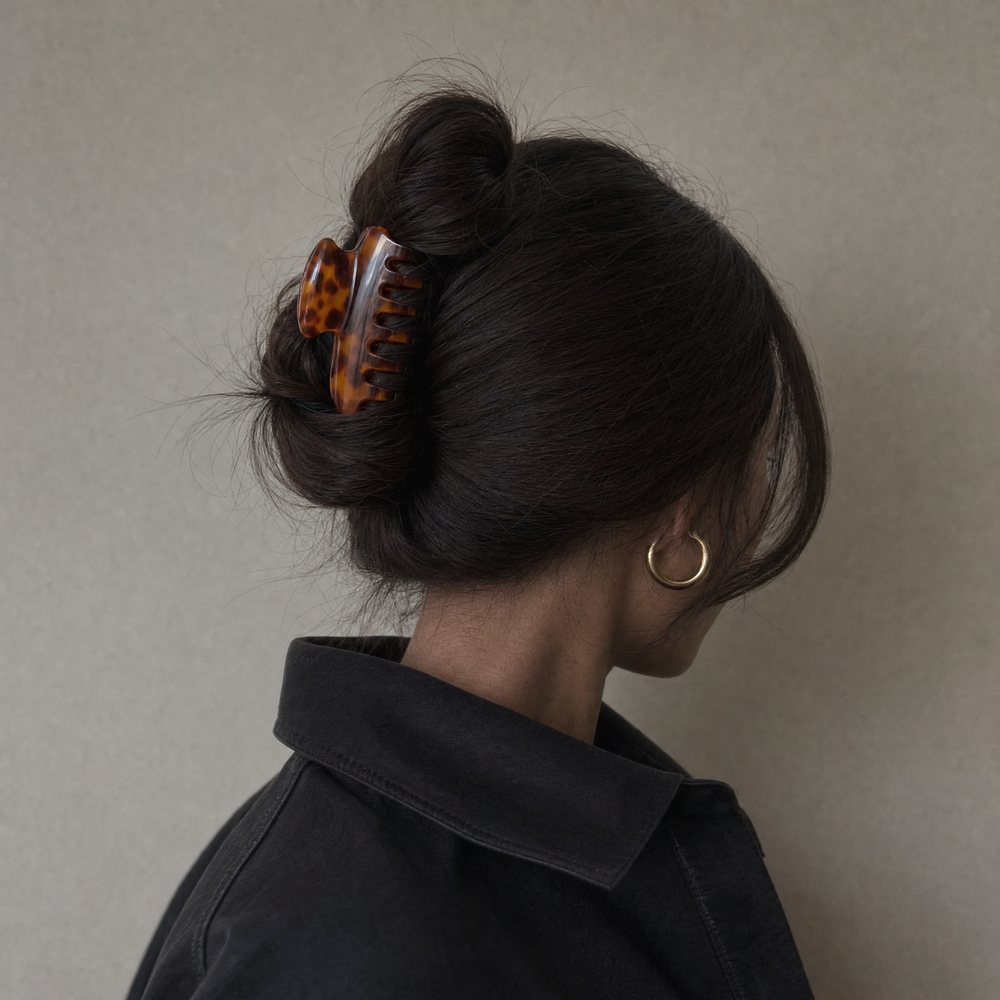
Slot twoThe product in use, at a size a shopper can judge.
How do I show how it is made?
Go closer than feels necessary. The detail shot is where a shopper decides whether your product is worth more than the cheapest listing on the page, and it only works if they can see the thing that makes it worth more.
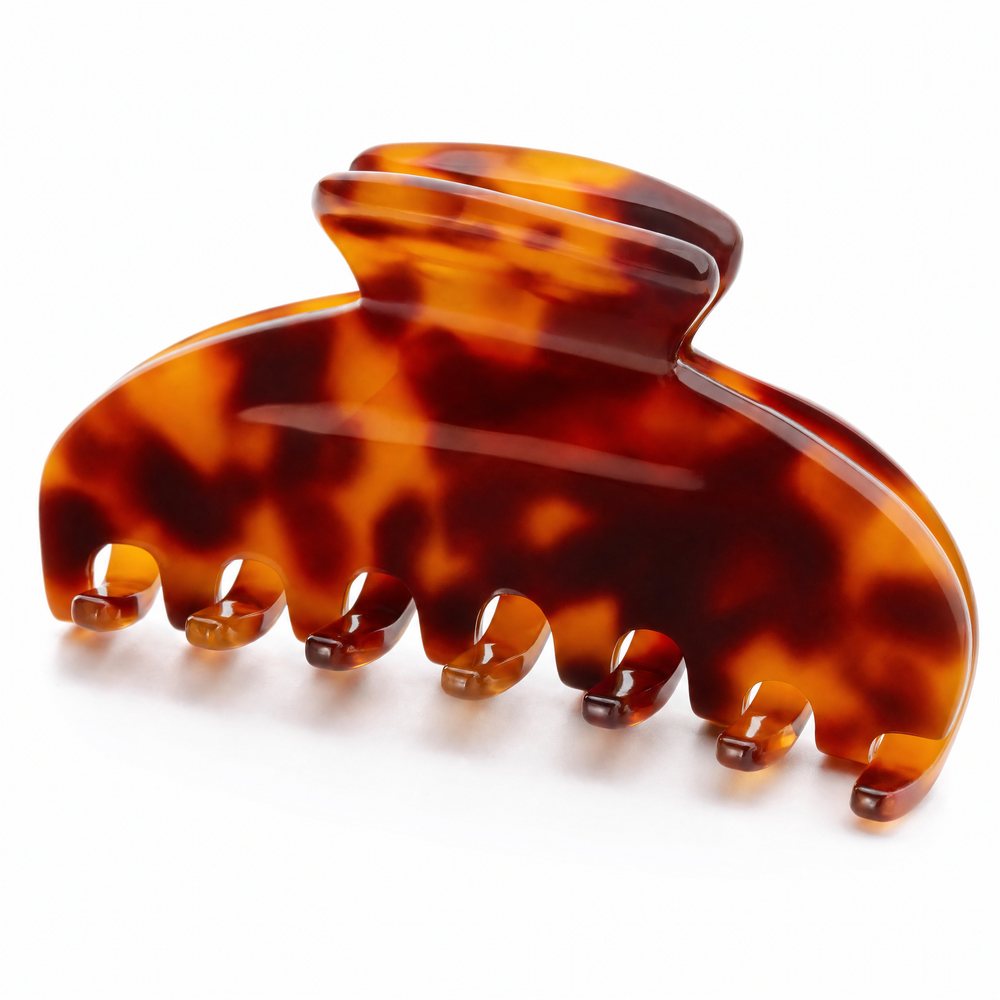
Slot threeThe part that justifies the price, shown large enough to see.
How do I show every colorway without shooting every colorway?
Lock the silhouette, change only the finish. This is the slot that saves the most money over a year, because every new color you launch is a prompt edit instead of a shoot.
How do I show it on a real person?
Give the product a moment, then crop until it is still legible. The most common failure here is a beautiful photograph in which the product is a thumbnail. Nobody buys what they cannot see.
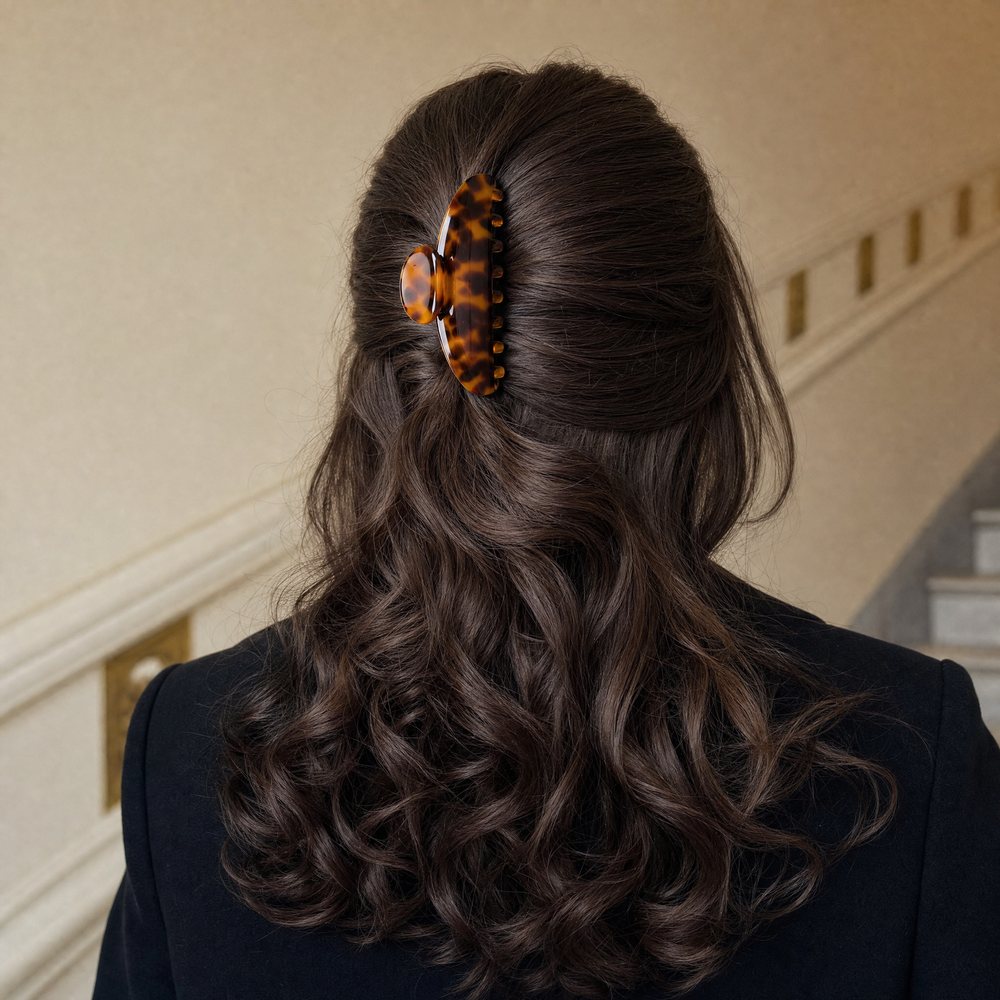
Slot fiveA real moment, cropped until the product still reads.
How do I get the description read by people who never read it?
Put the description on the image. Half your buyers scroll the gallery and buy without ever opening the bullets, so the three facts that close the sale have to survive in a picture.
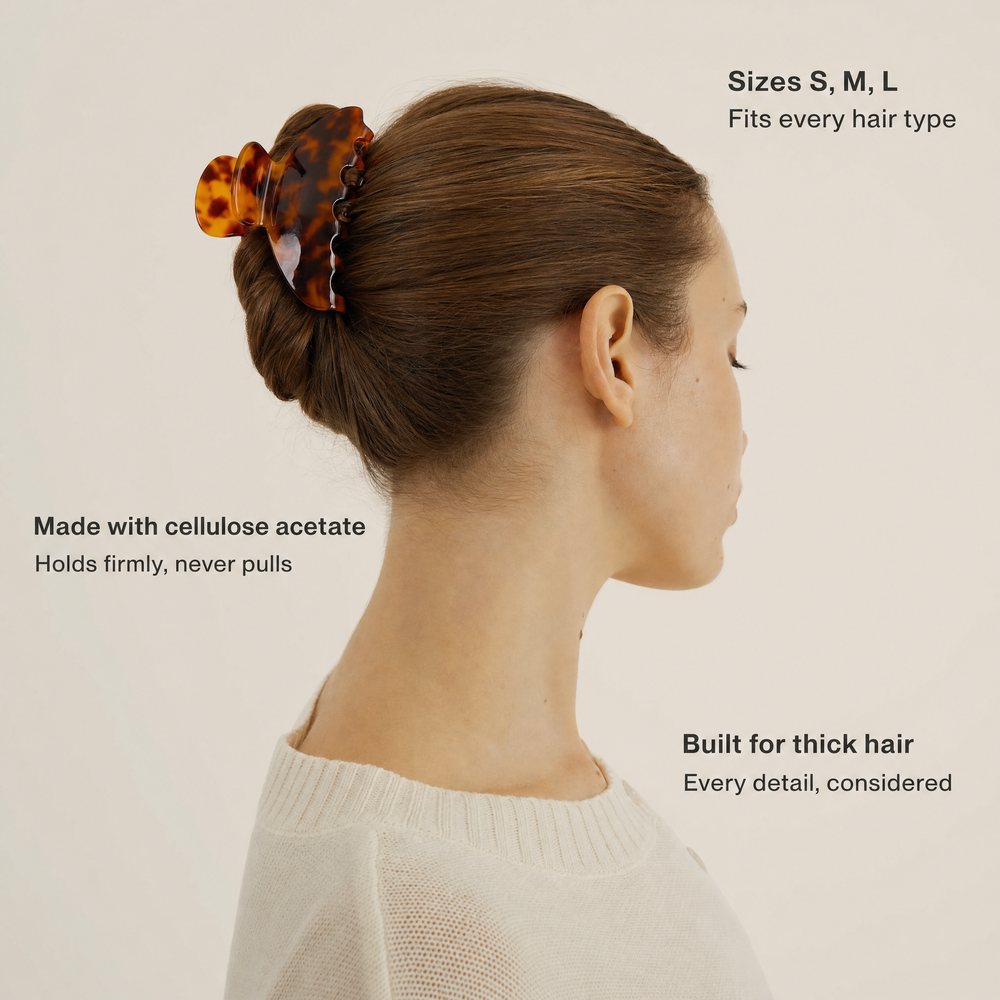
Slot sixThree facts, placed where a shopper who never reads the description will still see them.
What if I want a second version of a slot?Optional
Run the same prompt twice with one line changed and keep both. A tighter crop, a different hair color, a warmer grade. It costs one more generation and gives you something to A/B once the listing is live. This is also how you build a matching set of ad creatives without a separate brief.
What is the build order?
| # | Prompt | What you get |
|---|---|---|
| 1 | Your existing product photo | The reference every image below is built from |
| 2 | The scale shot | The product in use, at a judgeable size |
| 3 | The detail shot | The construction detail that justifies your price |
| 4 | The lineup | Every colorway, including ones never photographed |
| 5 | The lifestyle shot | The product in a real moment, still legible |
| 6 | The infographic | Your three closing facts, on the image |
What makes the difference?
- Open every prompt by locking the product. Name the real material, color and shape and say that none of it may change. Skip this line and you get a generic version of your category, and a shopper who receives something that does not match the photo.
- Give each slot one job. Two images answering the same question is a wasted slot. Decide what each one is for before you write a word.
- Name orientation twice. Once in the description and once as a closing constraint. Position is the thing these models get wrong most often and the thing you will notice last.
- Write overlay text between quotes and say "reads exactly". Left loose, it comes back paraphrased, and you will not spot it until the listing is live.
- Crop until the product is legible, then stop. The prettiest frame in the set is usually the one where your product is too small to sell.
The checklist before you upload
- The product in every image matches what you actually ship, in shape, color and material
- Each of the six answers a different question, with no two doing the same job
- Every overlay claim is one you can stand behind, checked word for word against the image
- The product is still readable at thumbnail size in every slot, not just at full size
- Your main image follows the current requirements Amazon publishes for that slot
- Nothing in any image implies a feature, size or material the product does not have
Do I need professional product photography to start?
No. One clear photo of the product on its own is enough. That photo is the reference every other image is built from, so what matters is that the product is sharp, evenly lit, and unobstructed, not that it was shot in a studio.
Will the generated images still look like my actual product?
Only if you make it a rule in every prompt. Open each one by naming your product's real material, color, and shape and stating that none of it may change. Without that line the model drifts toward a generic version of your category, and a shopper who receives something that does not match the photo is a return and a bad review.
Can I use a generated image as my Amazon main image?
Your main image has to be a true representation of what you ship, on a pure white background, and Amazon publishes its own current requirements for that slot in Seller Central. Check them before you swap anything. The five images in this guide are the secondary slots, where you have far more freedom.
How do I stop the model from placing the product the wrong way round?
Name the orientation explicitly and describe the axis. Vertical or horizontal is not enough on its own. Say which way the long edge runs and what it is running parallel to, then close the prompt by repeating the orientation as a constraint.