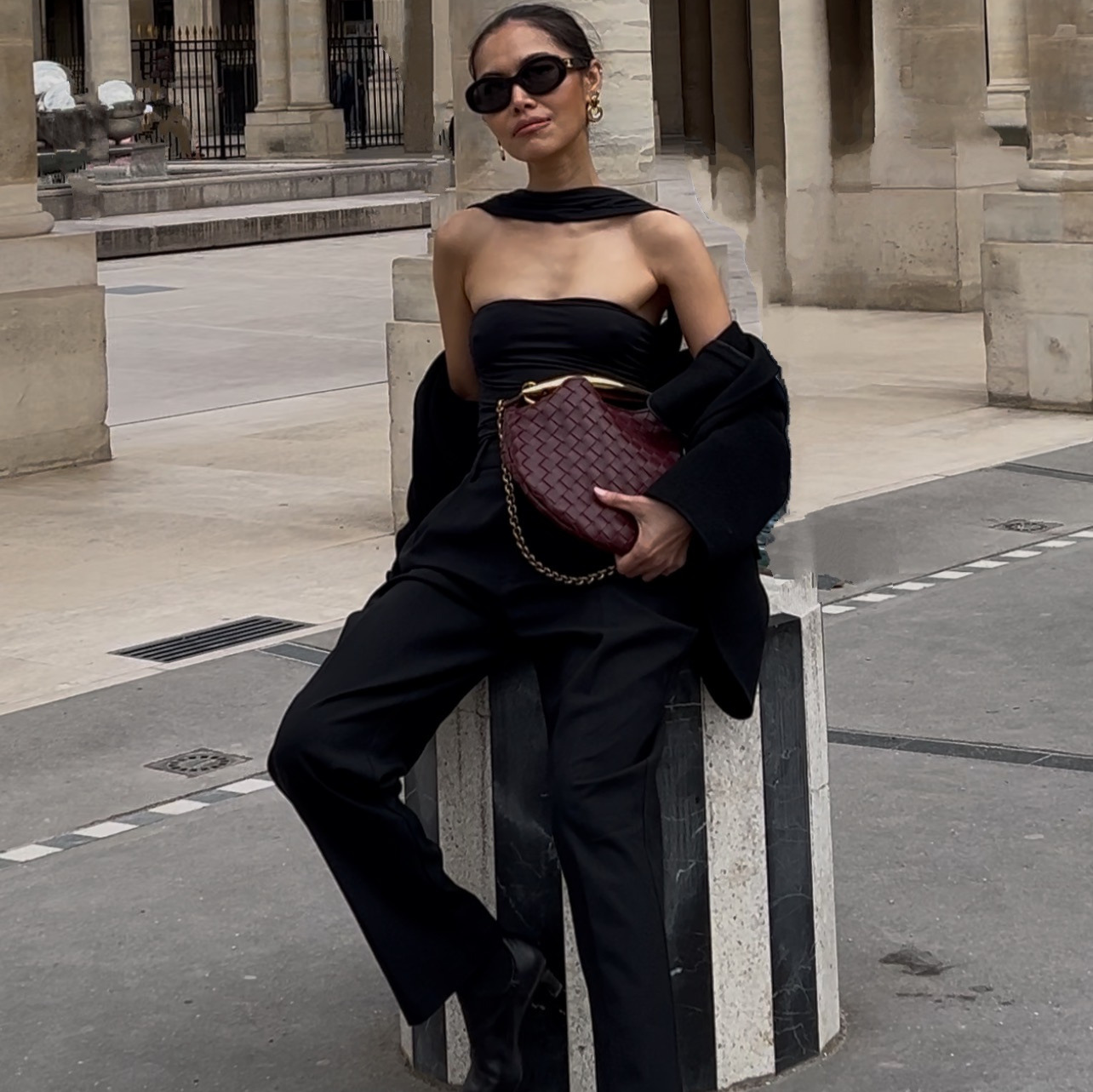
A UGC creator costs between three hundred and two thousand dollars per video, and you get one video.
This is the same format, in about forty minutes, with a face your brand owns and can use again tomorrow.
You are not going to learn a video tool. You paste four prompts into Claude, describe the ad you want, and paste your product link. Claude picks the models, pulls your product photos and runs the generations.
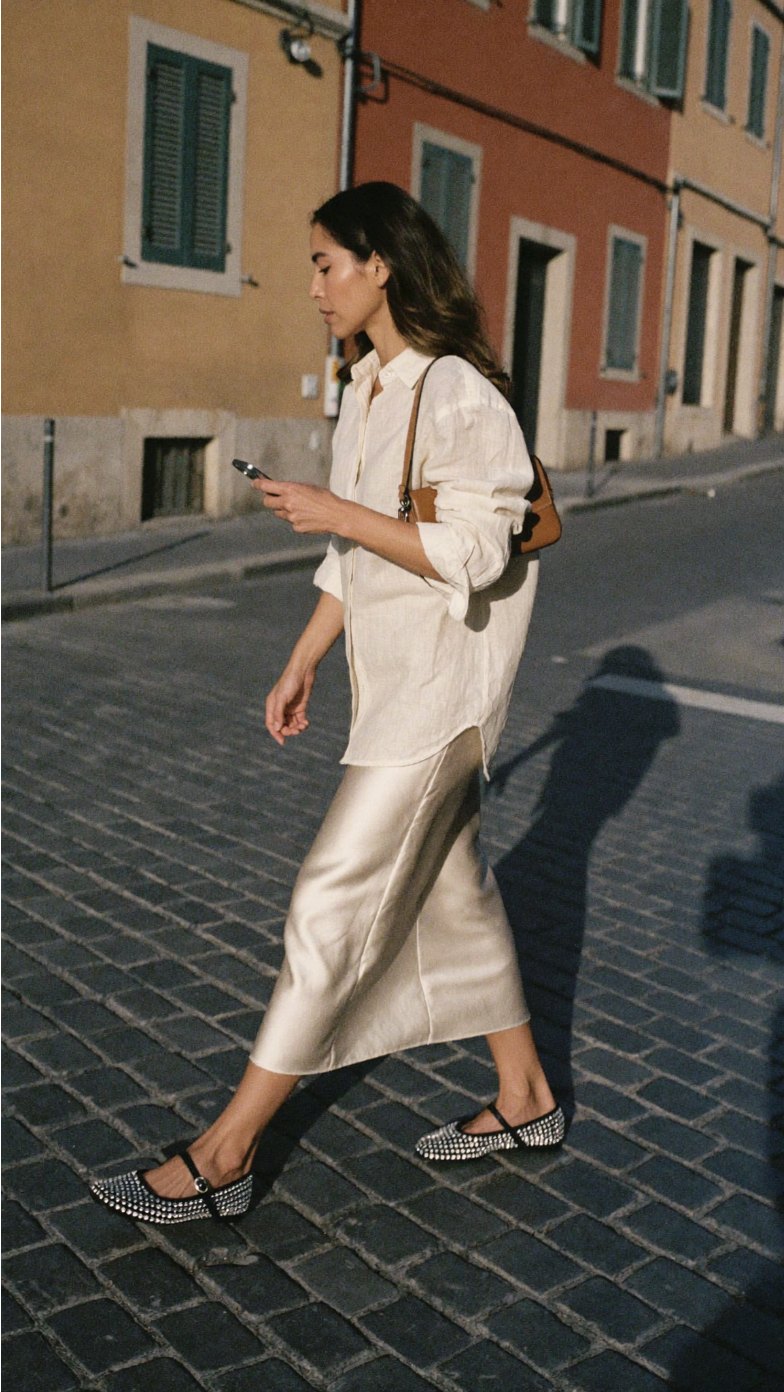
The opening frameOne still, approved before anything moved. The video is built from this.
The whole thing on one page
| Step | What you do | How long |
|---|---|---|
| 1 | Decide the creative direction. Where she is, what she is doing, how it should feel | 10 min |
| 2 | Ask Claude for the opening frame. Pick one of four | 5 min |
| 3 | Ask Claude to animate it | 10 min of waiting |
| 4 | Watch it, then ask for one fix if it needs one | 10 min |
What you need before you start
- An AI model you have already trained, with a name. Not a photo you upload each time. If you do not have one yet, I walk through building her here: how to create an AI model for your brand. Do that first. Everything on this page depends on it.
- Claude, with the Higgsfield connector turned on. That is the whole software stack. You will not open a video tool.
- Your product page link. Just the URL of the product you are advertising. Claude reads the page and pulls the real product photos off it, so the thing in the ad is your actual product rather than something generated to look like it.
Step 1. Decide the creative direction
This is the only part that is genuinely yours, and it is the part that decides whether the ad is any good.
Everything below is an example. What you ask for depends entirely on the product you are featuring and the direction you want to take. A coffee machine wants a slow morning at home. A set of shoes wants a street and a walk. A serum wants a bathroom and a close-up. Those are different ads and they are not interchangeable.
The two examples on this page are a coffee machine and a set of five shoes, because they need opposite treatments and between them they cover most of what you will make. Read the prompts as shapes to fill in, not as scripts to copy.
Before you write anything, answer four things:
- Where is she? A real room or a real street, described physically. Not "somewhere nice."
- What is she doing? A verb. Walking, pouring, reaching, sitting down. Not a pose.
- What time of day, and where is the light coming from? Hard morning sun through a window is a different ad from flat afternoon light.
- What is she wearing? Anything that keeps the product visible, and nothing that competes with it.
Steal the direction from an ad you already like. Find a video or a photo whose mood you want, describe what is in it, and hand that description to Claude.
Step 2. Ask for the opening frame
Do not ask for the video first. Ask for one still, look at it, then have it animated.
Stills cost almost nothing next to video. This is where you find out the outfit is wrong, or the light is flat, or the product is not reading, and it is far cheaper to find out here.
The line worth keeping is "she is in motion, not posing." A catalog stance animates into a person standing still for ten seconds. Give her a verb and the video has somewhere to go.
Step 3. Ask Claude to animate it
Two formats. Pick by how many products are in the ad.
Format A. One product, one calm moment
For a single hero product. She uses it, once, slowly. Ten seconds.
Format B. Several products, one continuous take
For a collection or a range. The product changes on her as she moves, with no cut. Ten seconds for three products, fifteen for five.
Put your best product last. The final two seconds are the only ones a scroller reliably watches to the end, and a sequence that escalates gives them a reason to stay.
The same product, two directions
Both of these are the same coffee machine, the same AI model and the same product link. The only thing that changed between them is the answer to step 1.
Both were generated in Higgsfield, driven from Claude, from one product page link. Turn the sound on.
Neither one is more correct. The kitchen version sells the machine, the bedroom version sells the morning, and which one you want is a decision about your customer rather than about the tool. That decision is step 1, and it is the only part of this that AI cannot make for you.
Silent, or with a script
Both work. They suit different products, and the prompts above let you ask for either.
Silent with music is the safer of the two and reads closest to a real shoot, because there is no lip sync to get wrong. Use it when the product is beautiful and self-explanatory. Clothes, shoes, homeware, anything where looking at it is the pitch.
A script converts harder when the product actually needs explaining, or when the objection is the thing standing between the viewer and the sale. Use it for anything technical, anything expensive, anything people are skeptical of.
If you write one, the rule is this: concede something before you praise anything. Every cheap UGC ad opens with "I am obsessed with this." Every one that converts opens with a real objection.
"I didn't want another pod machine. My old one made every cup taste the same. This one scans the pod before it brews. You taste it on day one."
Twenty-nine words, and it buys the next ten seconds because it does not sound like an ad. Keep it to about 30 words for a 10 second clip, and read it out loud on a timer before you send it.
Optional. The product-only film Optional
No model at all. Your products arranged on a real surface, one slow camera move. It is the version where the product comes out most accurate, and it makes a good second asset from the same session.
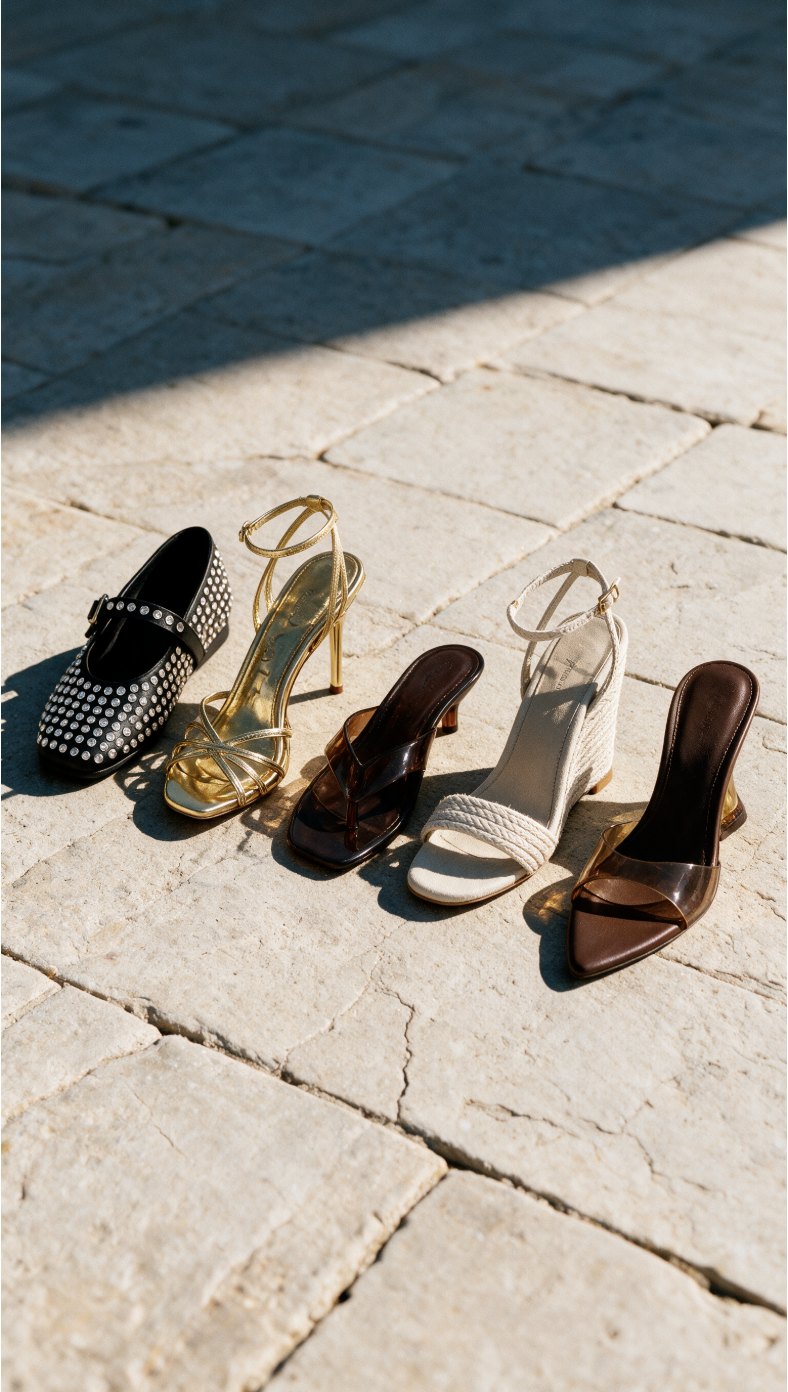
Product onlyFive shoes, real product photos, no model.
The prompt chain, in order
| # | Prompt | What you get |
|---|---|---|
| 1 | The opening frame | Four stills. You pick one |
| 2 | Single-product ad | 10 seconds, one hero product |
| 3 | Product-swap ad | 10 to 15 seconds, three to five products |
| 4 | Product-only film | A second asset, no model needed |
Four things that make the difference
Still first, video second. Approve the face, the product and the light on a cheap image. Video is the most expensive thing in the session and the worst place to discover the outfit is wrong.
Ask for the cost before every video. Put "tell me the credit cost before you run it" in the prompt and Claude will stop and check with you. That one line is the difference between three ads and one.
Give every change a trigger. "The shoes change" produces a smear. "The shoes change the moment her forward foot lands" produces a cut you can feel.
Say what must not move. Naming what stays identical, the face, the outfit, the room, the light, is what stops it quietly redecorating between second three and second seven.
The checklist
- Creative direction decided before you opened Claude: where, what she is doing, the light, the outfit
- Your AI model named in the prompt, not uploaded
- Product page link pasted, so the real product is used
- Four stills generated, one picked
- Silent or scripted decided, and said in the prompt
- Credit cost checked before the video ran
- Best product last, if there is more than one
- Finished clip watched all the way through, checking her hands and feet
Can you make a UGC ad without hiring a creator?
Yes. You describe the ad you want in plain English, paste your product page link, and name the AI model you have already trained. Claude handles the tools. The only decision that stays yours is the creative direction: where she is, what she is doing, and what the ad is supposed to feel like.
Should the AI model speak in the ad?
Both work and they suit different products. A silent clip with music is the safest and reads closest to a real shoot, because it removes lip sync entirely and lets the product carry the ad. A script converts harder when the product genuinely needs explaining, and the rule that makes one work is that the first line concedes something about the category before it praises anything. Ask for whichever you want, in the same prompt.
How do you get your actual product into an AI video?
Paste your product page link into the prompt. Claude pulls the real product photos from the page and uses them as references, so the shape, material and hardware come out close to the real thing instead of a generated approximation. You do not need to download or upload anything.
How do you keep the same AI model across every video?
Train the model once, give her a name, and name her in every prompt from then on. Claude looks up the saved version and uses it. That is what makes the second video look like it came from the same brand as the first, and it is the whole reason to train a model rather than generating a new stranger each time.
How long should an AI UGC video ad be?
Ten seconds for a single product, fifteen for a sequence of three to five. Generation tools cap the length, so ask for the length you want and let Claude tell you if it needs adjusting. If you want a shorter cut than the tool allows, generate the longer one and trim the last beat in your editor.